Start the TempTale GEO
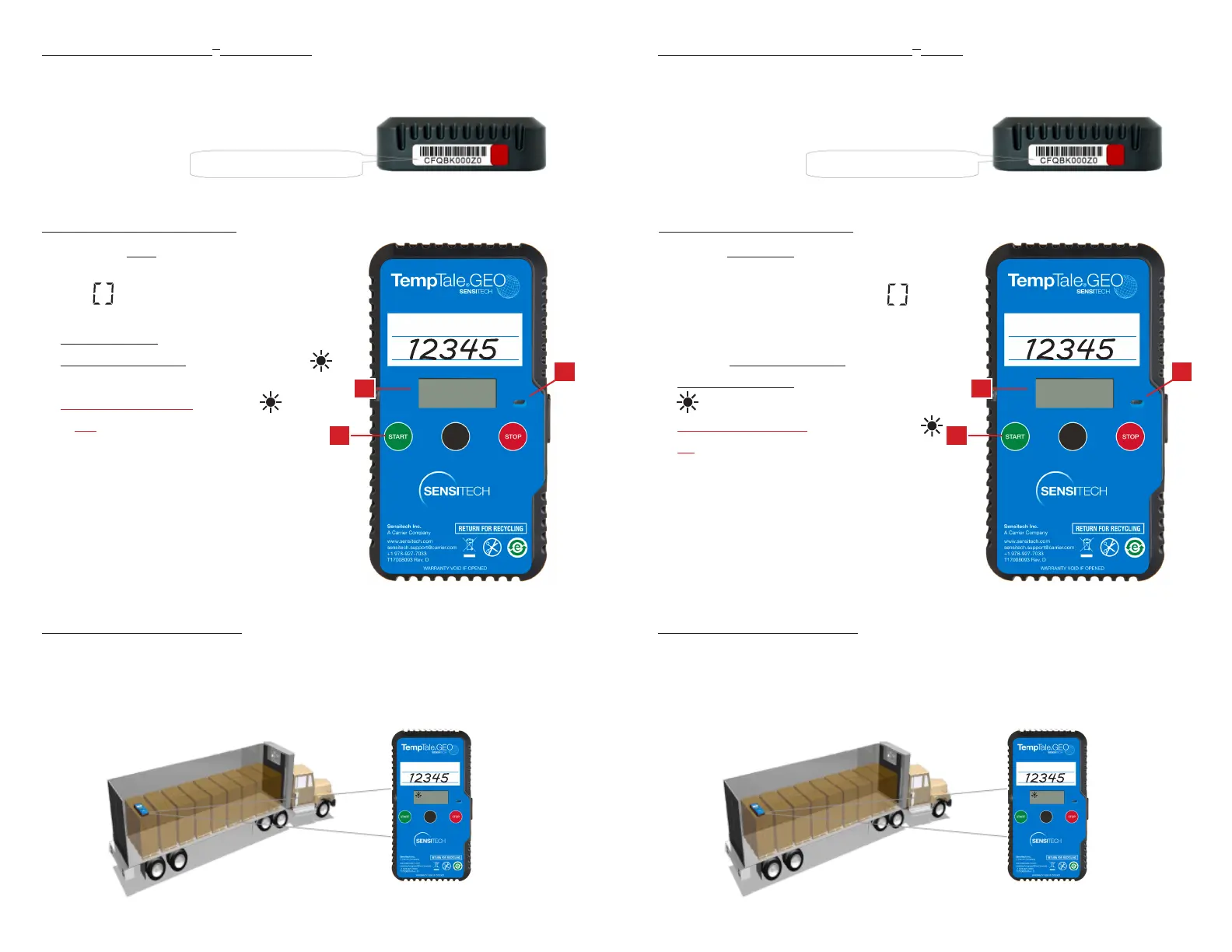
• Press and hold the green START button (1) for
several seconds until the spinning initialization
icon is visible on the LCD display.
• A green LED (2) will blink rapidly for
30-60 seconds.
• Place on Shipment when the sun icon (3)
is visible on the LCD display,
• Do Not Use Monitor if the sun icon
is not visible.
Start the TempTale GEO
• Pulse y mantenga el botón verde START (1)
para comenzar por varios segundos hasta que
el icono de giro de inicialización es visible
en la pantalla LCD.
• El LED verde (2) parpadeará rápidamente
durante 30 a 60 segundos.
• Poner en el Envío cuando el icono del sol (3)
se hace visible en la pantalla LCD.
• No Usar el Monitor si el icono del sol
no es visible.
Fill Out the TempTale
®
GEO Label
• Write the PO/Order Number on the TempTale GEO label.
Información de Envío TempTale
®
GEO
• Escribe el número de PO/Número de Orden en el TempTale GEO.
Place the TempTale GEO
• Remove the protective paper from the Velcro strips on the back of the
TempTale GEO. Place it on the last pallet, loaded on top of the pallet on the
passenger side of the trailer.
Place the TempTale GEO
• Retire el papel protector de las tiras de velcro en la parte posterior del TempTale
GEO. Colóquelo encima de la última paleta cargada del lado del pasajero en el
camión.
Serial Number Número de Serie
Top View Vista Superior
1 1
2 2
3 3



 To Previous Page