Need help?
Do you have a question about the Sensitech TempTale Ultra and is the answer not in the manual?
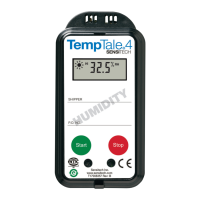
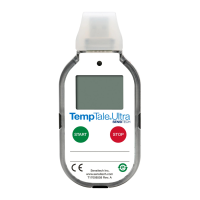
Initiate the TempTale Ultra Humidity monitor by pressing and holding the Start button for 1-3 seconds until the sunshine icon appears.
The monitor begins recording temperature and humidity data after the programmed start-up delay period has passed.
Press and release the Start button to mark an event, displaying trip summary data on the LCD screen.
Cycle through trip summary data including average, min, max temperature and RH% values, and current readings.
An 'X' icon indicates exposure to out-of-spec conditions; specific icons show if high or low alarms were triggered.
Stop the monitor by holding the Stop button or plugging it into a computer's USB port.
Plug the stopped monitor into a USB port to create Adobe PDF and TTV data files.
Open PDF files with a reader and TTV files with Sensitech's Manager software for data analysis.
Place monitor in Direct Print mode by holding Start/Stop, then connect to a USB printer to print PDF reports.
 General
| Display | LCD |
|---|---|
| Temperature Range | -30°C to +70°C (-22°F to +158°F) |
| Data Storage Capacity | 16, 000 readings |
| Connectivity | USB |
| Shelf Life | 2 years |
| Water Resistance | IP67 |
| Compliance | CE, RoHS |
| Type | Temperature Monitor |
| Accuracy | ±0.5°C |
| Temperature Accuracy | ±0.5°C |
| Resolution | 0.1°C |
| Logging Interval | Configurable from 1 minute to 2 hours |

 To Next Page