Installing the LM100 gateway
Page 32 Senstar LM100 Product Guide
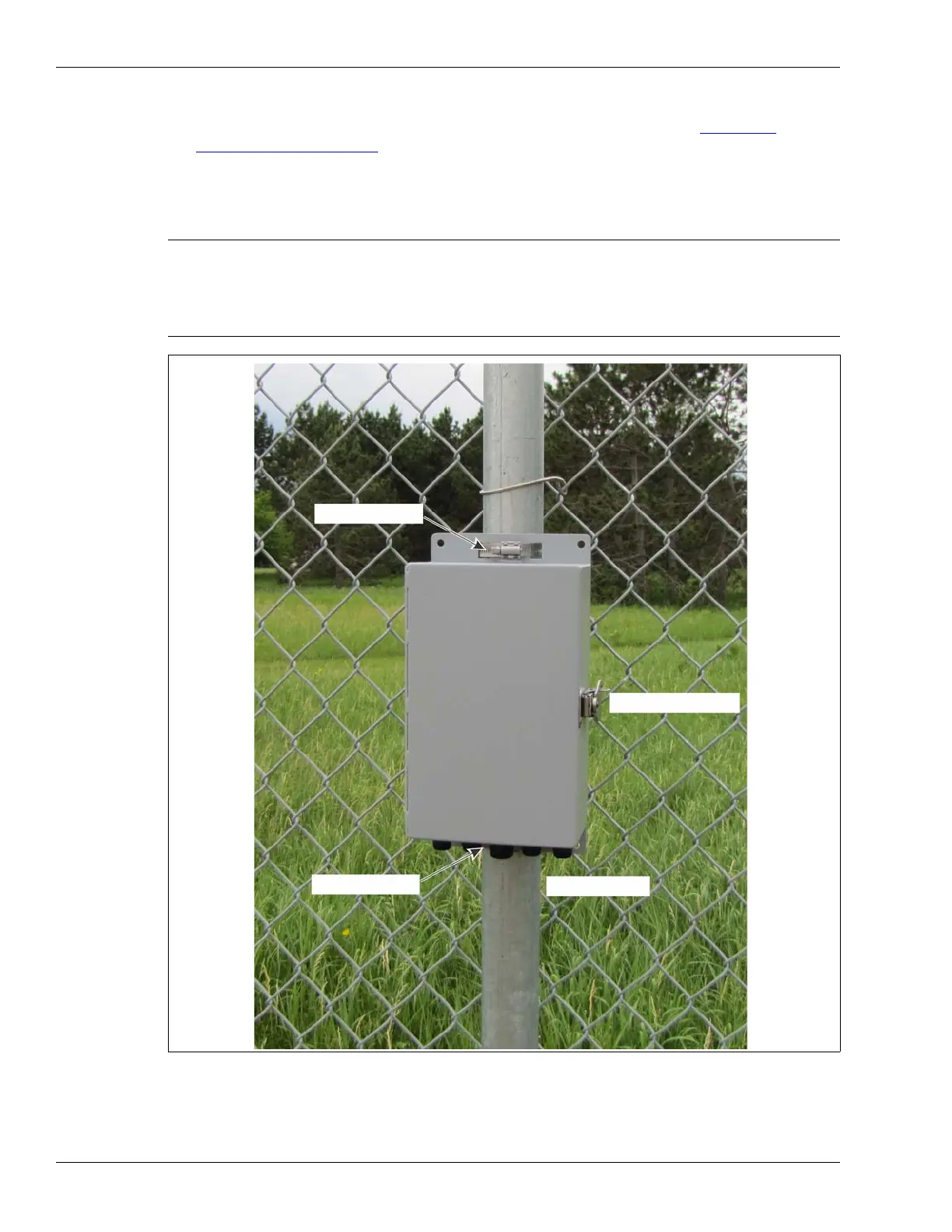
• Mount the enclosure with the cable entry ports on the bottom toward the ground.
• Install an approved earth ground at the gateway location, if required (see Grounding
considerations on page 14).
• If razor ribbon is installed along the bottom of the fence, mount the gateway on the secure side
of the perimeter, away from the fence and razor ribbon.
• Use an 8 mm (5/16 in.) socket or nut driver to tighten the processor’s gear clamps.
CAUTION For installations in environments which include hot sunny periods,
Senstar recommends that a sun shield be installed to protect the
enclosure from direct sunlight, or that the enclosure be installed in a
shady area. The maximum operating temperature, as measured
inside the enclosure, is 70º C (158º F).
Figure 32: Fence-mounted gateway
lockable door latch
upper clamp
lower clamp
I/O cable ports



 To Next Page