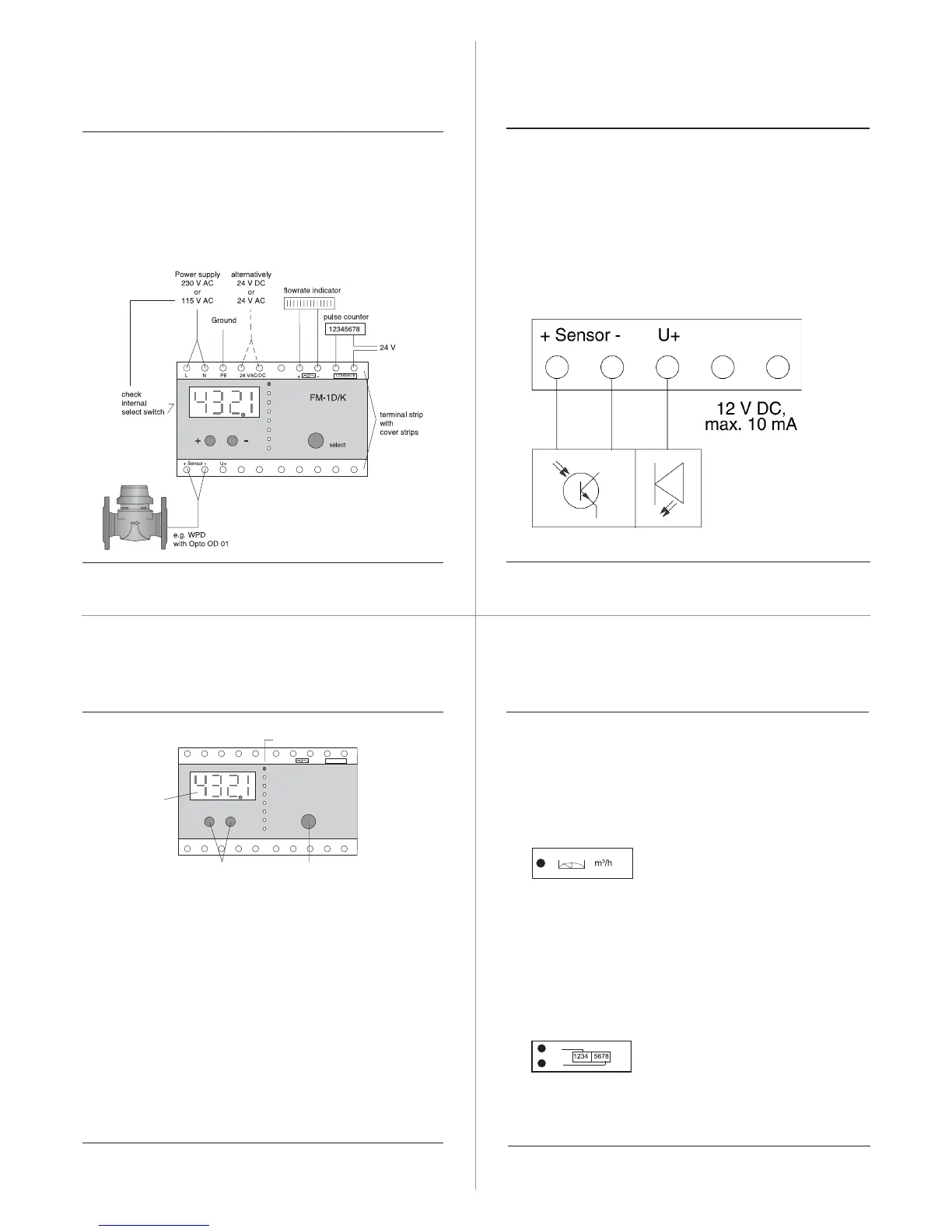
3. Connection
Note:
• max cable cross section is 2.5 mm
2
• check power supply voltage before using
• with 24 VDC operation, the polarity is irrelevant
• Technical Data please see leaflet L S 5100 GB
Safety information
When making the electrical connections, it is
essential to disconnect the FM-1 D/K from the
power supply.
The connection of the FM-1D/K is only allowed by
a specialist in accordance to the common safety
standards.
Connection of 3-wire-sensors
4. Calibration by hand
Status LEDs
select keychange keys
LED display
Calibration
After connecting the FM-1 D/K needs to be calibrated:
1. Select With the SELECT- button the programming
parameters can be chosen. The status LED indicates
the actual selection.
2. Change By pressing either the (+) or (-) button the
status LED and the first placed digit will flash. With
the (+) and (-) button the settings can be changed.
To activate the second placed digit the SELECT-but
ton must be pressed.
3. Save To save the chosen settings the SELECT-but
ton must be pressed after changing the last right
hand digit.
The settings will not be lost after a power failure.
Setting example
Water meter WPD DN 80
Pulser Opto OD 01 (1 imp = 1 Ltr.)
Current output 0 ... 20 mA
Max. flowrate 0 ... 100 m
3
/h
Pulse output 1 Imp. = 1 m
3
1. Flowrate range
After switching on, the display indicates ”0000.”.
Pressing either the (+) or (-)-button the FM-1 D/K
changes to the programming mode. The left digit of the
display will flash. Set the digit ”0” with the (+) or (-)-but-
ton. Pressing the SELECT-button changes to the sec-
ond digit. As described set the 2.,3.,4. digit and the deci-
mal point.The display should indicate ”0100.”. The pos-
sible flowrate range is 0.001 ... 9999. m
3
/h
2. Counter reading
The FM-1 D/K counter reading can be set to match the
counter reading of the water meter. When the upper sta-
tus LED blinks the first 4 digits can be set and when



 To Next Page
 Loading...