Sensus Metering Systems GmbH Hannover
Meineckestrasse 10, 30880 Laatzen, Germany
D+49 (0) 5102 74 0 F +49 (0) 5102 74 3341
info.de@sensus.com www.sensus.com
Error Symptom Cause
Remedy
Trouble Shooting
FM-1D/K refus-
es programma-
tion
The device is
locked
against pro-
gramming
Unlock device.
(please see chapter 5,
Protection).
Reading Flowrate is
too high
Check input pulse value.
Increase max. value of
flowrate.
Reading Input fre-
quency high-
er
than 1 kHz
e.g. caused
by bouncing
Reed pulser
- Check settings
- Exchange pulser
(Opto or inductive)
- Use additional contact
protection relay
Indication
“InPe”
Pulse error - Change pulse signal,
“InPb” or “InPu” for
Opto OD, “InPr” for
Reed RD.
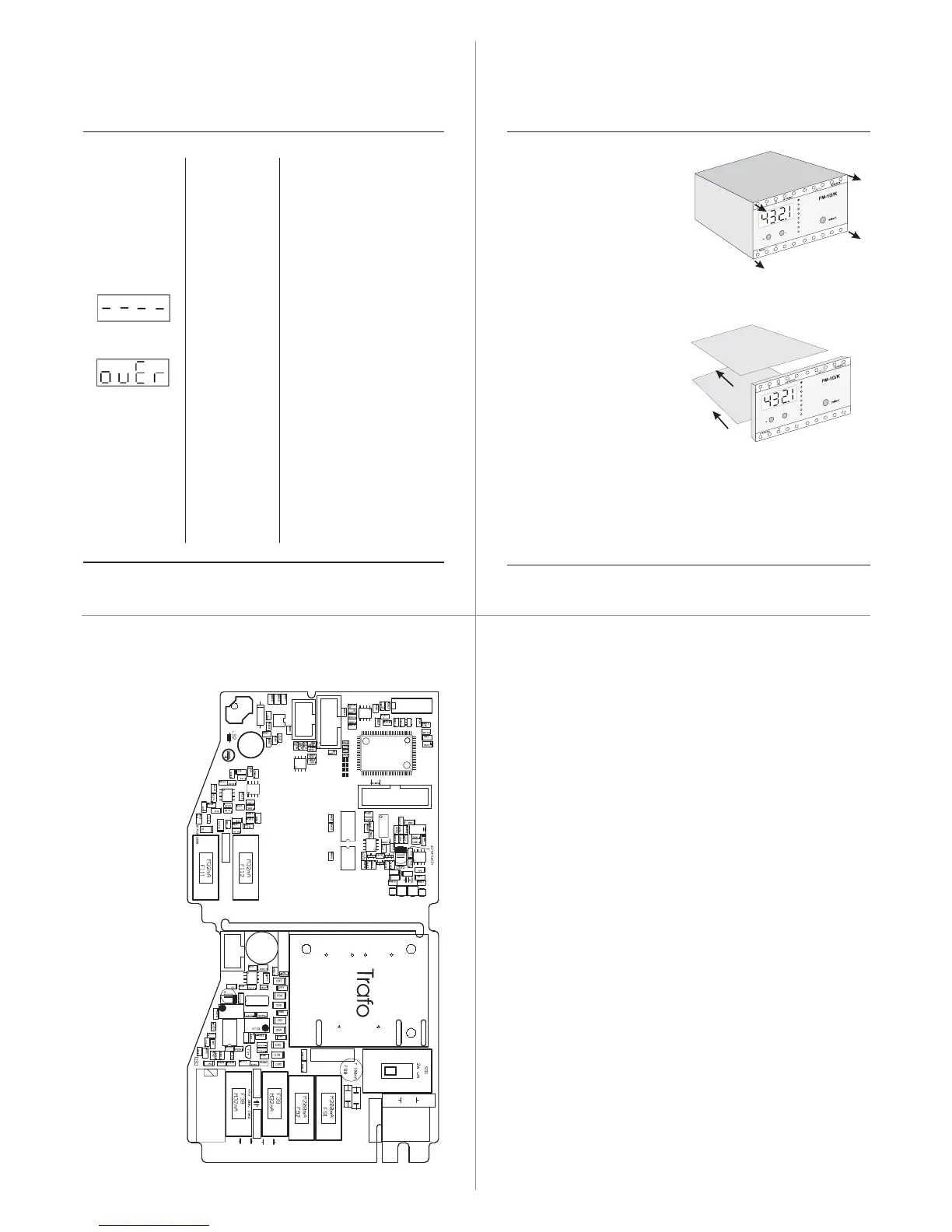
10. Replacing fuses
• Disconnect the power
from the FM-1 D/K
• Remove the 4 screws
from the front plate
• Remove front plate with boards
from the housing
• Remove the board with the blown
fuse from the front plate
• Open the holding device; check
and change the defective fuse
• Assemble the FM-1 D/K
in reverse order
Size of fuses used
F 38 fuse 32 mA medium
F 39 fuse 32 mA medium
F 91 fuse 200 mA medium
F 92 fuse 200 mA medium
F 111fuse 32 mA medium
F 112fuse 32 mA medium
Layout and Fuses
Material number MS5100IN Version: week 12/2008



 To Previous Page