Q60(SeTracker)User Manual
Please read the instruction manual before use, in order to properly installed and rapid use!
1.Preparation
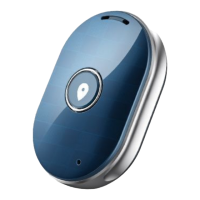
1.1. Check if the Locator is of the correct model and has complete accessories
(1*Locator, 1*USB cable for recharge, 1 user manual,1x Small tweezer).
1.2. Prepare a GSM Micro SIMCard and activate data flow, GPRS and caller ID function.
1.3. Insert Micro SIM Card
1. Use tweezer open the SIMCard slot 2. Insert the SIM card completely
3. Cover the SIM Card slot
1.4. Install the APP “SeTracker”
Please follow the instructions at the last page of this manual.
2. Product function
GPS+ BDS+LBS real-time location
2-way phone call
SOS emergency call
Remote monitor
Footprint
Geofence
Alarm clock
Remote shutdown


 To Next Page

 General