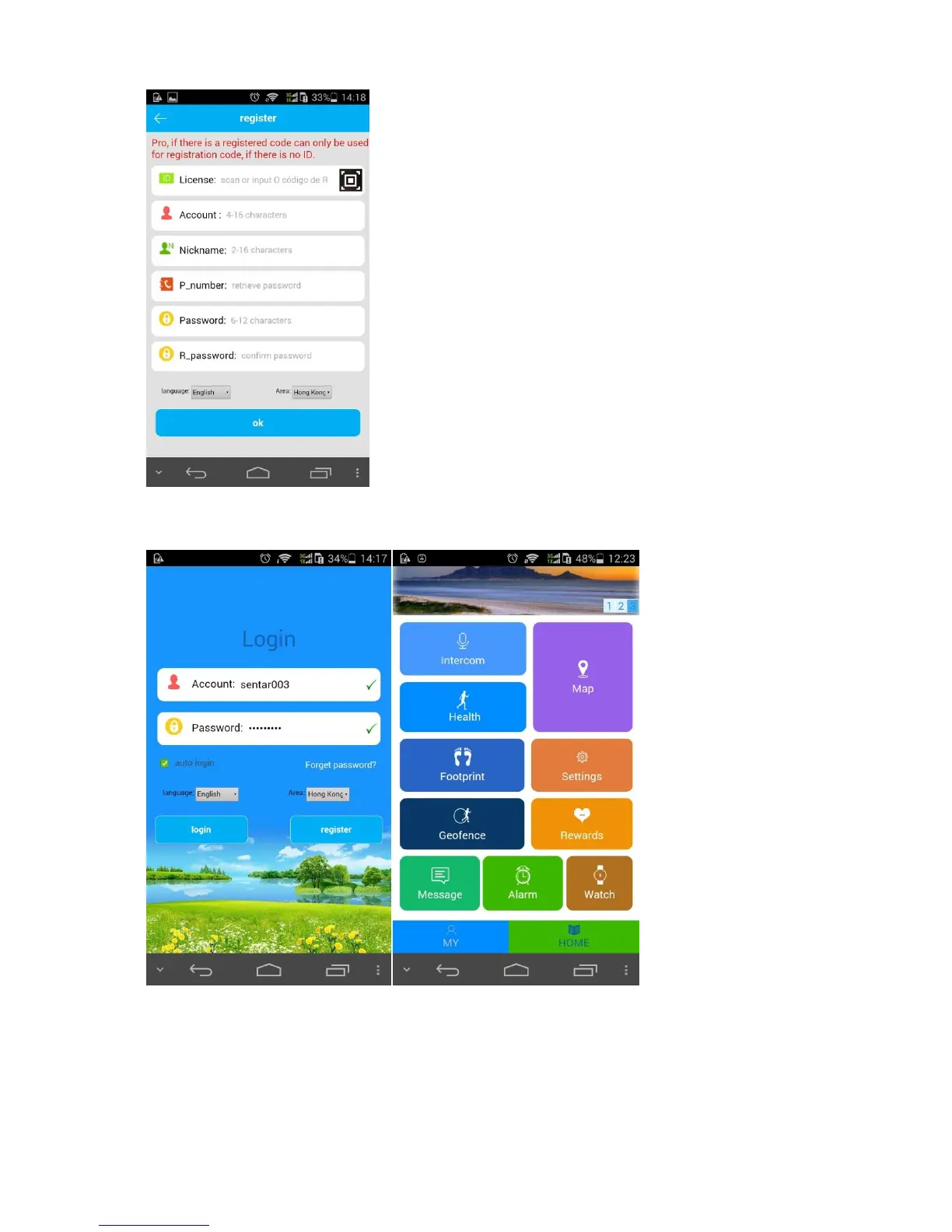
4.2. Login and Functions
After registration, log in the account to check the functions.
4.2.1. Map: real-time locating of the locator
Both locator location and APP cell phone location are displayed on map. Click”Locate” to perform
the real-time locating for 3 minutes (interval time for location information uploading:10s) . The
locator will restore to the default work mode 10 min later.
The two locating mode are differentiated by colors: GPS mode (Red), LBS mode(Blue).


 To Next Page