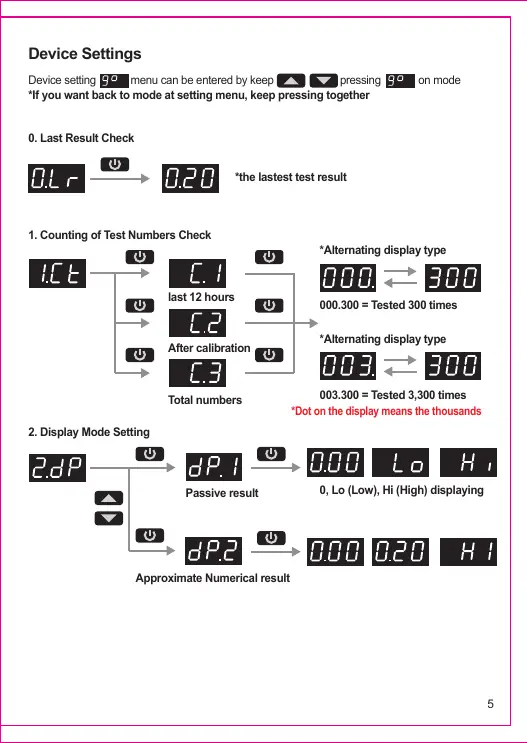
Device setting menu can be entered by keep pressing on mode
*If you want back to mode at setting menu, keep pressing together
0. Last Result Check
1. Counting of Test Numbers Check
2. Display Mode Setting
last 12 hours
After calibration
*Alternating display type
000.300 = Tested 300 times
*Alternating display type
003.300 = Tested 3,300 times
0, Lo (Low), Hi (High) displaying
Total numbers
Passive result
Approximate Numerical result
*the lastest test result
*Dot on the display means the thousands
Device Settings
5


 To Next Page