Need help?
Do you have a question about the SEPTENTRIO ALTUS NR3 and is the answer not in the manual?
Details the hardware and software capabilities of the Altus NR3 receiver.
Provides information regarding warranty, support, and compliance.
Provides essential safety warnings and instructions for using the Altus NR3.
Lists the standard items included in the Altus NR3 delivery package.
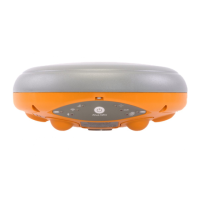
Describes the physical design, front panel, and connection ports of the Altus NR3.
Identifies the location of the battery bays and the SIM card slot on the Altus NR3.
Lists the necessary items and prerequisites for setting up and using the Altus NR3.
Provides step-by-step instructions for the initial setup of the Altus NR3.
Guides users on how to connect to the Altus NR3's web interface for configuration.
Outlines the default and standard settings for the Altus NR3 when used as a rover.
Explains how to establish a connection from the rover to a base station for corrections.
Explains how to use L-band PPP correction data for high-accuracy positioning.
Explains how to set and configure the static position for the base station receiver.
Describes how to connect the base station to a rover receiver for correction transfer.
Explains how to connect the base station to a rover using mobile internet.
Explains how to log SBF and NMEA data on the receiver and manage logging.
Guides on how to download logged data from the receiver via Web Interface or USB.
Explains how to reset the Altus NR3 receiver for troubleshooting.
Details the process of upgrading the firmware on the Altus NR3 receiver.
Explains how to design, perform, and download data using the Altus NR3's built-in collector.
Guides on using the PinPoint-GIS Web interface for accessing maps and data collection.
Explains how to use Esri Collector for high-accuracy GIS data collection with the Altus NR3.
Describes the various status icons shown in the web interface of the Altus NR3.
Details the behavior and meaning of the front-panel LEDs on the Altus NR3.
Explains recommended practices for charging the Altus NR3 batteries.
Describes the process of hot-swapping batteries and their charging status.
Details the characteristics, cost, range, and limitations of using Data Call for connections.
Compares Mobile Internet and WiFi connection methods for differential corrections.
Guides on connecting to the web interface in Client WiFi mode using a mobile device.
Defines key terms related to Geographic Information Systems (GIS) and ArcGIS.
Provides a list of common acronyms related to GNSS technology and positioning.
 General
| Brand | SEPTENTRIO |
|---|---|
| Model | ALTUS NR3 |
| Category | Network Router |
| Language | English |

 To Next Page