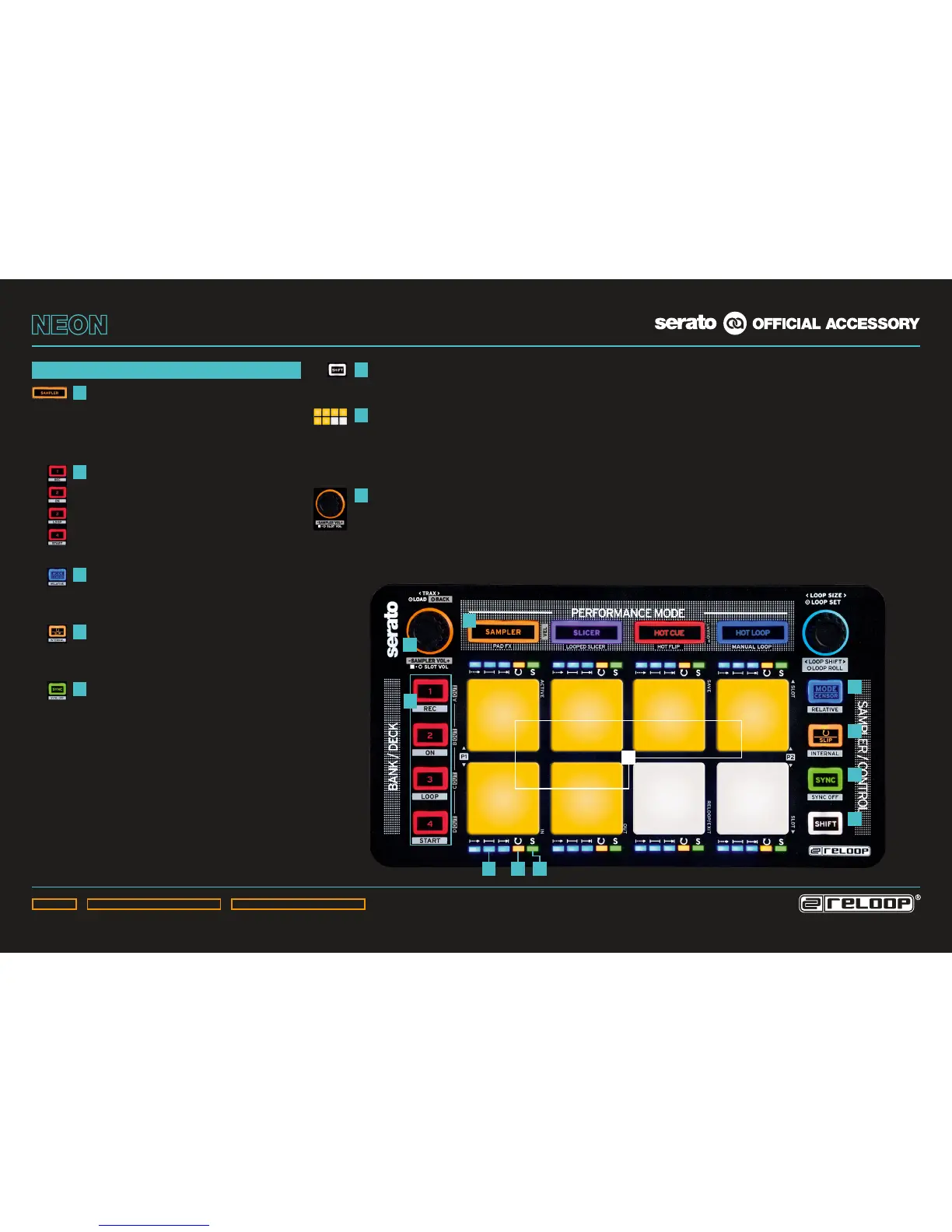
SAMPLER SECTION
SAMPLER MODE BUTTON:
Activates SP-6 sample control.
SHIFT+SAMPLER MODE BUTTON:
(De-)activates the drum pads‘
touch-sensitivity.
SAMPLE BANK BUTTONS:
Selection of sample banks A – D.
SHIFT+BANK BUTTONS A – D:
Selection of SP-6 output 1 – 4.
SHIFT+BANK BUTTONS C+D:
Assigns SP-6 to master.
MODE BUTTON:
Holding the Mode Button + Pad 1 – 6 changes
the sample player mode of the respective
sample slot (One Shot, Toggle, Hold).
REPEAT BUTTON:
Holding the Repeat Button + Pad 1 – 6
activates sample player repeat (reloop) of the
respective sample slot.
SYNC BUTTON:
Holding the Sync Button + Pad 1 – 6 activates
sample player sync of the respective sample
slot (Smart Sync has to be activated).
SHIFT BUTTON:
Holding the Shift Button activates the
secondary functions (marked by gray frame).
DRUM PADS:
6 touch-sensitive RGB colour drum pads.
By pressing an empty sample slot pad, the
selected track/sample will be loaded into the
respective slot.
SAMPLER ENCODER:
Shift+turning the Sampler Encoder changes
global sampler master volume.
Holding a sample slot pad + turning the
Sample Encoder changes the individual
sample slot volume.
1
2
3
4
5
6
7
8
3
3
4
5
6
4 5
1
8
2
7



 To Next Page