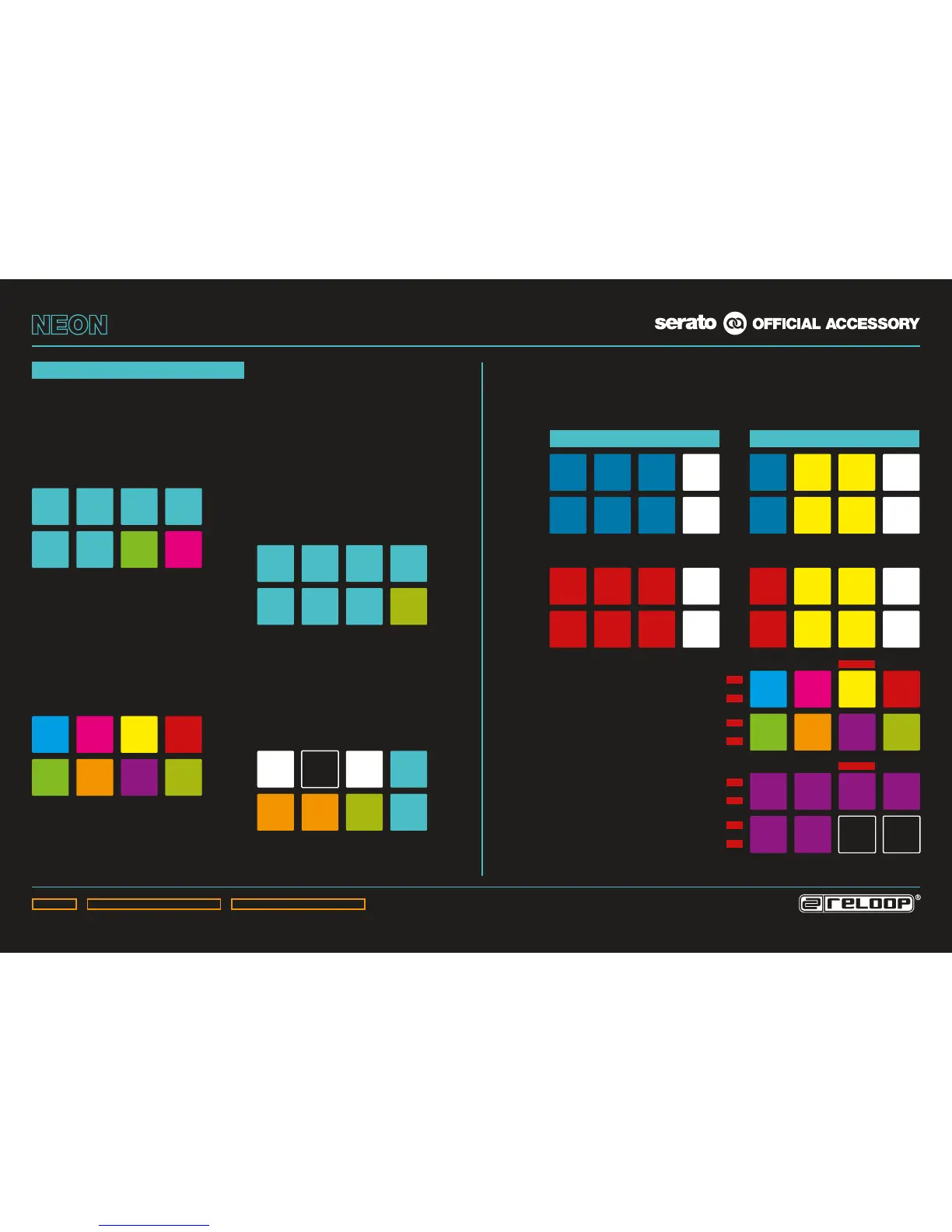
Slice 1
Slice 5
Slice 2
Slice 6
Slice 3
Slice 7
Slice 4
Slice 8
Hot
Loop 1
Hot
Loop 5
Hot
Loop 2
Hot
Loop 6
Hot
Loop 3
Hot
Loop 7
Hot
Loop 4
Hot
Loop 8
Loop
active
Loop in Loop out
Loop save
Reloop /
Exit
Loop
Slot up
Loop
Slot down
Cue 1
Cue 5
Cue 2
Cue 6
Cue 3
Cue 7
Cue 4
Cue 8
Cue 1
Cue 5
Cue 2
Cue 6
Cue 3
Cue 7
Cue 4
Cue 8
PAD FX:
– By pressing the Sampler Mode Button twice, Pad FX mode will be activated.
– Up to 6 different effects can be controlled, as displayed on the drawing below
(effects work touch-sensitively).
FX 1 ON
+Depth
FX 1 ON
+Depth
FX 2 ON
+Depth
FX 2 ON
+Depth
FX 3 ON
+Depth
FX 3 ON
+Depth
Beats
Multiplier
x 2
Beats
Multiplier
x 2
FX 1
Select
FX 1
Select
FX 2
Select
FX 2
Select
FX 3
Select
FX 3
Select
Beats
Multiplier
x 1/2
Beats
Multiplier
x 1/2
FX 1 ON
+Depth
FX 1 ON
+Depth
FX P2
Depth
FX P2
Depth
FX P3
Depth
FX P3
Depth
Beats
Multiplier
x 2
Beats
Multiplier
x 2
FX 1
Select
FX 1
Select
FX P4
Toggle
FX P4
Toggle
FX P5
Toggle
FX P5
Toggle
Beats
Multiplier
x 1/2
Beats
Multiplier
x 1/2
HOT
FLIP 1
HOT
FLIP 5
HOT
FLIP 2
HOT
FLIP 6
HOT
FLIP 3
HOT
FLIP 4
MULTI-FX MODE
FX Unit 1
FX Unit 1
FX Unit 2
FX Unit 2
SINGLE-FX MODE
SHIFT LAYERSHIFT LAYER
HOT FLIP:
– Pressing the Cue Button again activates Hot Flip
mode (Cue Button ashes).
- If a ip has been stored, the corresponding
pad will ash in the colour previously set
in the software.
- A set ip can be activated by pressing the
respective pad.
- Shift + pad jumps directly to the respective
ip and starts it.
REC (SHIFT + DECK BUTTON 1)
Records the ip sequence.
ON (SHIFT + DECK BUTTON 2)
Activates the ip sequence.
LOOP (SHIFT + DECK BUTTON 3)
Loops the ip sequence.
START (SHIFT + DECK BUTTON 4)
Triggers the ip sequence.
REC
ON
LOOP
STA RT
REC
ON
LOOP
STA RT
HOT CUE
HOT FLIP
PERFORMANCE MODES
SLICER:
– Pressing the Slicer Button activates the
Continuous Slicer mode.
– Pressing the button again activates Looped
Slicer mode (Slicer Button ashes).
– Holding Shift and pressing Pads 1 & 5 or 4 &
8, respectively, changes slicer parameter 1
(domain) & parameter 2 (quantize), respectively.
CUE:
– Pressing the Cue Button activates Hot Cue
mode.
– If a cue point is stored for a track, the
corresponding pad will be illuminated in the
colour previously selected in the software
(freely assignable).
– A set cue point can be triggered by pressing
the button again.
– Holding the Shift Button and pressing a cue
point deletes the cue point.
HOT LOOP:
– Pressing the Hot Loop Button activates
Stored Loop mode.
– Up to 8 loops per track can be stored and
played back.
– By pressing an empty loop slot pad a loop
will be set for the track and stored in the
respective slot, depending on the set loop
length.
– Pressing a loop slot again activates the
previously set loop (loop active).
– Holding the Shift Button and pressing a loop
slot pad triggers a stored loop.
– Pressing the Hot Loop Button again activates
Manual Loop mode (Hot Loop Button ashes).
MANUAL LOOP:
– In Manual Loop mode it is possible to control
loops, as displayed in the drawing below.
– To store a manually set loop or auto loop
(Loop Encoder), select the hot loop slot via
‚Slot Up/Down‘ and store via ‚Save‘.
– The in and out points of an active loop can be
adjusted by repeated pressing (Pad ashes)
and turning the Loop Encoder.


 To Next Page
 Loading...