Appendix B - About Wireless LANs
9
SSID configurations
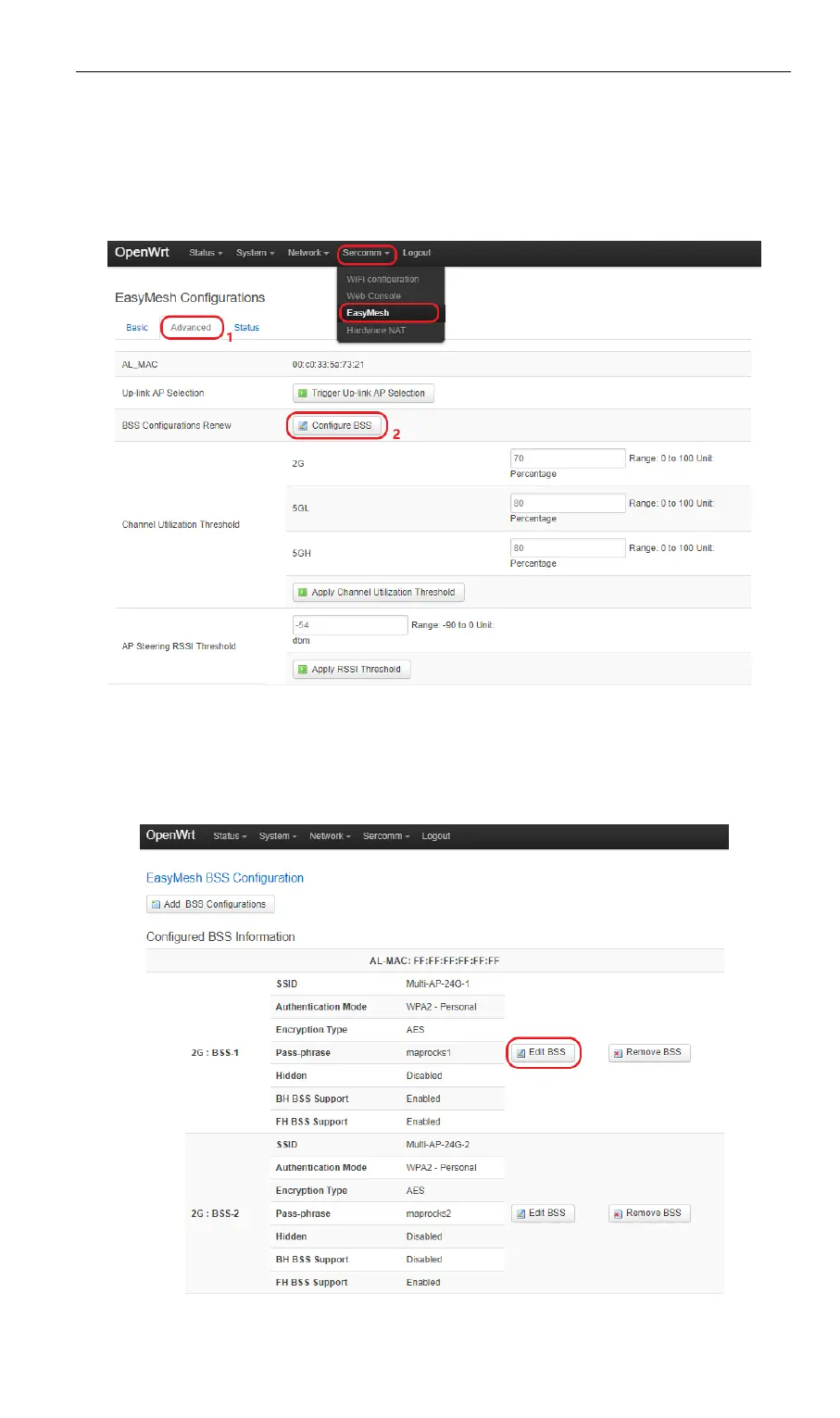
User can change Mesh Network SSID and password by going to Sercomm->EasyMesh-
>Advanced tab and click “Configure BSS” button.
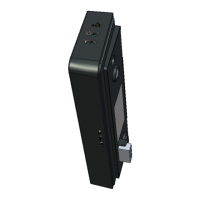
Default SSID for 2.4G is “Multi-AP-24G-x” (x:1~4) and password is “12345678” (Defualt
SSID naming rule for 5G is similar with 2.4G) .
Click “Edit BSS” button to enter edit mode.


 To Next Page