2
Chapter 2
Setup
This Chapter provides details on how to install and configure the Battery
Camera.
System Requirements
A computer or mobile device with Internet access
You can use the following web browser while using a computer:
• Internet Explorer 7 or later
• Firefox 3
• Safari 4
• Chrome
Physical Details – Smart Video Camera
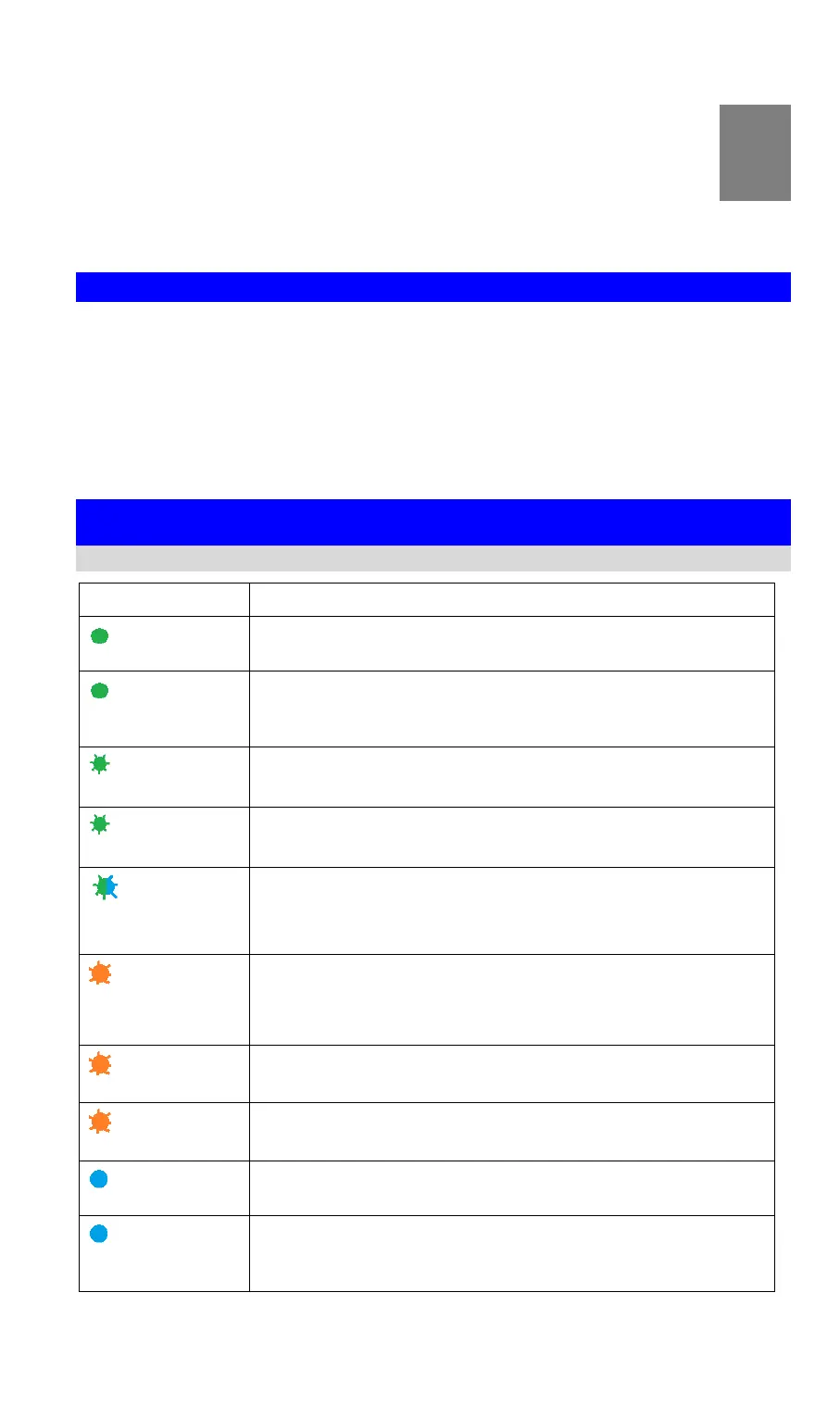
LED
The camera is registered and connected to the network.
WPS pairing is failed. The camera can not access to the Wi-Fi
network.
WPS pairing (PBC code mode)
WPS pairing (pin code mode)
The camera is receiving a firmware/MCU upgrade.
The camera is connecting to the network and cloud.
The camera cannot access to the network and cloud.
Low Battery alarm: once blinking per 2 seconds.
When the Reset button is pressed for 10 seconds, the LED will
blink red indicating the start of the reboot/factory reset.
The camera is powering on.
F
CC ID:P27SCE2R0


 To Next Page