Oaktree Products, Inc
800.347.1960
otp@oaktreeproducts.com
CONNECTING TV-LISTENING DEVICE TO DAC-202
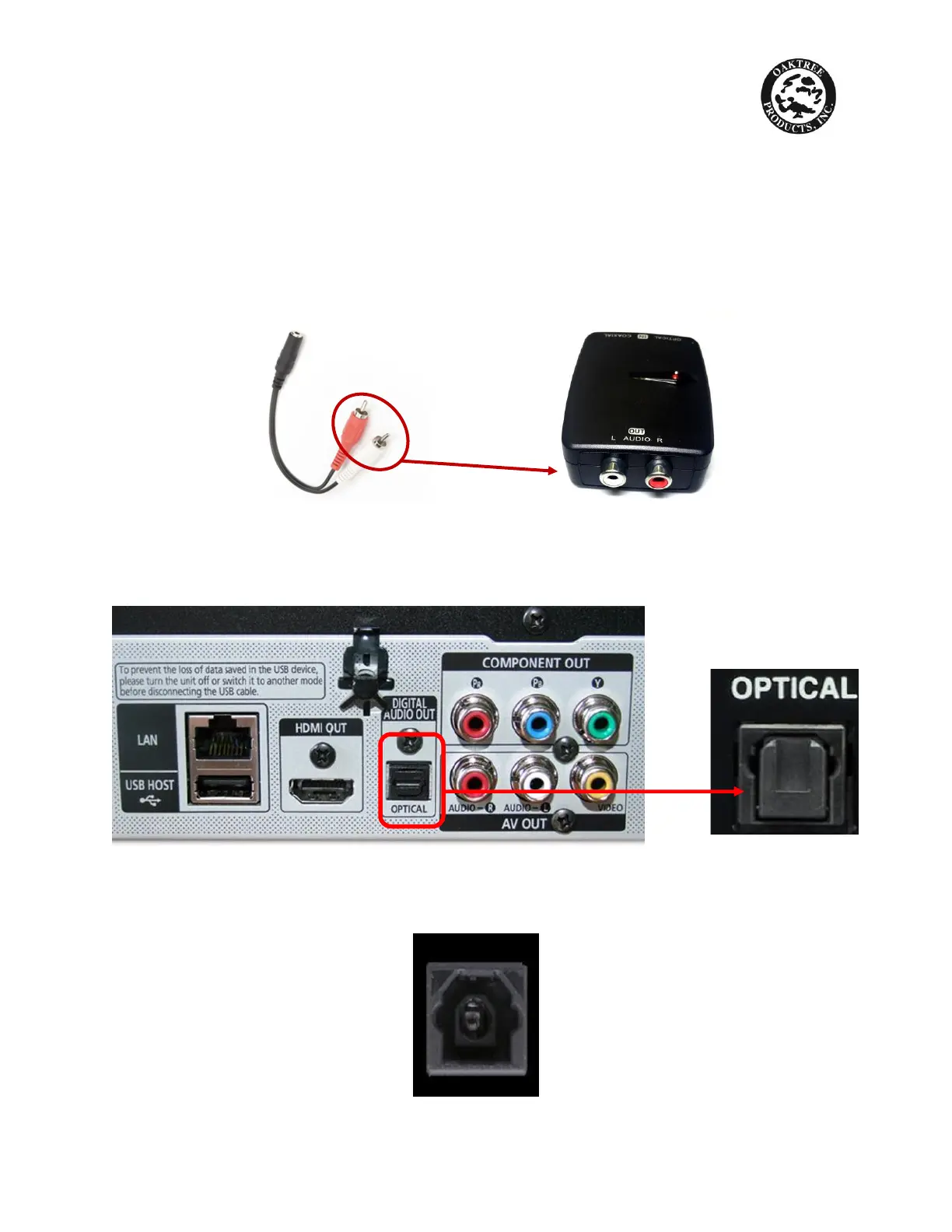
3. Slide the switch on the side of the DAC-202 to OPTICAL
4. Connect RCA ends of audio cable from above (packaged with TV Listening
system) to the AUDIO R-L output on the back of the DAC-202, making sure
red plug connects to red port, and white plug connects to white port
CONNECTING DAC-202 TO YOUR TV:
5. Locate the OPTICAL port on the back of the TV. It looks like this:
6. NOTE: it may be necessary to remove a rubber flap that covers the port as
shown below:



 To Next Page