EasyManua.ls Logo

Serfas DART 350W Step-Over - User Manual

Serfas DART 350W Step-Over
23 pages
Print Icon
To Next Page IconTo Next Page
Loading...
DART 500W / DART 350W
OWNER’S MANUAL
SERF AS
®
Question and Answer IconNeed help?

Do you have a question about the Serfas DART 350W Step-Over and is the answer not in the manual?

Summary

Getting Started

Using the Controls

Starting and Turning Off

How to power the ebike on and off using the battery and control pad.

Battery and Charging

Charging the Battery

Instructions for charging the battery off or on the bike with LED indicator details.

Maintenance and Service

Storing Your Bike

Preparing for Storage

Fully charge the battery, remove it, and store it separately in a low-voltage state for long-term storage.

Safety

Helmet and Reflectors

Wear an approved helmet; use reflectors. Purchase and use front/rear lights for dim conditions.

Jurisdictional Restrictions

Be aware of local laws regarding ebike riding, speeds, motor wattages, and throttle use.

Error Codes and Troubleshooting

Additional Troubleshooting

Battery Troubleshooting

Charging Issues Resolution

Steps to resolve charging problems, including battery removal, connection, and overnight charging.

Waking Battery from Sleep Mode

Procedure to wake a battery from protective sleep mode by re-connecting and charging.

Frequently Asked Questions

Warranty Policy

Overview

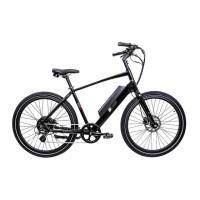
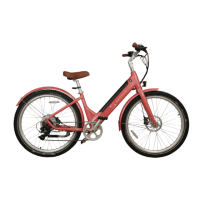
The Serfas Dart 500W / Dart 350W is an ebike designed for various riding conditions, offering both pedal assist and throttle control. This owner's manual provides comprehensive information on its operation, maintenance, and troubleshooting.

Function Description

The Dart 500W/350W ebike operates using a control pad located on the handlebars, near the left-hand brake lever. It offers pedal assist, where an electric motor supplements the rider's effort, and a throttle for propulsion without pedaling.

To start the bike, first push the power button on the battery (Figure 1), then press and hold the 'M' button on the handlebar controls for 3 seconds (Figure 2) to turn on the display. The display will light up, indicating the ebike is ready to ride. To turn off, press and hold the 'M' button for 3 seconds, then press and hold the power button on the battery for 2 seconds. Both the display and battery feature an energy-saving function, automatically turning off after 10 minutes of inactivity to conserve battery life.

Pedal assist is engaged by simply starting to pedal and then using the up or down arrows (Figure 2) to increase or decrease the assist level. Level 0 is the lowest (no assist), and level 5 is the maximum. Pedal assist will engage at speeds up to 28 MPH for the Dart 500W and 20 MPH for the Dart 350W.

The ebike is also equipped with a throttle, mounted near the rider's left thumb. To use the throttle, start pedaling (one pedal revolution), then push down on the throttle while pedaling. Once the bike is moving on throttle power, you can stop pedaling and control the speed using your thumb. The throttle can propel the bike at speeds up to 20 MPH. The motor stops when you stop pedaling, squeeze the brake levers, or release the throttle. To re-engage the motor, simply start pedaling again.

The display provides real-time information while riding, including speed, pedal assist level, battery life, and other data. Key indicators on the LCD display (as shown in the manual's Figure 3) include:

  • Battery Level Indicator: Shows current, maximum, and average battery levels.
  • Error Code Indicator: Displays codes in case of a problem.
  • Speed Indicator: Shows current, maximum, and average speed in mph or km/h.
  • 5 Levels of Assist: Ranges from 0 (no assist) to 5 (max assist).
  • Walk Mode: Indicates when walk mode is on or off.
  • Backlight Indicator: Shows when the backlight is on or off.
  • Distance Indicator: Displays current trip distance or system mileage (odometer).
  • Voltage Output Indicator: Shows real-time voltage.

Important Technical Specifications

The Dart 500W/350W ebikes have distinct power supplies:

  • Dart 350W: 36 Volt Power Supply
  • Dart 500W: 48 Volt Power Supply

Common electrical specifications for both models include:

  • Current Rated: 10mA
  • Maximum Operating Current: 30mA
  • Power Off Leakage Current: < 1uA
  • Operating Current to Controller: 50mA
  • Operating Temperature: -18° to 65°C
  • Storage Temperature: -30° to 80°C

The Dart 350W is classified as a Class II ebike, with 350 watts of power, pedal assist up to 20 MPH, and throttle up to 20 MPH. The Dart 500W is a Class III ebike, with 500 watts of power, pedal assist up to 28 MPH, and throttle up to 20 MPH.

Battery capacity is measured in Watt-Hours (Wh). For the Dart 500W, 48V multiplied by 11.6Ah equals 556.8 Wh. For the Dart 350W, 36V multiplied by 11.6Ah equals 417.6 Wh. Higher Watt-Hours indicate greater range.

Weight limits for the Dart 500W/350W are:

  • Maximum Rider Weight: 250 LB / 113.3 KG
  • Maximum Cargo Weight: 50 LB / 22.6 KG

Usage Features

Customizing the Display:

To enter "Settings" mode, hold the up and down arrow buttons simultaneously for 2 seconds. You can customize three functions:

  • Function 01P - Backlight Brightness: Adjusts display backlight brightness from 1 (dimmest) to 3 (brightest).
  • Function 02P - Unit of Measure: Toggles between miles and kilometers.
  • Function 06P - Odometer Reset: Press and hold the up arrow for 5 seconds to reset the trip distance. Use the 'M' button to navigate between functions and the arrows to adjust settings. Press and hold 'M' to save changes, or the system will auto-save after 8 seconds.

Speed Display Modes:

Hold the up arrow and 'M' button for 3 seconds to switch between real-time speed, average speed, and max speed.

Information Toggle:

Push the 'M' button to toggle between Odometer, Trip Distance, Voltage, and Elapsed Time displays.

Backlight Control:

Press and hold the up arrow for 3 seconds to enable the backlight. Press and hold it again for 4 seconds to turn it off.

Walk Mode:

To activate walk mode, come to a complete stop and stand next to the bike. Press and hold the down arrow for 3 seconds. The bike will move forward at 3.5 MPH / 6 KPH as long as the button is held. This is useful for pushing the bike uphill or through crowds.

Super Walk Mode:

For an even faster walk mode, hold the down arrow to engage standard walk mode, then press the throttle. This is helpful for steep climbs or when towing a trailer. Use caution with both walk modes.

Safety Features:

The Dart 500W uses special brake levers with "magnetic reed switches" that disengage motor power when squeezed. This prevents accidental acceleration. The throttle also has a safety feature, only engaging after the motor is turned on via pedal assist, to prevent accidental engagement while parking or walking.

Maintenance Features

Battery and Charging:

The Dart 500W/350W uses a Lithium-Ion battery that can be charged on or off the bike. It is recommended to charge the battery indoors in moderate temperatures. To charge:

  1. Plug the charger into the charging port on the battery (Figure 3).
  2. Connect the charger to a wall outlet. The LED indicator will be red during charging and turn green when complete. Unplug the charger from the battery and wall outlet when finished.

To optimize battery performance and service life:

  • Charge and store the battery indoors if possible.
  • Avoid extreme hot and cold temperatures.
  • DO NOT submerge the bike or its components in water, as this voids the warranty.
  • Use and charge the battery at least monthly.
  • For extended storage, fully charge the battery and store it separately. Place the battery on the charger every 2 months to maintain an optimum level.
  • The battery has a lifespan of about 500 charge/discharge cycles.
  • When installing, the battery locks into place automatically. Use the supplied key for removal.
  • DO NOT ride if the battery rattles or moves; it should be firmly attached.
  • The battery includes a USB port for diagnostic data only, not for charging devices.

Battery Troubleshooting (Sleep Mode):

If the battery enters a protective "sleep mode" (won't turn on or charge), follow these steps to "wake up" the battery:

  1. Put the battery on the bike.
  2. Plug the charging tip into the battery.
  3. Plug the charger into wall power.
  4. Tap the power button on the battery once to turn it on.
  5. Press and hold 'M' on the controls to turn on the display.
  6. Allow the battery to charge overnight.
  7. Once charged, remove from wall power and check for proper operation.

If a single LED flashes constantly on the battery, it indicates excessive strain. Reduce strain and charge the battery.

General Maintenance:

  • Cleaning: Use a damp cloth and gentle dish soap. DO NOT use a pressure washer or sprayer.
  • Lubrication: Periodically apply a light lubricant to moving parts, including chain links, derailleur pivots, and shifter cable inner wire.
  • Electrical Connections: If riding in wet/humid environments, clean and dry electric connections and apply an anti-corrosive.
  • Professional Tune-ups: All bicycles require periodic tune-ups or adjustments by a professional. An annual "check-up" is beneficial.
  • Tire Pressure: Keep tires inflated to recommended pressure (30-50 PSI / 2.0-3.5 BAR / 200-350 KPA) and check weekly. Avoid complete deflation during storage.
  • Drivetrain: Clean the drivetrain and lubricate the chain monthly.

Error Codes and Troubleshooting:

The display will show error codes if there's a problem with electrical components.

  • 21 (Current Error): Check the rear hub motor cable for firm connection and freedom from contaminants.
  • 22 (Throttle Error): Ensure the throttle returns to its original position, remove obstructions, and check for cable damage.
  • 23 (Motor Phase Error): Check the rear hub motor cable for firm connection and freedom from contaminants. This can occur if the cable isn't reconnected after wheel removal.
  • 24 (Motor Hall Sensor Error): The hall sensor inside the rear hub might be disconnected or damaged. Service or replace the rear hub.
  • 25 (Brake Error): Brake levers have "magnetic reed switches" that disengage the motor. If a lever is damaged (e.g., from a crash), it may need replacement.
  • 26 (Overheat Error): Controller or motor overheated from heavy use. Turn off the bike, allow components to cool, then try again.
  • 28 (Low Voltage): Battery voltage is too low. Charge the battery. If persistent, check battery terminal voltage with a meter.
  • 29 (Over Voltage): Battery is supplying too much voltage. Ensure you're using the correct battery (e.g., 36V for Dart 350W, 48V for Dart 500W).
  • 30 (Communication Error): Poor connection between controller and display. Check all cable connections.
  • 38 (Battery Voltage Error): Battery not supplying required voltage. View real-time voltage on display or check with a voltmeter. Old or frequently charged/discharged batteries may need replacement. Can also occur with the wrong battery installed.
  • E1E (Communication Error): Bad connection between display and controller. Disconnect and reconnect display, ensuring no grit or contamination.

Additional Troubleshooting:

  • Motor not engaging/intermittent: Double-check the rear wheel motor cable connection. Loosen clips for slack if needed, then re-tighten.
  • Throttle not working from dead stop: This is a safety feature. Start pedaling (one revolution), then engage the throttle. You can stop pedaling once throttle function turns on.
  • Bent derailleur hanger: This part is designed to fail to protect the frame and is inexpensively replaceable. Available on www.serfas.com or at partner bike shops.
  • Bike powers up but pedal assist doesn't work: Check if the cadence sensor under the left crankarm is plugged in.

Serfas DART 350W Step-Over Specifications

General IconGeneral
Motor Power350W
TypeElectric Scooter
Max Speed20 mph
Max Load220 lbs
Frame MaterialAluminum Alloy
FoldableYes
Battery Capacity36V 10.4Ah
Tire Size10 inch
BrakesDisc Brakes

Related product manuals