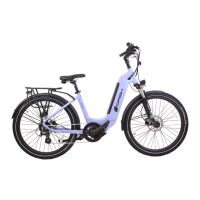
The Serfas Dash 350W and Dash 500W are electric bicycles (e-bikes) designed for various riding conditions. This owner's manual provides comprehensive information on their operation, maintenance, and troubleshooting.
Function Description:
The Serfas Dash e-bikes offer pedal assist, where an electric motor supplements the rider's effort, and a throttle for propulsion without pedaling. The Dash 350W is a Class II e-bike with 350 Watts of power, providing pedal assist and throttle up to 20 MPH. The Dash 500W is a Class III e-bike with 500 Watts of power, offering pedal assist up to 28 MPH and throttle up to 20 MPH. The motor stops when the rider stops pedaling, squeezes the brake levers, or releases the throttle. To re-engage the motor, the rider simply needs to start pedaling again. A safety feature prevents accidental throttle engagement while parking or standing by requiring one pedal revolution before the throttle activates.
Important Technical Specifications:
- Power Supply:
- Dash 350W: 36 Volt
- Dash 500W: 48 Volt
- Current Rated: 10mA
- Maximum Operating Current: 30mA
- Power Off Leakage Current: < 1uA
- Operating Current to Controller: 50mA
- Operating Temperature: -18° to 65°C
- Storage Temperature: -30° to 80°C
- Battery Lifespan: Approximately 500 charge/discharge cycles for properly maintained batteries.
- Maximum Rider Weight: 250 lbs / 113.3 kg
- Maximum Cargo Weight: 50 lbs / 22.6 kg
- Fork Specifications (for suspension fork replacement): 1 1/8" to 1.5” tapered steerer tube, 51mm IS mount for disc brakes (or a 74mm mount with an add-on adapter to 51mm), 27.5" / 650B wheel size, and quick release / open type dropout style.
Usage Features:
The e-bikes are operated using a control pad on the handlebars, located near the left-hand brake lever.
- Starting Up: First, push the power button on the battery (Figure 1), then press and hold the 'M' button on the handlebar controls for 3 seconds (Figure 2) to turn on the display. The current charge level is temporarily displayed on LEDs (4=full, 1=near empty), followed by one green LED indicating the battery is on.
- Turning Off: Press and hold the 'M' button for 3 seconds (Figure 2), then press and hold the power button on the battery for 2 seconds. The display and battery have an energy-saving feature that automatically turns off after 10 minutes of inactivity.
- Pedal Assist: Use the up or down arrows (Figure 2) to change the level of pedal assist (0 being no assist, 5 being maximum assist). Pedal assist engages at speeds up to 28 MPH (Dash 500) or 20 MPH (Dash 350).
- Throttle: The throttle, mounted near the rider's left thumb, propels the bike without pedaling. To use it, start pedaling (one pedal revolution), then push down on the throttle. Once moving, you can stop pedaling and control speed with the throttle, up to 20 MPH.
- Display Information: The LCD display shows speed (real-time, average, max), pedal assist level, battery life, walk mode status, backlight status, distance (current trip / system mileage), and voltage output (real-time).
- Toggling Display Data: Press the 'M' button to switch between Odometer, Trip Distance, Voltage, and Elapsed Time.
- Backlight: Press and hold the up arrow for 3 seconds to enable the backlight; press and hold it again for 4 seconds to turn it off.
- Walk Mode: To enable, come to a complete stop, stand next to the bike, and press and hold the down arrow for 3 seconds. The bike will move forward at 3.5 MPH / 6 KPH as long as the button is held. This is useful for pushing the bike uphill or through crowds.
- Super Walk Mode: An even faster version of walk mode. Hold the down arrow to engage standard walk mode, then press the throttle. Use caution with both walk modes.
- Customizing the Display: Enter "Settings" mode by holding the up and down arrows simultaneously for 2 seconds. Use the 'M' button to navigate functions and the up/down arrows to adjust settings. Press and hold 'M' to save changes (or changes save automatically after 8 seconds).
- Function 01P - Backlight Brightness: Adjust brightness from 1 (dimmest) to 3 (brightest).
- Function 02P - Unit of Measure: Toggle between miles or kilometers.
- Function 06P - Odometer Reset: Press and hold 'M' for 5 seconds to reset the trip distance.
Maintenance Features:
- Cleaning: Use a damp cloth and gentle dish soap. DO NOT use a pressure washer or sprayer.
- Lubrication: Periodically apply a light lubricant to moving parts such as chain links, derailleur pivots, and shifter cable inner wire.
- Electrical Connections: If riding in wet/humid environments, clean and dry electric connections and apply an anti-corrosive.
- Professional Tune-ups: All bicycles require periodic tune-ups or adjustments by a professional. An annual "check-up" is beneficial, with service frequency depending on usage.
- Tire Pressure: Keep tires inflated to recommended pressure (30-50 PSI / 2.0-3.5 BAR / 200-350 KPA) and check weekly.
- Drivetrain and Chain: Clean the drivetrain and lubricate the chain monthly.
- Battery Care:
- Charge and store the battery indoors in moderate temperatures.
- Avoid extreme hot and cold temperatures.
- DO NOT submerge the bike or components in water, as this voids the warranty.
- To optimize performance, use (discharge and charge) the battery at least monthly.
- For extended storage, fully charge the battery, remove it from the bike (which puts it into a low-voltage state for long-term storage), and store it separately.
- EVERY 2 MONTHS: Put the battery on the charger to maintain optimum level.
- DO NOT ride if the battery rattles or moves; it should be firmly attached.
- The battery's USB port is for diagnostic data only, not charging devices.
Troubleshooting (Error Codes and Additional Issues):
The display shows error codes for electrical component problems:
- Code 21 (Current Error): Check the rear hub motor cable connection for grit/contaminants and ensure it's firmly connected.
- Code 22 (Throttle Error): Ensure the throttle returns to its original position when released. Remove obstructions. Check throttle and cable for damage.
- Code 23 (Motor Phase Error): Check the rear hub motor cable connection for grit/contaminants and ensure it's firmly connected. This can occur if the cable isn't reconnected after removing the rear wheel or if motor phase wires are damaged/disconnected.
- Code 24 (Motor Hall Sensor Error): The hall sensor inside the rear hub might be disconnected or damaged. Service or replace the rear hub.
- Code 25 (Brake Error): Special brake levers disengage motor power when squeezed. If a lever is damaged (e.g., from a crash), it may need replacement.
- Code 26 (Overheat Error): Controller or motor overheated from heavy use. Turn off the bike, allow components to cool, then try again.
- Code 28 (Low Voltage): Battery voltage is too low. Charge the battery. If persistent, check voltage output on battery terminals with a volt meter.
- Code 29 (Over Voltage): Battery supplying too much voltage. Ensure you're using the correct battery (e.g., 36V for Dash 350W, 48V for Dash 500W).
- Code 30 (Communication Error): Poor connection between controller and display. Check all cable connections.
- Code 38 (Battery Voltage Error): Battery not supplying required voltage. View real-time voltage on display or check with a volt meter. An old/over-discharged battery may need replacement. Can also occur with the wrong battery.
- Code E1E (Communication Error): Bad connection between display and controller. Disconnect and reconnect display; ensure no grit or contamination.
Additional Troubleshooting:
- Motor not engaging/intermittent: Ensure battery is charged. Double-check the firm connection of the rear wheel motor cable. Loosen/retighten clips if needed to create slack.
- Throttle not engaging from a dead stop: This is a safety feature. Pedal one revolution first, then engage the throttle. You can stop pedaling once throttle function turns on.
- Bent derailleur hanger: This is designed to fail to protect the frame and is inexpensively replaceable. Available on www.serfas.com or at partner bike shops.
- Bike powers up, no error, but no pedal assist: Check that the cadence sensor under the left crankarm is plugged in.
Battery Troubleshooting (Sleep Mode):
If the battery goes into a protective "sleep mode" (won't turn on or charge):
- Put the battery on the bike.
- Plug the charging tip into the battery.
- Plug the charger into wall power.
- Tap the power button on the battery once to turn it on.
- Press and hold 'M' on the controls to turn on the display.
- Allow the battery to charge overnight.
- Once charged, remove from wall power and check for proper operation.
If a single LED is constantly flashing on the battery (warning of excessive strain):
- Reduce strain on the battery and charge it. If it won't charge, follow the "sleep mode" steps.
Warranty Policy:
The warranty is governed by the law of the state or country of purchase and applies only to bicycles purchased from Authorized Serfas Retailers.
- Frames and Forks: Serfas frames (steel or aluminum) are warranted against manufacturing defects in materials and/or workmanship for the lifetime of the original owner.
- Components: All other components, frame fixtures, and finishes (paint and decals) are warranted against manufacturing defects in materials and/or workmanship for one year from the date of original retail purchase. Forks not made by Serfas (e.g., Rockshox) are covered by their manufacturer's warranty. Stripped threads due to user error are not covered.
- Registration: Register at www.serfas.com/warranty-form.

 Need help?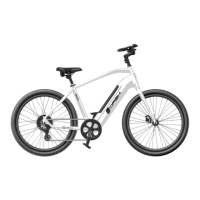

 To Next Page
 General