21 22
T: 0800 0124 382 T: 0800 0124 382
USAGE
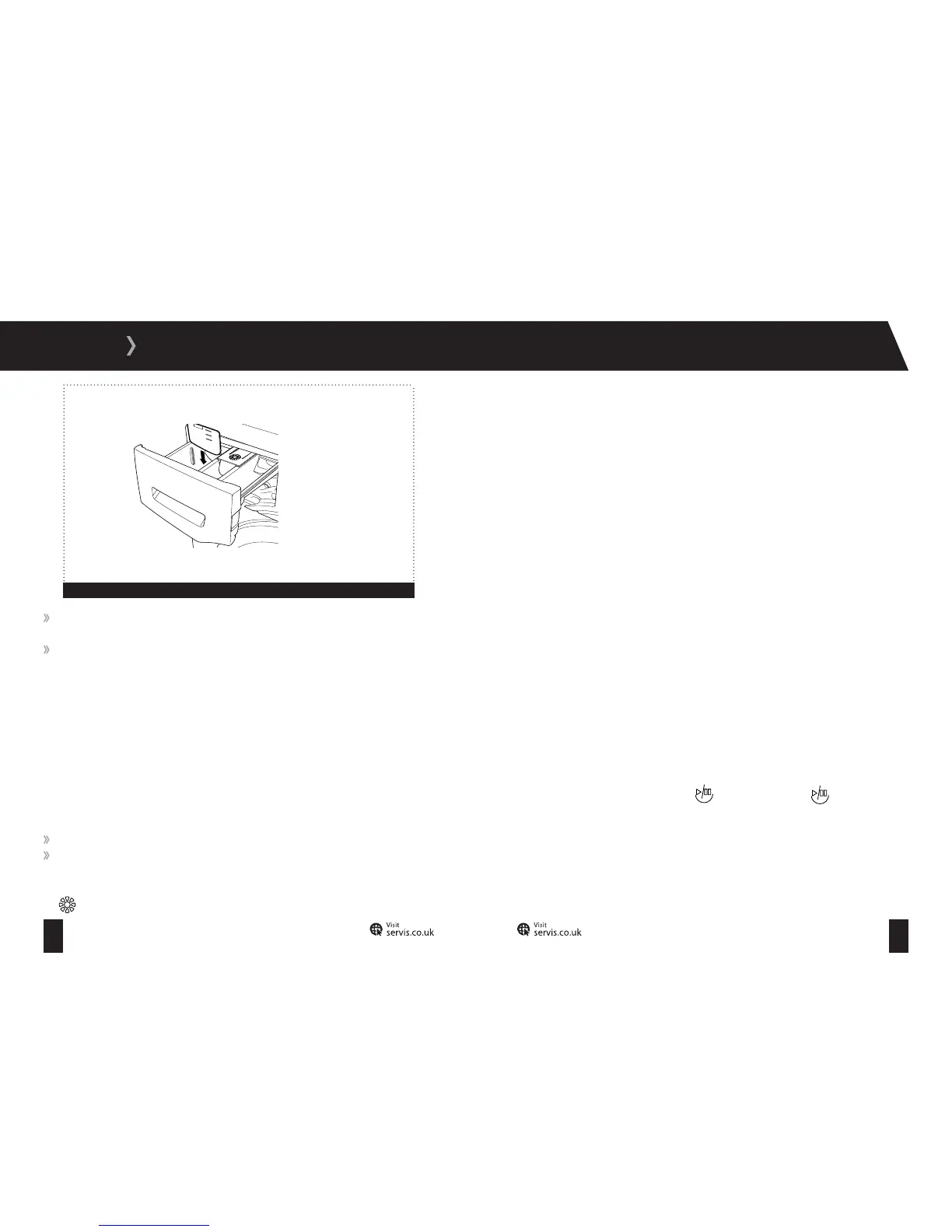
If your clothes are only slightly soiled, do not prewash and put a small amount of detergent,
as specified by the manufacturer, into compartment II of the detergent drawer.
If your clothes are excessively soiled, select a programme with pre-wash and put ¼ of
the detergent to be used into compartment I of the detergent drawer and the rest in
compartment II.
Water Softener:
A water softener can be used to reduce the amount of detergent required in hard water areas.
Follow the guidance on the packaging and dispense as instructed. First add the detergent, then
the water softener.
Fabric Conditioners and Liquid Starch:
Fabric conditioners make garments soft to handle.
Starch stiffens and gives body to items such as bed linen.
To add fabric conditioner or liquid starch, pour the amount as instructed on the packaging into
the
compartment of the detergent drawer, taking care not to exceed the MAX level.
Selecting a Programme:
To select the desired programme, turn the programme dial either clockwise or anti-clockwise
until the marker on the dial points to the chosen programme.
To cancel a programme, refer to the information on page 30.
Temperature Adjustment Dial:
To adjust the temperature of the water, turn the temperature adjustment dial clockwise from its
start position until the desired temperature is selected. The temperature range is from 0
0
C (start
position) to 90
0
C. For more information, follow the washing instructions in your garments and
refer to the table on page 27.
Spin Speed Selector:
To adjust the spin speed, turn the spin speed selector dial to the desired speed. The spin speed
of your Washing Machine ranges from 400 to 1200 rpm.
Starting a Programme:
To start the selected programme, press the button The light on the button will
illuminate.
One of the indicator lamps will flash to reflect the chosen programme.
Figure 11


 To Next Page