CDHD2
Operator Panel (HMI) 13
HMI Parameter Value Manipulation
The digital display can present parameter values up to ±9,223,372,036,854,775,807.000
The first string is displayed by default. To view the second, third and fourth strings, press the
Shift key repeatedly, until the display shows the next string.
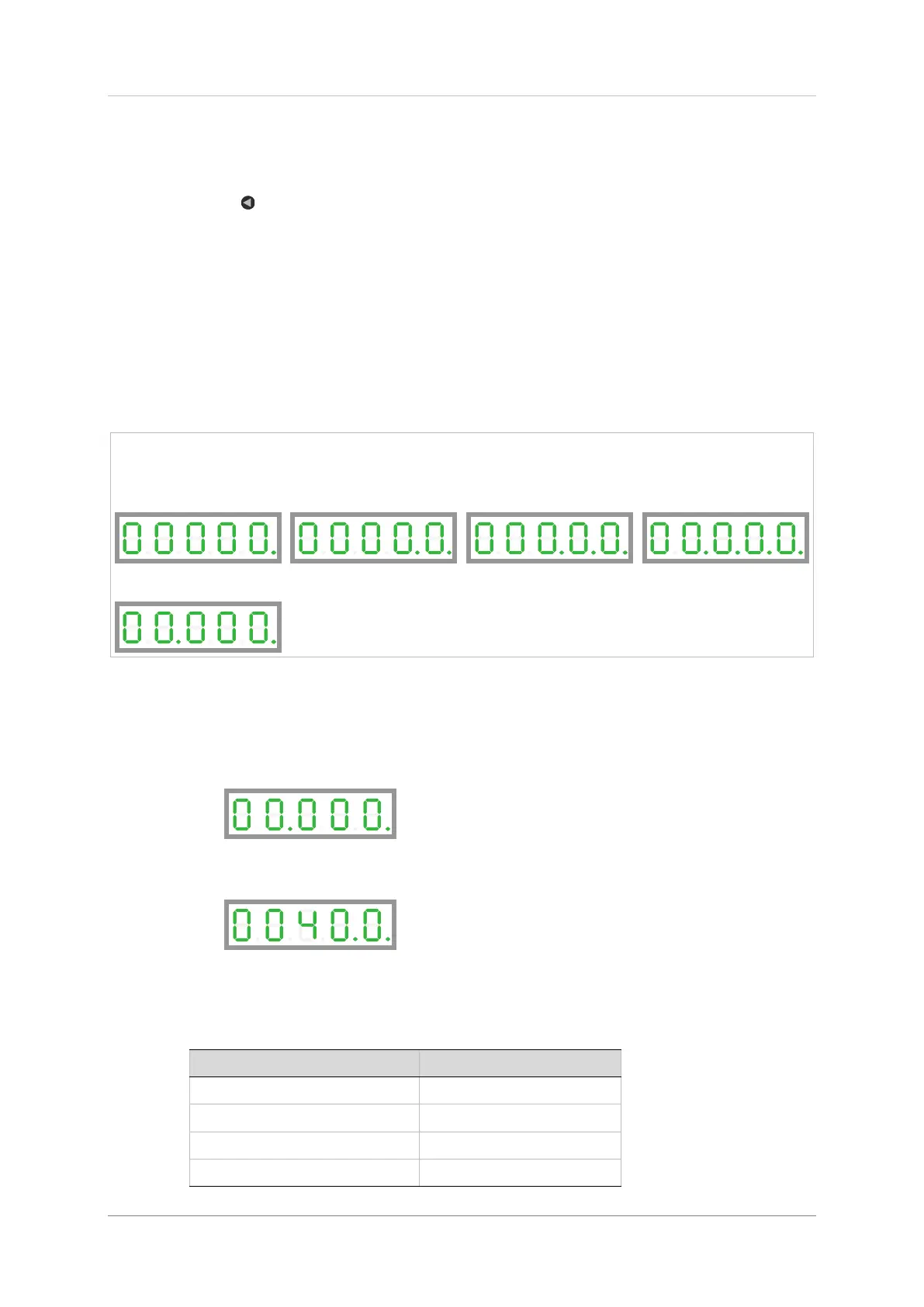
The string can be recognized by the DPs that are lit:
DP1: first string (integer value)
DP1 + DP4: first string (value with 3 decimal places)
DP1 + DP2: second string
DP1 + DP2+ DP3: third string
DP1 + DP2+ DP3 + DP4: fourth string
First string
integers up to 99999
Second string
numerals in values up to
9,999,999.xxx
Third string
numerals in values up to
999,999,999,999.xxx
Fourth string
numerals in values up to
99,999,999,999,999,999.xxx
or values up to 99.999
Note that the first string might show 00.000. while the value of the parameter is shown and
set in the second string; for example, if acceleration parameter (ACC/P0014) =
40000.000 [rpm/s]:
First string:
Shift to second string:
HMI Parameter Codes
Table 2-1. Parameter Groups
Basic - most frequently used


 To Next Page
 Loading...