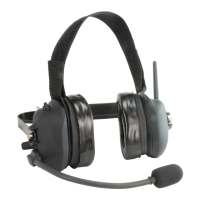
LiberatorMAX Industrial Wireless Headsets
CSB-990MAX and CSB-992MAX
USERS GUIDE
3019 Alvin DeVane Blvd.
Ste. 560
Austin, TX 78741
Phone: (650) 965-8020
CORPORATION
®
TECH SUPPORT: 650-965-8020 ext. 703
Questions or technical issues? Please call:
11/13/18 SBH
LiberatorMAX_Industrial_User_Guide_REV_X8.pdf
Page of16
CSB-990MAX
SN:XXXXXXXXX
LiberatorMAX Headset
REAR VIEW
Charging Jack
5V-14V DC
Portable Radio
Push-To-Talk
Portable Radio
Cable Jack
Headset
Antenna
Boom Mic
Mic Mute and
Channel Change
Volume Control
& On/Off
Switch
Status Indicator
LEDLeft Cup Right Cup
LiberatorMAX Headset
FRONT VIEW
LiberatorMAX Headset:
Controls, Jacks, and LED
The LiberatorMAX Headset is used in
conjunction with up to 7 additional
headsets to form a wireless intercom
network system.
The headset can operate on any one of
8 available channels – all headsets
must be on the same channel for
network intercom operation.
A Portable Radio can be connected to
the Headset using a PRAC Cable. The
Portable Radio will connect exclusively
to that headset – other headsets in the
group will not hear the received audio or
be able to transmit over the radio.

 Need help?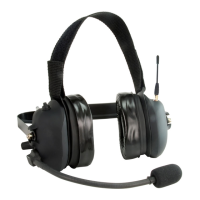

 To Next Page
 General