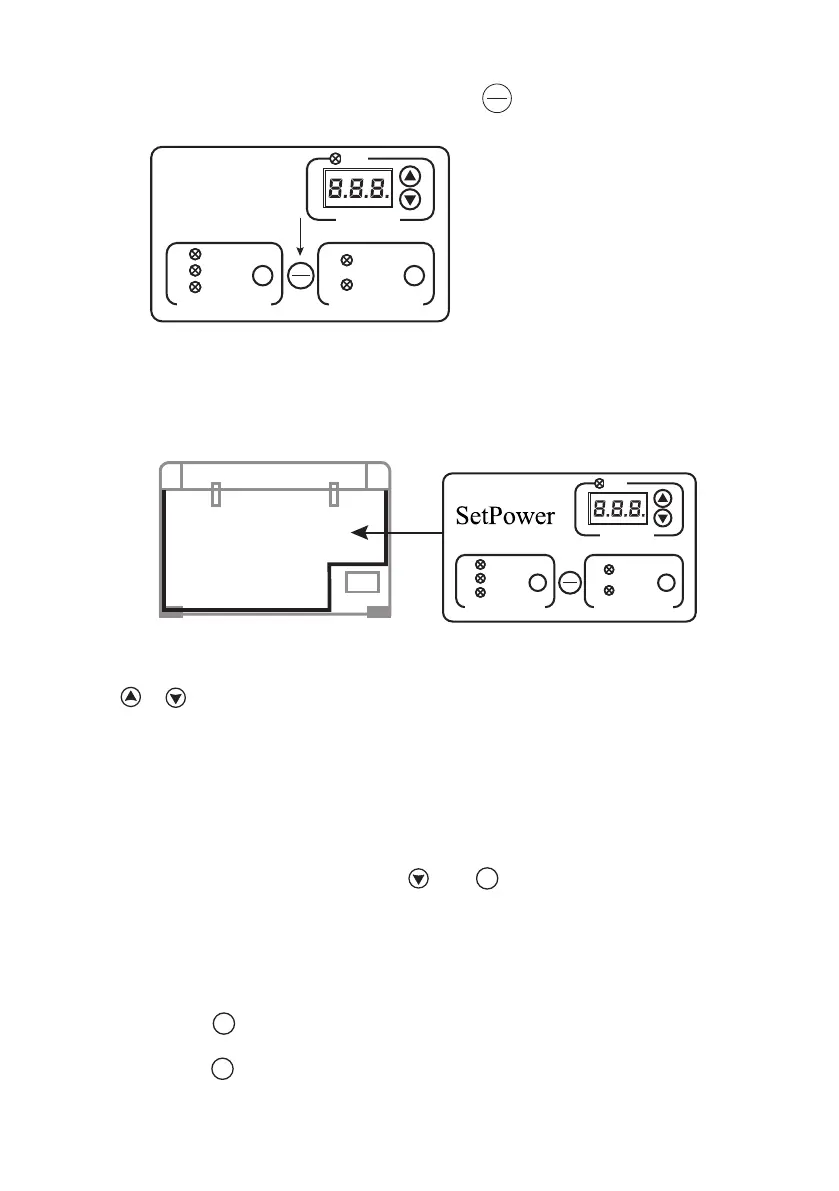
RUN
TEMPERATURE
BATTERY PROTECTION
HIGH
MID
LOW
SET
COMPRESSOR SPEED
MAX
MIN
SET
ON
OFF
TEMPERATURE CONTROLLER
ZONE
RUN
TEMPERATURE
BATTERY PROTECTION
HIGH
MID
LOW
SET
COMPRESSOR SPEED
MAX
MIN
SET
ON
OFF
POWERING ON
Connect to the desired input voltage, press and hold the button for several seconds to
turn the unit on, the display will show the current internal cabinet temperature.
ON
OFF
When your appliance is first connected to AC or DC input, the gauge will show the current cabinet
temperature, to adjust the temperature follow these steps:
Press
or until the desired level is reached, press and hold the button to accelerate the
process.
Once selected the display will flash a number of times before returning to the current temperature.
ECO/MAX FUNCTION
Press and hold the button to commence the “MIN” operation mode, the MIN indicator will
illuminate.
Press and hold the button again to select the MAX operating mode. The MAX indicator red light
will illuminate.
SET
SET
This fuction allows the compressor speed to be slowed down to increase operating effciencies
(ECO) or increase the compressor speed to provide “quick” cool down times (MAX).
The electronic controller has been programmed to maintain an average of the set temperature. The
compressor will start up when the internal cabinet temperature increases 0.5 to 1.5 degrees above
that selected and will run until the temperature is 0.5 to 1.5 degrees below the set temperature.
TEMPERATURE CONVERSION OF RV45 SERIES
When the appliance is on, press and hold the and buttons for several seconds in the
compressor speed area at the same time to switch back and forth between Celsius and Fahrenheit.
SET
Monitor would display the actual temperature of the cabinet and set temperature. The flashed number
means the set temperature.If not flash,it means the actual temperature of the cabinet.
INSIDE
The Temperature Controller provides the ability to set the desired temperature level. The Temperature
06


 To Next Page