6
Turning On/O
To turn on the speaker, press and hold ON/OFF button, then
release it. To turn it o, press and hold ON/OFF button aga-
in, then release it.
Bluetooth connection
1. Press and hold the ON/OFF button until the blue LED dio-
de is ashing.
2. Go to your device’s settings and turn on the Bluetooth
mode.
3. Search for the speaker “Setty GB-600”.
4. Pair your devices. For some phones pin code “0000” mi-
ght be required.
5. Correct connection will be conrmed by voice notication.
Listening to the music
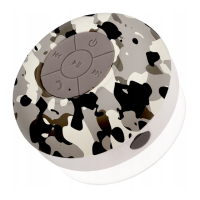
To play music on the speaker, please pair it with your device.
Press (2) button to play music, and click it again to pause it.
To play next track use (4) button and increase by holding it,
to decrease sound volume press and hold (3) button, press it
once to play pervious track.
EN


 To Next Page