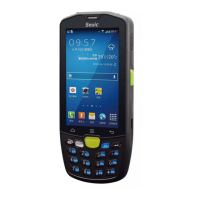
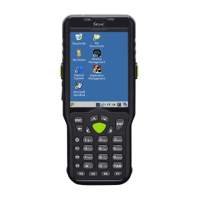
What to do if the bar code is not decoded when read in Seuic AUTOID CRUISE1?
J
Joshua DunnAug 13, 2025
If the bar code is not decoded when read in AUTOID CRUISE1, consider the following:
* Ensure the scan application is loaded.
* Verify the scanner is set to the scan interface in barcode or application settings.
* Make sure the barcode has no defects.
* Confirm the barcode decoding function is enabled in the barcode settings.
* Ensure the AUTOID CRUISE1 is placed at an appropriate distance from the barcode.
T
Thomas GarnerAug 17, 2025
What to do if AUTOID CRUISE1 off by itself?
J
James HumphreyAug 17, 2025
If the AUTOID CRUISE1 turns off by itself, it might be due to inactivity or a dead battery. To prevent automatic shutdown due to inactivity, adjust the sleep settings to a longer duration (15 seconds to 30 minutes), or set it to 'never sleep'. If the battery is the issue, charge or replace it.
H
Heather WilsonAug 20, 2025
How to fix Seuic AUTOID CRUISE1 if it is not on the boot?
J
Jose RobinsonAug 20, 2025
If your AUTOID CRUISE1 doesn't turn on when you press the power button, it could be due to several reasons:
* The battery power might be too low or not charged: Charge or replace the battery.
* The battery installation might be incorrect: Properly install the battery.
* The system might have crashed: Perform a soft reset.
G
ghillAug 25, 2025
What to do if I cannot take pictures with my Seuic device?
C
Chris SimsAug 25, 2025
If you cannot take pictures, it might be due to:
* A "no storage device" message: Exit USB mode.
* A "camera malfunction" message: Close the two dimensional camera (the two-dimensional camera cannot open the light).
* A prompt indicating insufficient SD card space: Clear memory or switch the storage location.
Z
zbautistaAug 28, 2025
Why rechargeable batteries no longer charge in Seuic AUTOID CRUISE1?
B
Brenda LewisAug 28, 2025
If the rechargeable batteries in your Seuic Handhelds are no longer charging, it could be due to battery failure (replace the battery) or the battery temperature being too high or too low (ensure the battery is at a normal temperature).
S
stanley22Sep 1, 2025
How to enable mobile data access on Seuic?
T
Theodore PalmerSep 1, 2025
If you cannot use mobile data access on your Seuic device, go to settings and enable the data network.
M
Mark ButlerSep 5, 2025
What to do if I cannot find any Bluetooth devices nearby with my Seuic device?
R
Rebekah AustinSep 5, 2025
If your Seuic device cannot find any Bluetooth devices nearby, try the following:
* Move the device closer to other Bluetooth devices, keeping them within 10 meters (32.8 feet) of each other.
* Ensure that the Bluetooth devices you are trying to find are turned on.
* Verify that the Bluetooth devices are in discovery mode.
M
Ms. Carol ReedSep 9, 2025
What to do if SIM card arrears on Seuic Handhelds?


 To Next Page
 General