104 x 142 mm
7
Compact Kitchen scales
Dear Customer,
Before using the appliance, read the
following instructions carefully and keep
this manual for future reference. The
appliance must only be used by persons
familiar with these instructions.
Familiarisation
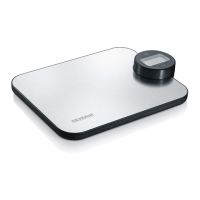
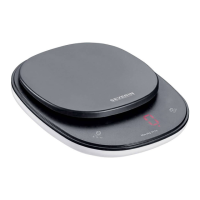
1. Weighing platform
2. On/Off/Tare key
3. Digital display
4. Display unit selection key
5. Cover, used as top tray
6. Cover
7. Battery compartment (on underside)
Important hints
∙ If repairs are needed, please contact our
customer service department by phone
or email (see appendix).
∙ Do not clean the scales with liquids or
immerse them in a liquid.
∙ The display can be changed between
grams (gm), ounces (oz) and
millilitres (ml) by using the key.
The measurement of millilitres (ml) is
sufcientlypreciseonlywhenwater
is being measured. When measuring
the weight of other types of liquid of
a different density, the results may
deviate.
∙ These scales have a maximum load
capacity of 3000 g. If this capacity is
exceeded, the symbol ‘EEEE’ appears in
the display. Caution: Do not put more
than 4 kg on the scales, as damage
might be caused.
∙ These scales are designed for
household use and are not suitable for
medical or commercial applications; they
arenotofciallycalibrated.
Before using for the rst time
∙ Beforeusingtheappliancefortherst
time, remove any remaining packaging
materials and stickers.
∙ Open the battery compartment, take out
the batteries and remove the protective
transparentlm.
∙ Insert the batteries as described in the
Battery replacement section.
Operation
∙ Positionthescalesonarmandlevel
surface. If the surface is too uneven,
‘unSt’ appears on the display.
∙ To weigh recipe ingredients, place the
top tray or a suitable bowl or container
on the platform. Solid ingredients may
be put directly onto the scales.
∙ To switch the unit on, tap the key
briey.Atstart-upthedisplayshows
‘HI’; it then changes to ‘0’ with the
selected display format.
∙ Add the ingredients until the desired
weight is displayed.
∙ Toaddmoreingredientswithoutrst
emptying the container, the key may
be pressed again. The display shows
‘0’ and ‘Tare’. In this way, only the
additional weight is displayed.
∙ Iftherstmeasurementisbelow100g,
pressing the key will set the weight
back to ‘0’; however, the ‘Tare’ sign
does not appear in the display.
GB


 To Next Page