Functions
Calls
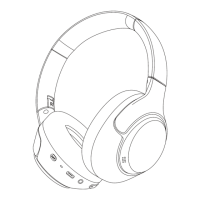
To answer, press the MFB button.
To hang-up, press the MFB button.
To ignore a call, press and hold the MFB button for 1 second.
Voice assistant
To activate the voice assistant, triple-press the MFB button.
Music
To play/pause music, press the MFB button.
To restart the song or go to the previous song, press and hold the volume down button (-) for one second.
To skip to the next song, press and hold the volume up (+) for one second.
Volume control
To increase the volume, press the volume up button (+).
To decrease the volume, press the volume down button (-).
ANC
Press the ANC button to cycle through ANC On, Adaptive ANC, ANC Off, and Transparency mode.


 To Next Page