Need help?
Do you have a question about the SGM Regia 2048 and is the answer not in the manual?
Details the console's models, capabilities, and key features.
Essential safety guidelines for using the console and connected equipment.
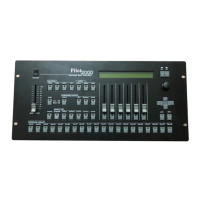
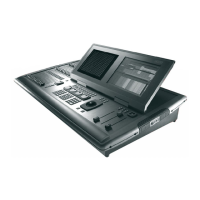
Describes the physical layout and features of the Regia2048 console's control surface.
Steps for setting up the console before powering it on, including connections.
Covers the initial setup procedures for the Regia2048 console.
Step-by-step guide on how to create and program a cue.
Instructions for creating basic cue lists for playback sequences.
Details how to play back cue lists and manage their execution.
Explains how to connect external devices and peripherals to the console.
Describes the main graphical user interface elements of the console software.
Covers the functions and display of the console's secondary monitor.
Details the operation of the function and service keys for console control.
Describes how encoders are used to control fixture attributes.
Explains the use of the keypad for navigating through menus and parameters.
Covers the keypad used for selecting fixtures and palettes.
Details the functionality of the numerical keypad for inputting values.
Explains the use of the trackball for Pan and Tilt control.
Describes the function of keys used for controlling playback operations.
Covers the creation and use of manual presets for fixture control.
Steps to start a new show file on the console.
Instructions for backing up the current show to the console's hard drive.
Details how to manage shows using CDs for backup and transfer.
Guides on adding fixture profiles from external sources to the console's library.
Explains how to save fixture profiles from the library to external media.
Covers the calibration and setup of the console's touch-screen interface.
Guides on configuring external keyboards for different regional layouts.
Details how to set up network connections for console operation.
Instructions for downloading and installing software updates for the console.
Details fixture addressing and patching procedures.
Configuration settings for various console modes and behaviors.
Setting up attributes and parameters for individual fixtures.
Comprehensive guide on creating and programming cues for lighting shows.
Process for saving programmed cues to the console.
Selecting playback registers to manage cues and sequences.
Outlines the structure and components of the playback system.
How to activate and run single or multiple cues.
Steps to disengage active playback registers.
Navigating directly to a specific cue within a cue list.
How to freeze the current state of fixtures during playback.
Adjusting playback speed and timing parameters.
Steps to create new pages for organizing cue lists.
Configuring playback registers and their associated settings.
How to navigate between pages of cue lists during live playback.
Reassigning cue lists to different pages within playback registers.
A list of all programmed cue lists and their management options.
Creating and managing fixture groups for efficient selection and programming.
Saving and recalling fixture attribute settings as reusable palettes.
Capturing current fixture states as snapshots for later recall.
Configuration and setup for creating shape-based effects.
Parameters for defining the characteristics of shape waveforms.
Adjusting parameters like offset, wait, and direction for effects.
Interface for designing and applying custom effects to fixtures.
 General
| Brand | SGM |
|---|---|
| Model | Regia 2048 |
| Category | Lighting Equipment |
| Language | English |

 To Next Page