EasyManua.ls Logo

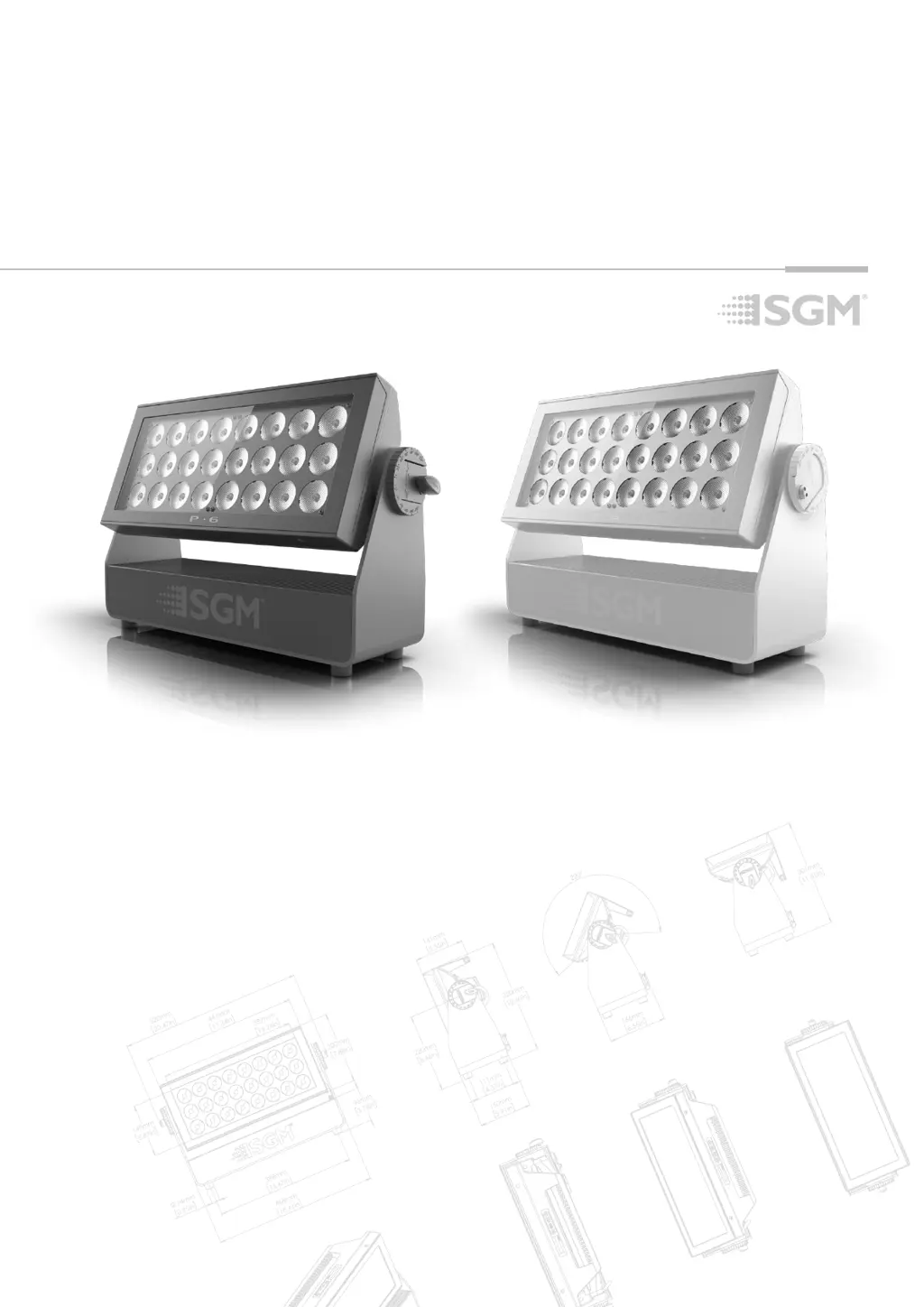
SGM P Series - User Manual

SGM P Series
24 pages
Print Icon
To Next Page IconTo Next Page
Loading...
USER
MANUAL
P-SERIES P-SERIES
P-6 P-6
P-6 POI P-6 POI

Questions and Answers

  • M
    Ms. Megan SantiagoAug 16, 2025
    How to troubleshoot SGM P Series that does not respond?
    • B
      Brian McfarlandAug 16, 2025
      If your SGM lighting equipment isn't responding, first confirm that the power is switched on and that the cables are plugged in. If the main fuse is blown, contact SGM support or a certified SGM service partner.
  • A
    Ashley GrayAug 19, 2025
    What to do if SGM P Series fixture suddenly stopped responding?
    • C
      Candace RiveraAug 19, 2025
      If your SGM Lighting Equipment fixture suddenly stopped responding, it could be due to a disconnected or tampered wireless transmitter or connections. Reconnect the wireless transmitter or connections. Alternatively, the DMX cables might be disconnected; in this case, reconnect the DMX cables.
  • C
    Clarence HardinAug 22, 2025
    Why is my SGM P Series fixture operating irregularly?
    • R
      Robert JamesAug 22, 2025
      If your SGM Lighting Equipment fixture operates irregularly or abnormally, it may be due to inverted DMX cable polarization (pin 2 + 3). Ensure proper DMX cable polarization. Another cause could be that the DMX link is not terminated, so terminate the DMX link.
  • D
    David GrahamAug 25, 2025
    Why is the color uneven on my SGM P Series fixture?
    • M
      monica55Aug 26, 2025
      If the color is uneven on your SGM Lighting Equipment, it could be due to several reasons: * A corrupted DMX cable. Replace the DMX cable. * The fixture operating an internal program. Check the internal program settings. * A corrupted fixture generating noise/disruptions on the DMX link. Resolve DMX link disruptions. * The minimum values being out of calibration. Recalibrate the minimum values. * The SGM Calibration Data set has been lost. Restore the SGM Calibration Data set.
  • C
    catherine11Aug 28, 2025
    What to do if my SGM DJ Equipment fixture does not respond or appears to be off?
    • L
      landryrobertAug 28, 2025
      First, ensure that the power is switched on and that all cables are securely plugged in. If the issue persists, it may be due to a blown main fuse.
  • J
    Jonathan ConwayAug 31, 2025
    Why did my SGM DJ Equipment fixture suddenly stop responding?
    • A
      Alexander MorrowAug 31, 2025
      The DMX console or its connections may have been disconnected or tampered with. Inspect the DMX console and connections. Also, check the DMX cables to ensure they are properly connected.
  • R
    richardsonalexisSep 3, 2025
    What to do if my SGM DJ Equipment fixture operates irregularly or abnormally?
    • K
      Kimberly RomeroSep 3, 2025
      Several factors could cause this. First, inspect and enter the correct DMX address or mode. Also, check the DMX cable polarization. If inverted, install a phase-inverter or replace the cables. Ensure the DMX link is terminated by installing a XLR 120 ohm DMX termination at the end of the DMX link. Replace or repair corrupted DMX cables or connectors. Check if the fixture operates an internal program and stop it in the menu (? MANUAL ? STOP PROGRAM).
  • J
    Julia JonesSep 5, 2025
    Why did my SGM DJ Equipment fixture suddenly turn off?
    • D
      Dr. Glenn WardSep 5, 2025
      The power supply to the fixture may have been interrupted. Check the power supply, switches, and breakers to ensure they are properly functioning.
  • O
    Oscar OrtegaSep 9, 2025
    What to do if SGM P Series Lighting Equipment operates irregularly?
    • M
      Matthew BrownSep 9, 2025
      Irregular operation of SGM Lighting Equipment can stem from several DMX-related issues. Here's what to check: * Inspect DMX cables for disconnections. * Correct inverted DMX cable polarization by installing a phase-inverter or replacing cables. * Ensure the DMX link is terminated with a XLR 120 ohm DMX termination at the end of the DMX link. * Replace or repair corrupted DMX cables and/or connectors. * Isolate any corrupted fixture generating noise/disruptions on the DMX link.
  • K
    Kimberly HoganSep 12, 2025
    Why did my SGM Lighting Equipment suddenly stop responding?
    • M
      Michael ClarkSep 12, 2025
      If your SGM Lighting Equipment suddenly stopped responding, the cause might be that the power was turned off. Also, check the power supply and inspect the wireless transmitter and connections, as the wireless transmitter or connections might have been disconnected or tampered with.

Summary

Safety Information

Pre-Installation and Safety Guidelines

Before Installing Product

Guidelines and recommendations before installing the SGM P-6 Series fixture.

Wiring and Conduit Requirements

Guidelines for wiring and conduit installation for SGM fixtures.

General Safety Precautions

Basic safety precautions to follow when using electrical equipment.

Installation Preparation and Rigging

Installing and Rigging the P-6 Series

Instructions on how to install and rig the SGM P-6 Series fixtures using locking points.

Rigging and Tilt Adjustment

Rigging with Omega Brackets

Step-by-step process for rigging the P-6 fixture using SGM Omega brackets.

Connecting AC Power

Device Configuration and Control Introduction

Device Configuration and Control Details

Connecting to DMX Control Device

Instructions for connecting the fixture to a DMX controller via cable or wireless.

Wireless DMX Connectivity

Steps for connecting and disconnecting the P-6 to a wireless DMX transmitter.

DMX Control Configuration

Setting DMX Start Address

How to assign and edit the DMX start address for independent fixture control.

Connection Diagram and Standalone Operation

Fixture Properties and Settings

Control Menu Navigation

RDM Functions and Sensors

Supported RDM Functions

List of RDM functions supported by the P-6 Series for remote management.

Troubleshooting and POI Installation

Troubleshooting Common Issues

Guide to identifying and resolving common problems with the P-6 fixture.

POI Permanent Outdoor Installation

Details on POI version design, IP rating, and corrosion resistance.

POI Version Specifics

POI Installation and Rigging

Details on mounting the P-6 POI using M-10 nuts and custom brackets.

POI DMX and Power Connections

POI DMX and AC Power Connection

Guidelines for connecting DMX and AC power for SGM POI fixtures.

Maintenance and Firmware Updates

Upgrading Fixture Firmware

Procedure for checking and upgrading the P-6 Series firmware.

SGM P Series Specifications

General IconGeneral
BrandSGM
ModelP Series
CategoryLighting Equipment
LanguageEnglish

Related product manuals