EasyManua.ls Logo

SH Scientific SH-AC-100M - User Manual

Default Icon
16 pages
Print Icon
To Next Page IconTo Next Page
Loading...
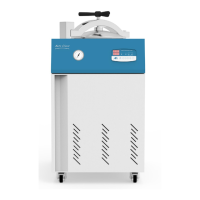
AUTOCLAVE
SH-AC-60M/80M/100M/128M
Version : 2016 Rev.0

Questions and Answers

  • S
    Samantha NavarroAug 8, 2025
    What to do if the pressure does not rise in my SH Scientific SH-AC-100M?
    • M
      Mrs. Jessica Flowers DDSAug 9, 2025
      If the pressure in your SH Scientific Laboratory Equipment isn't rising, there are a few things to check: * Try pressing the unit for 3 seconds. * Press the AT button for 5 seconds. * Ensure the OVER TEMP value is correctly set. * Verify the Pressure Normalizing Valve is properly closed. * Make sure the lid of the unit is securely closed.
  • M
    Michael HarrisAug 19, 2025
    What to do if the temperature does not rise in my SH Scientific Laboratory Equipment?
    • T
      Timothy JohnsonAug 20, 2025
      If the temperature in your SH Scientific Laboratory Equipment isn't rising, here are a few possible solutions: * Press the unit for 3 seconds. * Press the AT button for 5 seconds. * Check the OVER TEMP set value.
  • A
    Aaron YatesAug 29, 2025
    What to do if the operating temperature fluctuates on SH Scientific SH-AC-100M?
    • H
      Hannah ChurchAug 30, 2025
      If the operating temperature of your SH Scientific Laboratory Equipment fluctuates, try pressing the AT button for 5 seconds.

Summary

General Description

Graphic Symbols

Key Features

Unit Outward Appearance

Installation Guide

Setting and Operation

TEMP mode

Procedure for setting the temperature mode of the autoclave.

TIME mode

Procedure for setting the time mode of the autoclave.

BEEP mode

Procedure for setting the beep mode of the autoclave.

Start the unit

Instructions on how to start the autoclave unit.

Stop the unit

Instructions on how to stop the autoclave unit.

Auto Turning(AT)

Information and procedure for using the Auto Turning (AT) function.

Checking the remaining operation time and the output of heater

How to check remaining operation time and heater output using the AT button.

Specifications Overview

Troubleshooting Guide

SH Scientific SH-AC-100M Specifications

General IconGeneral
ModelSH-AC-100M
CategoryLaboratory Equipment
Capacity100L
Temperature Accuracy±0.5°C
Temperature Uniformity±1.0°C
ControllerDigital PID Controller
Material (Interior)Stainless Steel
Power Supply220V, 50/60Hz
Material (Exterior)Powder Coated Steel
Shelves2 (Adjustable)

Related product manuals