16 SHADOWx2
OPERATOR INSTRUCTION MANUAL
QuickCheck Pinpointing Continued:
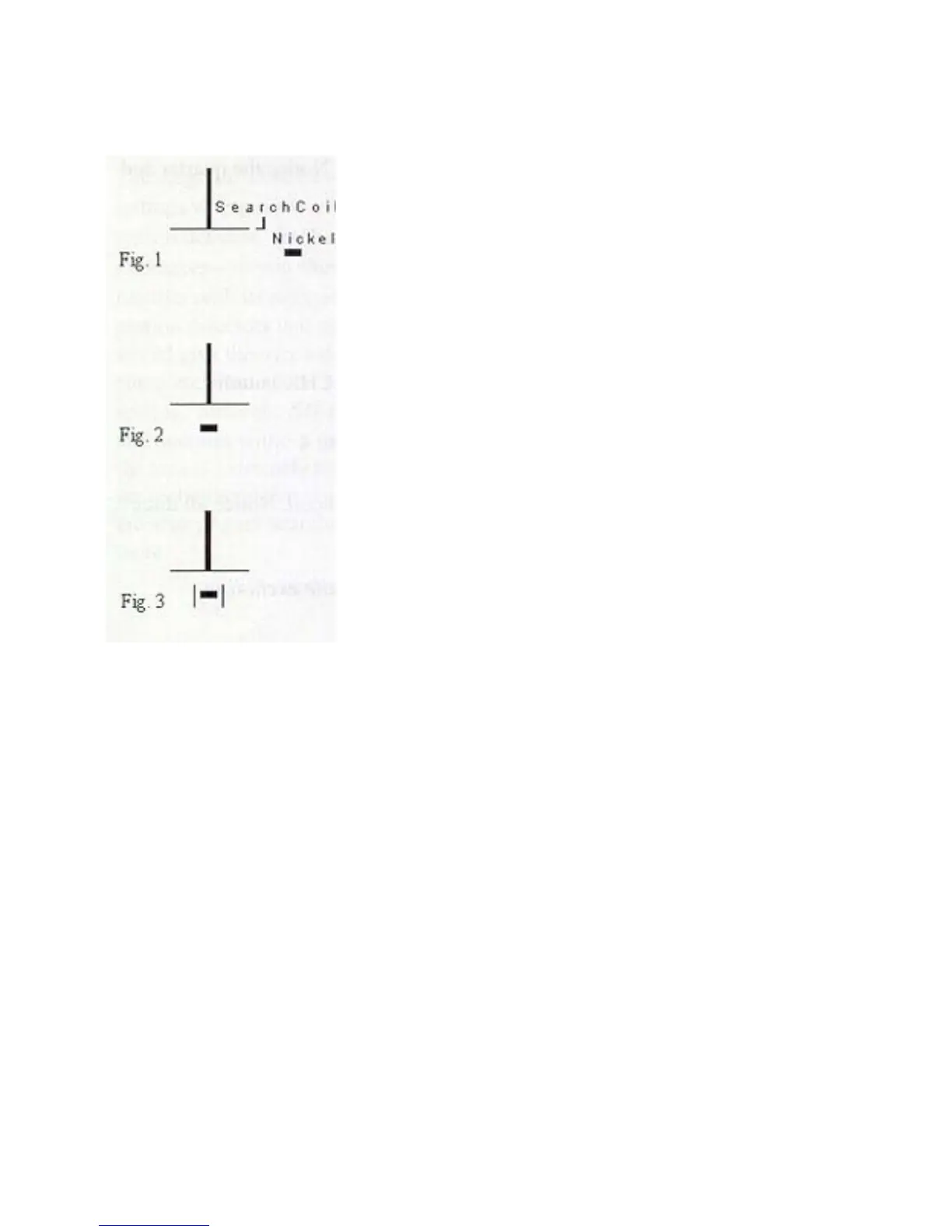
Fig 1
With the pinpoint button depressed, place the nickel to the side
of and out Iron the search coil about 3" as shown in Fig 1.
Fig.2
Slowly move the nickel across the coil to its center as shown in
Fig 2. Notice how the audio response increases in intensity as
you approach the coil's center. Stop the nickel in the center and
notice that the audio response gradually stops.
Fig.3
Move the nickel a fraction of an inch in any direction as shown
in Fig. 3 and notice you re-establish the audio response.
The combination of listening to the audio response increase and
decrease in intensity near the coil's center and moving the nickel slightly back and forth again when
the audio response fades out will "PINPOINT" the target near the coil's center.
Comparing the target response sounds made in the Discriminate and Pinpoint mode can help to
accurately locate a target.
Release the PINPOINT button to end the QuickCheck pinpoint test.
Summary Of QuickStart Functions Demonstrated:
(1) The motion-based operation and target response sound o{the Silent Search Discriminate
Mode
(2) How the Discriminate Mode can be used to help determine the types of metal a target can
be. By adjusting the DISC LEVEL control, you can select what metals your detector will
ignore
(3)
How the QuickCheck Pinpointing feature can be used to more accurately determine the
exact location of a target by quickly comparing the different target response sounds of
the Discriminate and Pinpoint Mode


 To Next Page