/ MENU
13
Menu Settting
USB Driver Playback
1. It's recommended to use USB drivers formatted to FAT32.
2. Drives up to 2TB are supported.
Bluetooth Input
1. Switch the source / input to Bluetooth mode.
2. Open Bluetooth settings on your device and search for new devices.
3. Player will show up as "Shanling EC3".
4. Pair it with your device and let it connect.
Rotate the knob to move through menu.
Press the knob to confirm.
Press the [ ] button to return to previous menu.
3. Support up to PCM 384kHz and DSD256.
4. Supported formats: DSD、 DXD、APE、 FLAC、WAV、AIFF/AIF、DTS、 MP3、WMA、AAC、OGG、
ALAC、MP2、M4A、AC3、OPUS、TAK,CUE
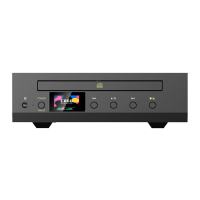
EC3
Stereo CD Player
1
Repeat
If you want to play the current track repetitively, press [REP] button on remote control once. Display will
show " " .
If you want to play the entire disc repetitively, press [REP] button on remote control again. Display will
show " " .
To cancel repeat, press the button again. Display will show " " .
Random Playback
1. Press the [RANDOM] button. Display will show " ".
2. Press the [RANDOM] or [ ] button to end random playback。
Screen On/Off
Press the [DIMMER] button on the remote to turn display On/Off.
Press in on the volume wheel to enter the System Settings menu. [ ]


 To Next Page