SHANLING Q1 – ADVANCED USER MANUAL
Page 3
System navigation
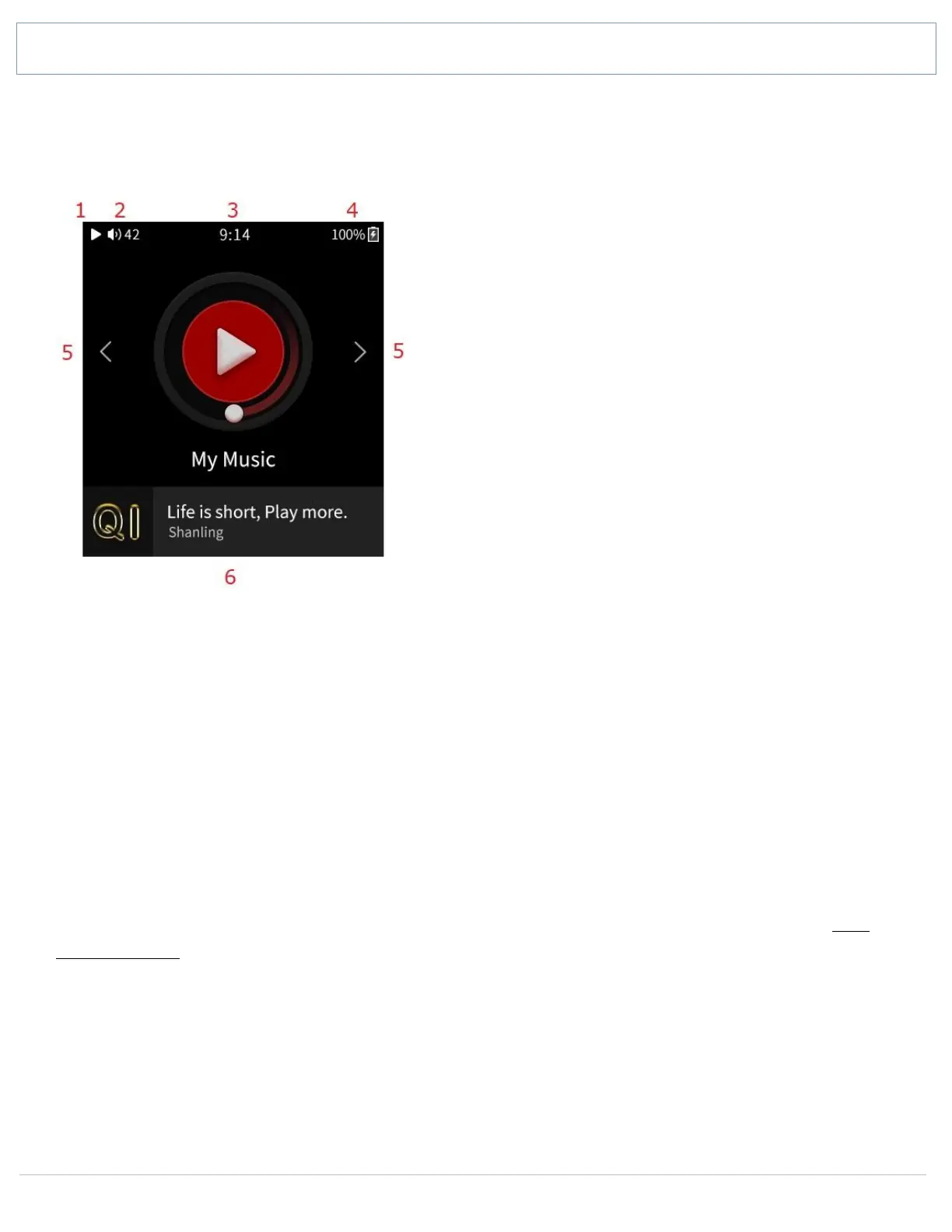
MAIN MENU
1. Play / Pause indicator
2. Volume level
3. Clock. Tap to access Volume
4. Battery indicator
5. Navigation arrows
6. Now Playing screen shortcut
Swipe left and right, or tap arrows, to circle between submenus. Tap on icon of submenu to
access it.
Main menu allows you to access 6 submenus.
• My Music
• My Favorites
• Folders
• Playlist
• Playback
• System
Bottom part of main menu shows info of currently playing song and serves as shortcut to Now
Playing screen with single tap.
For quick return back into the main menu, swipe up from the bottom edge of the screen. This
function is available on all screens.


 To Next Page