Need help?
Do you have a question about the Shark FA200 Series and is the answer not in the manual?
Covers fire, electric shock, injury risks, and general handling precautions.
Guidelines for battery handling, charging, disposal, and power supply safety.
Information regarding FCC regulations and potential radio frequency interference.
How to adjust and indications for fan speeds and their optimal use.
How to activate and use the high-power airflow BreezeBlast mode.
How to adjust oscillation settings and the fan's horizontal angle.
Information on cordless and plugged-in runtime and battery indicator meanings.
Charging instructions when the fan is in pedestal mode.
Charging instructions when the fan is in tabletop mode.
Instructions for short-term fan storage (less than 24 hours).
Instructions for long-term fan storage (more than 24 hours).
Recommended schedule for cleaning the fan.
Recommended schedule for cleaning the misting accessory.
How to activate and deactivate the safety lock mode for maintenance.
Step-by-step instructions for safely disassembling the fan for cleaning.
Instructions for safe disposal of the product's integral and remote batteries.
Information regarding FCC regulations and potential radio frequency interference.
This document describes the Shark FA200 Series Fan, a versatile cooling device designed for both indoor and outdoor use. It functions as a fan with multiple speed settings and oscillation options, and some models include a misting accessory for enhanced cooling. The fan can be used cordlessly thanks to its integrated rechargeable battery, or it can be plugged in for indefinite runtime and charging.
The Shark FA200 Series Fan is primarily designed to provide airflow for cooling. It features a fan head with multiple speed settings, allowing users to adjust the intensity of the airflow from quiet operation to high-power cooling. The fan also offers oscillation, enabling it to circulate air across different angles, from a narrow 45° to a wide 180°, depending on the model. This ensures effective air distribution in various spaces, whether for 1-2 people in a small area or 5+ people in a large area.
A key feature is the "BreezeBlast™ Mode," which provides maximum-strength airflow for powerful cooling. When operating cordlessly, BreezeBlast™ automatically turns off after 20 minutes to conserve battery life, but it runs indefinitely when the fan is plugged in.
Some models of the FA200 Series include a misting accessory. This accessory connects to the front grill of the fan and, when supplied with water from a standard garden hose, produces a fine mist to further enhance cooling, particularly in outdoor settings. The amount of mist can be adjusted by changing the fan speed or water pressure.
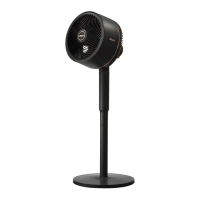
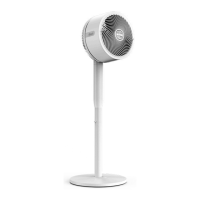
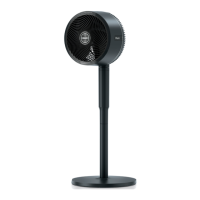
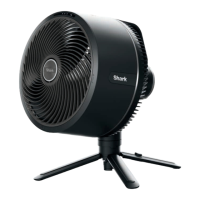
The fan is designed for both pedestal and tabletop use. It can be easily converted between these modes by detaching the fan head from the pole and spreading out its support legs for tabletop placement.
The fan offers convenient control through both on-device buttons and a remote control. The remote allows users to power the fan on/off, change fan speeds, adjust oscillation settings, and modify the horizontal angle of the fan from a distance. The fan head itself also has buttons for power, fan speed, and oscillation. LED lights on the fan head display indicate the selected fan speed and oscillation setting. These LEDs illuminate for 20 seconds after an adjustment to save battery.
The FA200 Series Fan is highly portable due to its cordless operation, powered by an integral lithium battery. It can be enjoyed indoors or outdoors, but it's important not to charge or use it in the rain. The fan is water-resistant and can withstand light rain, but it is not suitable for heavy rain or water submersion.
Battery life varies depending on the fan speed and whether oscillation or BreezeBlast™ mode is active. For example, on fan speed 1, the cordless runtime can be up to 27 hours, while on fan speed 5, it's approximately 2 hours. When plugged in, the fan offers indefinite runtime and charges simultaneously. A full charge from 0% takes about 5 hours. Battery indicator lights on the fan head show the charge level, with different colors indicating different ranges (e.g., white for 100%, green for 51%-99%, amber for 21%-50%, and blinking red for 5% and below). To preserve battery life, the fan enters an "IDLE mode" if left unplugged and powered off for 24 hours, which can be deactivated by pressing the power button on the fan head.
The misting accessory, when present, is suitable for outdoor use only. It requires a standard garden hose connection and cold or room temperature water. It should not be operated with water pressure above 60 psi or with warm/hot water. Users should avoid handling live electrical products near the misting stream and keep non-waterproof electronic equipment away from it.
Regular maintenance is recommended to ensure optimal performance and longevity of the fan. The fan should be cleaned every 6 months or as needed. Before performing any maintenance, the fan must be put into "Lock mode" to prevent accidental powering on. Lock mode is activated by holding down the oscillation icon on the fan head for 3 seconds, and deactivated by pressing it again for 3 seconds.
Cleaning the fan involves disassembling the fan head. This includes removing the fan grill by rotating it counterclockwise after loosening a screw with an Allen wrench, and then removing the fan blade cap and fan blades. The interior parts of the fan can then be wiped down with a slightly damp cloth. After cleaning, the components are reinstalled in reverse order.
For models with a misting accessory, cleaning is recommended every 12 months or as needed, with more frequent cleaning required for hard water sources. Misting accessory maintenance involves turning off the water supply, unscrewing the accessory from the water source and fan grill, and carefully removing each brass nozzle. The nozzles can be soaked in a solution of undiluted distilled white vinegar (5% acetic acid) for up to 2 hours to loosen debris, then rinsed thoroughly and reinstalled. The misting system itself can be flushed by connecting the accessory to a garden hose (with nozzles removed) and running water through it for 30 seconds to clear any debris. It's crucial to keep nozzles and other small parts out of reach of children due to choking hazard.
The remote control's battery compartment has a plastic tab that needs to be pulled out before first use. If the remote stops working, replacing its batteries is recommended.
The fan's design allows for easy disassembly for storage. For short-term storage (less than 24 hours), the fan can be placed assembled or disassembled in a desired location, out of reach of children and pets. For long-term storage (more than 24 hours), it should be stored indoors, disassembled, and out of reach of children. A fan cover accessory is available to protect the fan from damage and dust during storage.
 General
| Model | FA200 Series |
|---|---|
| Voltage | 120V |
| Frequency | 60Hz |
| Speed Settings | 3 |
| Oscillation | Yes |
| Material | Plastic |
| Color | White |

 To Next Page