9
800.798.7398
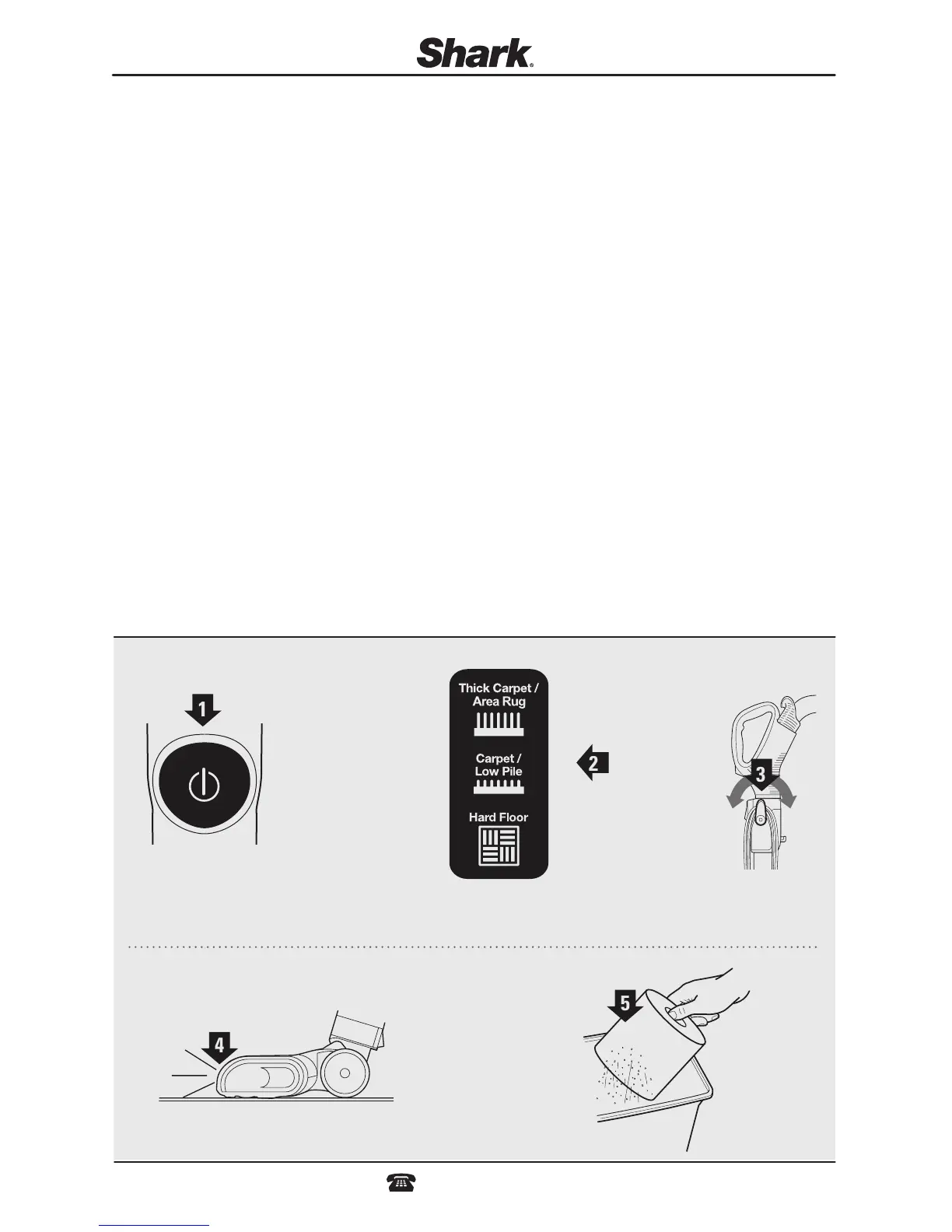
POWER BUTTON
1 The POWER button turns the vacuum on.
SURFACE SELECTOR
2 Selecting the Hard Floor setting will stop the brushroll from spinning and allow you to clean bare floor and above floor
surfaces with ease. Thick Carpet/Area Rug and Carpet/Low Pile settings refer to the strength of the suction power. “Carpet/
Low Pile” is the default carpet setting and gives you the greatest suction and deep cleaning power. “Thick Carpet/Area Rug”
deep cleans higher pile, thicker carpets, specialty carpets, and area rugs with less suction. If the vacuum is difficult to push
or pull on certain carpets or area rugs, you can either disengage the brush roll and use the suction only setting or switch the
surface selector to Thick Carpet/Area Rug mode.
NOTE: For deep cleaning per ASTM F 608 (embedded dirt in carpets) please set to CARPET/LOW PILE.
CORD HOOKS
3 For quick cord access, rotate upper hook 180° and remove cord. Rotate it back for cord storage.
HEADLIGHTS
4 Illuminozzle designed to illuminate debris in dark areas, the headlights illuminate any time the power is on. The headlights are
long-lasting and designed to last the life of the vacuum.
The LED light on the Illuminator handle will enable you to see dark areas when using the handheld accessories.
FILTERS
5 Remember to clean your filters regularly under normal use. Also, for optimal performance, tap clean filters between washes
as needed.
1
3
2
HELPFUL TIPS
4
5





 To Next Page