sharkclean.comsharkclean.com
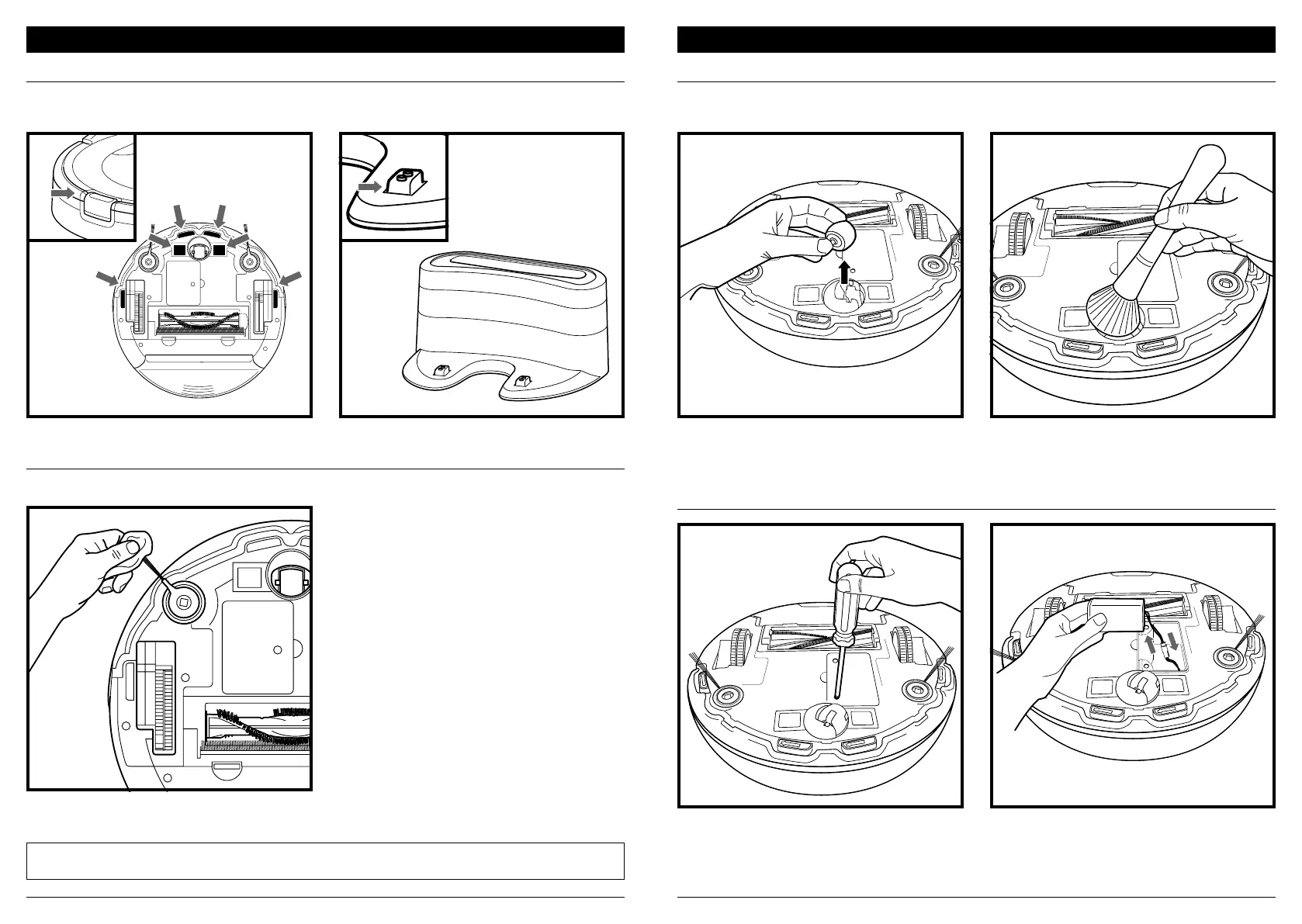
CLEANING SENSORS AND CHARGING PADS
CLEANING SIDE BRUSHES
MAINTENANCE
Carefully unwind and remove any string or hair
wrapped around brushes.
Gently wipe brushes with a damp cloth. Be sure to
let them air-dry completely before reinstalling them.
CLEANING THE FRONT CASTER WHEEL
REPLACING THE BATTERY
MAINTENANCE
Pull the caster wheel from its housing and remove
any debris buildup.
To remove the battery, turn the unit over and
unscrew the battery cover with a Phillips-head
screwdriver.
Unplug the old battery from its connector, then
plug in the new battery. Replace battery cover and
screw it back into place. See Battery Removal and
Disposal on back cover.
REMOVE AND CLEAN FRONT WHEEL EVERY WEEK. REPLACE FRONT WHEEL EVERY 12 MONTHS.
See sharkaccessories.com for replacement parts.
CLEAN SENSORS AND CHARGING PADS PERIODICALLY AS NEEDED. With a dry cloth or cleaning brush, gently dust o
the sensors and pads located on the bottom of the robot.
NOTE: Remove any side brushes that are bent or damaged. To remove a brush, lift it o its peg. See Installing the Side
Brushes for instructions on how to attach and remove the brushes.
Clean the wheel housing, then reinsert the
caster wheel.
CLEAN SIDE BRUSHES AS NEEDED. CHECK WEEKLY.
RECOMMENDED REPLACEMENT SCHEDULE: Replace when visibly worn. See sharkaccessories.com for replacement parts.


 To Next Page