M25
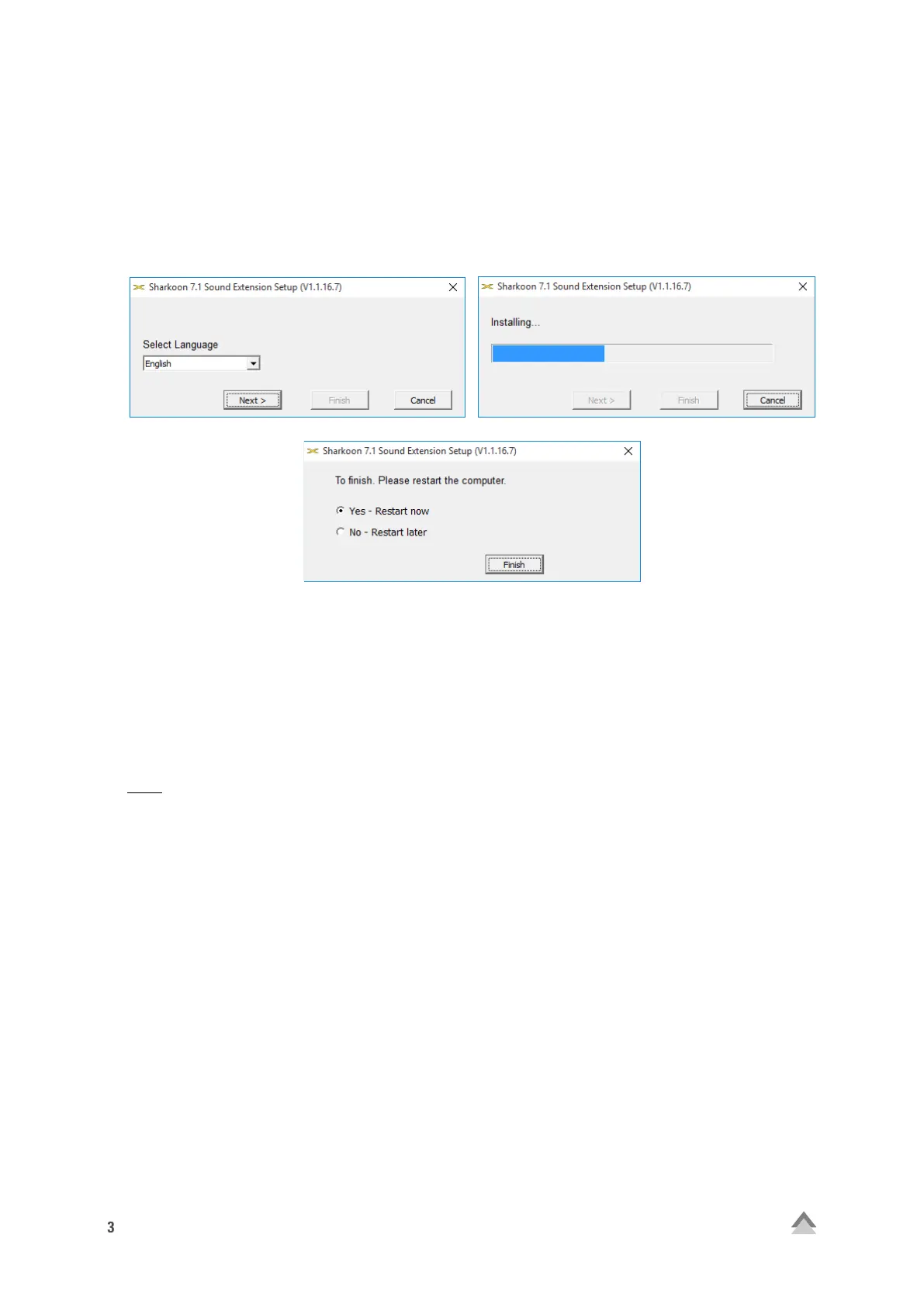
1. Installation the Software (only Windows PC)
1. Load the 7.1 Sound Extension Software from our website www.sharkoon.com.
2. Start the application “7.1 Sound Extension Setup“.
3. Follow the instructions on the installation wizard.
4. Once complete, click “Finish”.
2. Software
The software allows:
• Creating, saving and loading four individual equalizer sets
• Use of four preset effects
• Microphone boost settings
• Virtual 7.1 sound configuration
Note:
Right-click on the 7.1 Sound Extension taskbar icon to change the language under the “Language” option.
Likewise, select “Skins” to change the 7.1 Sound Extension frame around the menu to either light or dark. The
changes take effect immediately. A restart or reinstallation of the software is not necessary.
Open the software by double-clicking on the 7.1 Sound Extension icon on the taskbar.


 To Next Page