M25
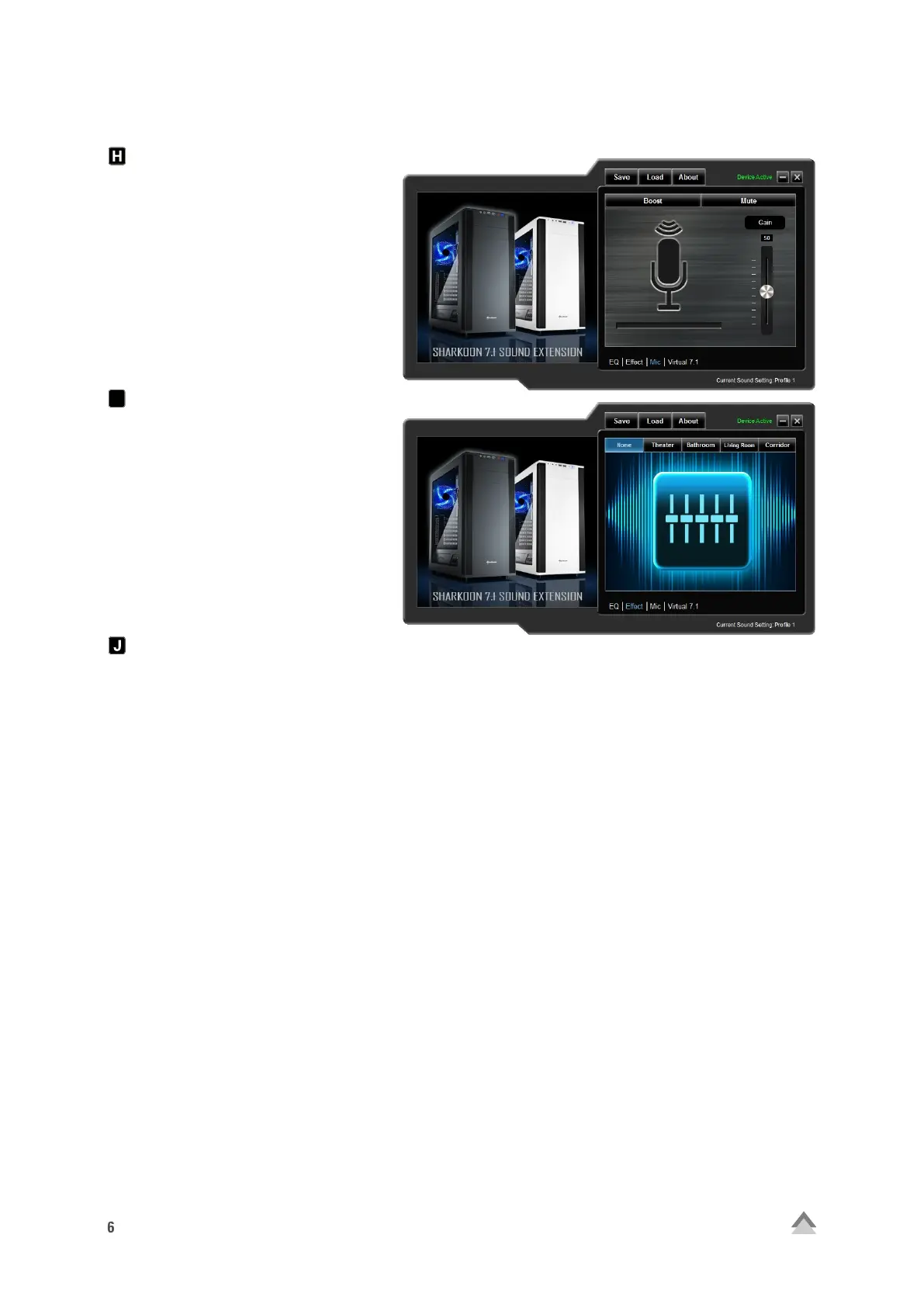
Microphone
Within the “Mic” menu, adjust the
microphone sensitivity by increments
up to 100. The “Boost” function ampli-
fies the signal. Click “Mute” to mute the
microphone.
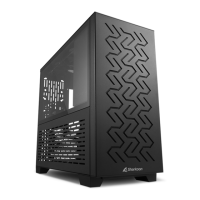
Effect
Adjust the sound for the four preset
effects here.
Possible settings are:
• No Effect
• Theater
• Bathroom
• Living Room
• Corridor
EQ
Clicking on this field to launch the “Equalizer” menu.
3. FAQ
The volume is too low
If the volume is too low, please check the overall volume of your operating system and set it to maximum
volume.
The microphone is too quiet
Double-click on the 7.1 Sound Extension icon on the taskbar to launch the software. Click on “Mic” and then,
using your mouse, maneuver the slider until the desired microphone volume is reached. The boost function
can also be activated.
I


 To Next Page