11
AUXILIARY MODE
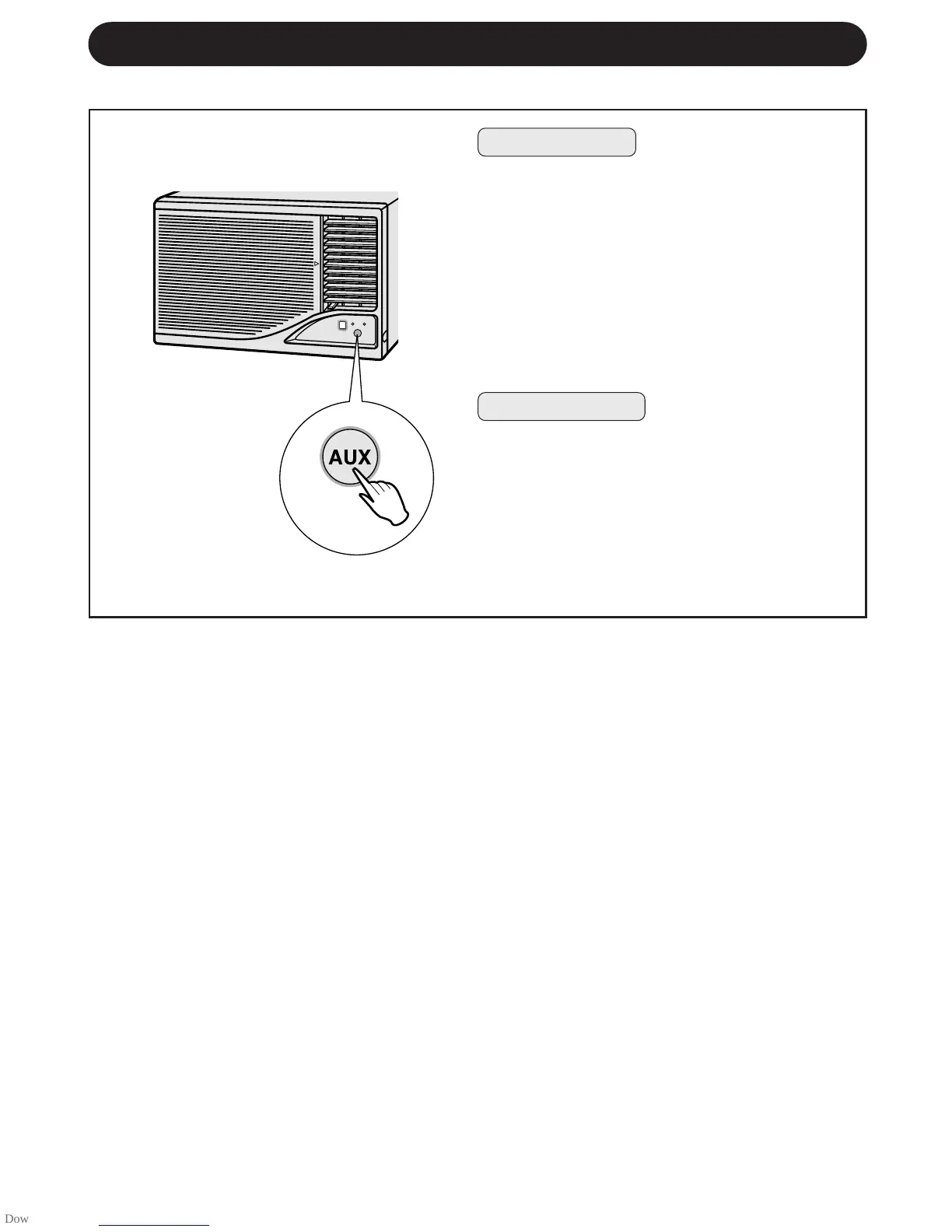
Press the AUX. button on the unit's control
panel.
• The red OPERATION lamp on the unit will
light up and the unit will start operating in the
AUTO mode.
• The fan speed and temperature setting are
set to AUTO.
• Left/Right air flow adjustment louvers will
swing continuously.
Use this mode when the remote control is not available.
TO TURN ON
Press the AUX. button on the control panel
again.
• The red OPERATION lamp on the unit will go
out.
TO TURN OFF
NOTE:
If the AUX. button is pressed during normal
operation, the unit will turn off.
)7:



 To Next Page