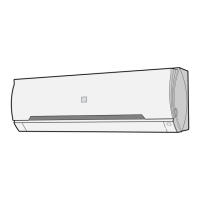
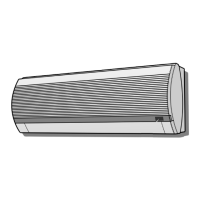
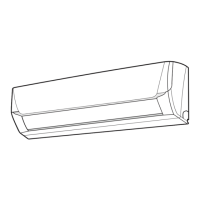
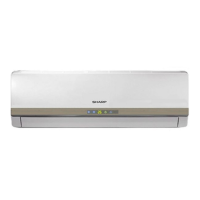
This document describes the Sharp Split Type Room Air Conditioner, covering its functions, specifications, usage, and maintenance.
Function Description:
The Sharp Split Type Room Air Conditioner is designed to provide cooling and dehumidification for residential use. It features a Plasmacluster ion generator (for SMD models) to reduce airborne mold, and various operation modes including AUTO, COOL, DRY, POWERFUL JET/SUPER JET, GENTLE COOL AIR, COMFORT, and BABY MODE (for SMD models). The unit also includes a self-clean function to reduce mold growth and dry the inside of the unit, and a timer for scheduled operation.
Important Technical Specifications:
The manual lists several models for both indoor and outdoor units, categorized into SMD and SED series.
- SMD models:
- Indoor Units: AH-AP9SMD, AH-AP12SMD, AH-AP18SMD, AH-AP24SMD
- Outdoor Units: AU-A9SMD, AU-A12SMD, AU-A18SMD, AU-A24SMD
- SED models:
- Indoor Units: AH-A9SED, AH-A12SED, AH-A18SED, AH-A24SED
- Outdoor Units: AU-A9SED, AU-A12SED, AU-A18SED, AU-A24SED
The operation conditions specify temperature limits for cooling:
- Upper limit: 32°C (Indoor Temp.), 43°C (Outdoor Temp.)
- Lower limit: 21°C (Indoor Temp.), 21°C (Outdoor Temp.)
The temperature setting range for COOL mode is 16-30°C.
Timer duration can be set from 0.5 hours to 12 hours, with half-hour increments up to 9.5 hours, and 1-hour increments from 10 to 12 hours.
Usage Features:
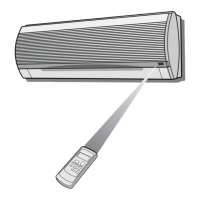
The air conditioner is controlled primarily by a remote control, which features a display and various buttons for different functions.
- Remote Control Buttons: TRANSMITTER, DISPLAY, COMFORT, POWERFUL JET/SUPER JET, ON/OFF, BABY MODE (SMD only), PLASMACLUSTER (SMD only), GENTLE COOL AIR, FAN, THERMOSTAT, MODE, SWING (vertical and horizontal for SED, vertical only for SMD), TIMER OFF, TIMER ON, TIMER CANCEL, SELF CLEAN (SMD only), RESET.
- Loading Batteries: Requires two AAA(R03) batteries, ensuring correct polarity. A RESET button must be pressed after battery installation.
- Auxiliary Mode: Allows basic operation (AUTO mode with AUTO fan speed and temperature) if the remote control is unavailable, activated by the AUX button on the indoor unit.
- Basic Operation:
- Mode Selection: Use the MODE button to select AUTO, COOL, or DRY.
- On/Off: Use the ON/OFF button to start or stop operation.
- Temperature Setting: Use the THERMOSTAT button to adjust the desired temperature. In AUTO/DRY mode, temperature can be adjusted ±2°C from the automatic setting.
- Fan Speed: Use the FAN button to select AUTO, SOFT, LOW, or HIGH fan speed. In DRY mode, fan speed is preset to AUTO and cannot be changed.
- Airflow Direction:
- Vertical Airflow: Use the SWING button to make the vertical airflow louvre swing or stop at a desired position. Manual adjustment is not recommended.
- Horizontal Airflow: For SED models, hold the horizontal airflow louvre levers to adjust direction. SMD models do not have horizontal swing function.
- Powerful Jet / Super Jet Operation: Maximizes power and optimizes louver direction for rapid cooling. Fan speed operates at "Extra HIGH" for 30 minutes, then shifts to "HIGH". Temperature and fan speed cannot be set in this mode.
- Gentle Cool Air: Sets the vertical airflow louvre obliquely upward to direct cool air to the ceiling, avoiding direct airflow.
- Plasmacluster Operation (SMD models): Releases Plasmacluster ions to reduce airborne mold. The blue PLASMACLUSTER lamp indicates activation. This setting is memorized for subsequent operations. Can be activated in FAN only mode when the unit is not operating.
- Comfort Operation: Reduces temperature and humidity fluctuations by controlling fan speed and louvre position automatically.
- Baby Mode Operation (SMD models): Provides soft, quiet, and clean cooling optimized for infants. Fan speed is set to LOW or SOFT, louvre to GENTLE COOL AIR, and Plasmacluster is turned on. Not available in DRY mode.
- Timer Operation:
- Timer Off: Sets a time for the unit to turn off. Automatically adjusts temperature to prevent excessive cooling during sleep.
- Timer On: Sets a time for the unit to turn on, with an "Awaking function" to reach the desired temperature before the programmed time.
- Timer Off and Timer On cannot be set simultaneously.
- Self Clean Operation (SMD models): Reduces mold growth and dries the inside of the unit using Plasmacluster ions. Operates for 40 minutes when the unit is not operating. Temperature, fan speed, airflow direction, or timer cannot be set during this operation.
- Display Button (SMD models): Turns off the blue PLASMACLUSTER lamp if it is too bright.
Maintenance Features:
Regular maintenance is crucial for efficient operation and longevity of the unit.
- Safety Precaution: Always disconnect power or turn off the circuit breaker before performing any maintenance.
- Cleaning the Filters:
- Turn off the unit.
- Remove filters by lifting the open panel and pulling them down.
- Clean filters using a vacuum cleaner or by washing with warm water and mild detergent. Dry in the shade.
- Reinstall filters and close the panel.
- Cleaning the Unit and Remote Control: Wipe with a soft cloth. Avoid splashing water, hot water, thinner, abrasive powders, or strong solvents.
- Maintenance After Air Conditioner Season:
- Dry the indoor unit thoroughly:
- SMD models: Run in SELF CLEAN mode.
- SED models: Run in COOL mode with temperature set to 30°C.
- Stop operation and unplug the unit (or turn off the circuit breaker).
- Clean and reinstall filters.
- Maintenance Before Air Conditioner Season:
- Ensure air filters are clean.
- Ensure air inlet or outlet is not obstructed.
Important Safety Instructions and Troubleshooting:
The manual provides comprehensive safety warnings and cautions, including instructions on proper installation, grounding, power cord handling, and ventilation. It also lists common conditions that are not equipment malfunctions, such as odors, cracking noises, mist from the indoor unit, and the outdoor unit fan rotating after operation stops. Troubleshooting tips are provided for when the unit does not operate, does not cool effectively, or does not receive remote control signals. For SMD models, it addresses odor and buzzing noise from the Plasmacluster air outlet. If the OPERATION lamp and TIMER lamp blink, service is required.

 Need help?
 General

 To Next Page