EasyManua.ls Logo

Sharp AQUOS androidtv 4T-C50BK1X - User Manual

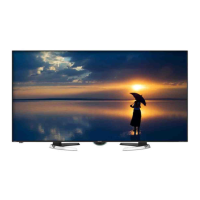
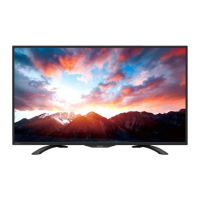
Sharp AQUOS androidtv 4T-C50BK1X
87 pages
Print Icon
To Next Page IconTo Next Page
Loading...
LED BACKLIGHT TV / MONITOR
OPERATION MANUAL
Please choose your favourite page from the content.
If you want to close the operation manual, press the
(HOME) button.
Also, if you want to return to the previously displayed page,
press the (Back) button.
ENGLISH | 中文(台灣) | 中文(香港) | FRANÇAIS | PORTUGUÊS | РУССКИЙ | 中文 | INDONESIA | ภาษาไทย | TIẾNG VIỆT | ﻲﺑرﻋ | АҒЫЛШЫН | O'ZBEK TILIDA
>>

Table of Contents

Questions and Answers

  • F
    Fred SteeleAug 5, 2025
    What to do if software update fails on Sharp AQUOS androidtv 4T-C50BK1X LED TV?
    • D
      Dylan ChenAug 5, 2025
      If software updates via Over-The-Air (OTA) are not successful on your Sharp LED TV, ensure that your internet connection is working. If the TV is connected to the internet, but no connection is available, disconnect the internet from your TV and then reconnect again.
  • D
    denise72Aug 12, 2025
    Why is there no sound on my Sharp AQUOS androidtv 4T-C50BK1X?
    • A
      Amber WilsonAug 12, 2025
      If your Sharp LED TV has no sound, first ensure the connection to your device is correct and the volume isn't too low or muted. Also, if you're using an HDMI cable, check the audio output settings on your PC or external equipment to ensure audio is being output through the HDMI cable. The TV supports PCM and Dolby Digital audio formats; other formats may not output sound.
  • S
    Stacy ThomasAug 17, 2025
    How to fix no broadcast on Sharp AQUOS androidtv 4T-C50BK1X?
    • K
      Krista NicholsAug 17, 2025
      If there is no broadcast on your Sharp LED TV, check the antenna cable and ensure the antenna is correctly set up. Also, verify the broadcast time in the program guide.
  • A
    Anthony DennisAug 23, 2025
    What to do if Sharp AQUOS androidtv 4T-C50BK1X says incompatible audio signal?
    • K
      Kenneth HarmonAug 23, 2025
      If your Sharp LED TV displays a message indicating an incompatible audio signal, it means the TV is receiving an audio format other than PCM or Dolby Digital. To resolve this, set the audio output format of connected external HDMI equipment to PCM or Dolby Digital. Refer to the operation manual of the external equipment for setting details.
  • W
    William JacobsonAug 30, 2025
    Why is Chromecast not working on my Sharp AQUOS androidtv 4T-C50BK1X LED TV?
    • B
      Bradley BlankenshipAug 30, 2025
      If Chromecast built-in image/audio cannot be output to your Sharp LED TV, check if your smartphone/tablet is connected to the same Wi-Fi network as the TV.

Summary

Important Safety Information

Safety and Usage Precautions

Precautions For Daily Use

Essential guidelines for maintaining the TV's cabinet and LCD panel.

Important Safety Precautions

Guidelines for safely caring for the TV's cabinet and front panel.

TV Hardware Overview

Front and Rear Panel Views

Visual guide to the front and rear of various SHARP TV models.

TV Terminals and Connections

Details on the various input and output terminals on the TV back panel.

Remote Control Operation

Remote Control Unit Overview

Explains the buttons and functions of the remote control.

Android TV Interface

Entertainment Hub Introduction

Introduction to the Android TV Entertainment Hub interface and apps.

TV and Channel Settings

Channel Tuning and Scanning

Guide on manually tuning TV channels using various scan options.

Automatic Channel Updates

How to configure and manage automatic TV channel updates.

Channel Management and Audio;Subtitle Settings

Programme Editing and Sorting

How to edit, skip, sort, and move channels in the programme list.

Audio Language and Subtitle Options

Options for selecting audio languages, soundtracks, and displaying subtitles.

Network and Internet Connectivity

Connecting to the Internet

Steps to configure network settings for streaming and internet applications.

Wireless and Wired LAN Setup

Guide for connecting the TV to a network using Wi-Fi or a LAN cable.

External Device Integration

Chromecast and Audio Device Setup

Options for Chromecast compatibility and audio device configuration.

Bluetooth Connectivity

Bluetooth Device Pairing

Steps for pairing Bluetooth devices with the TV for connection.

USB Device Connectivity

Connecting and Playing USB Files

Instructions for connecting USB devices and playing back media files.

Smart App Integration

Google Assistant and Play Store

Using Google Assistant and downloading apps from Google Play Store.

Google Account Configuration

Instructions for signing into and configuring your Google account on the TV.

On-Screen Keyboard Usage

Software Keyboard Input Methods

How to use the on-screen keyboard for text input and network settings.

SHARP Unique Features

Azan Prayer Time App

Information on the Azan app for prayer time notifications and setup.

Tools Menu Navigation

Accessing Tools Menu Options

How to display and navigate the TOOLS menu for TV settings.

Picture Quality Settings

Picture Mode Selection

Guide to choosing viewing modes like User, Standard, Dynamic, Movie, Game, Super Eco.

Basic Picture Configuration

Adjusting backlight, brightness, contrast, color, tint, and sharpness.

Advanced Picture Adjustments

Gamma, Color Temperature, and CMS

Fine-tuning gamma, color temperature, and color management system for picture.

HDR Settings

Options for enabling or disabling High Dynamic Range effects.

Input and Display Settings

Display Mode and Aspect Ratio

Adjusting screen size and aspect ratio for different content types.

PC Mode and HDMI Range

Optimizing picture settings for PC input and HDMI connections.

Sound Quality Configuration

Audio Mode and Basic Sound Settings

Customizing sound quality with modes and adjusting balance, bass, and treble.

Advanced Sound Options

Surround Sound and Equalizer

Adjusting surround effects, equalizer details, and SPDIF delay.

Auto Volume and Downmix Mode

Managing volume levels and multi-channel audio downmix methods.

System Utility Functions

Timers, Screen Saver, and Storage

Setting timers, screen saver, and viewing storage status.

Auto Sleep, Reset, and Accessibility

Configuring auto sleep, system reset, and accessibility features.

Troubleshooting Common Issues

Power, Picture, and Sound Problems

Solutions for common issues like no power, picture distortion, or sound problems.

Troubleshooting Specific Errors

Sound, Connectivity, and Update Errors

Solutions for no sound, Chromecast issues, and failed software updates.

Error Message Explanations

Guidance on understanding and resolving error messages displayed on screen.

Trademarks and Licensing

Product Trademarks and Logos

Lists of trademarks for Google, Dolby, HDMI, Wi-Fi, and Bluetooth.

Product Specifications

TV Model Specifications

Technical details including panel, resolution, terminals, power, and dimensions for TV models.

Taiwan Model Specifications

Taiwan-Specific Technical Details

Technical details for Taiwan-specific TV models, including dimensions and power.

Dimensional Drawings

4 T-C50 BK1 X Dimensions

Detailed physical dimensions for the 4T-C50BK1X TV model.

Sharp AQUOS androidtv 4T-C50BK1X Specifications

General IconGeneral
BrandSharp
ModelAQUOS androidtv 4T-C50BK1X
CategoryLED TV
LanguageEnglish

Related product manuals