6
Part names
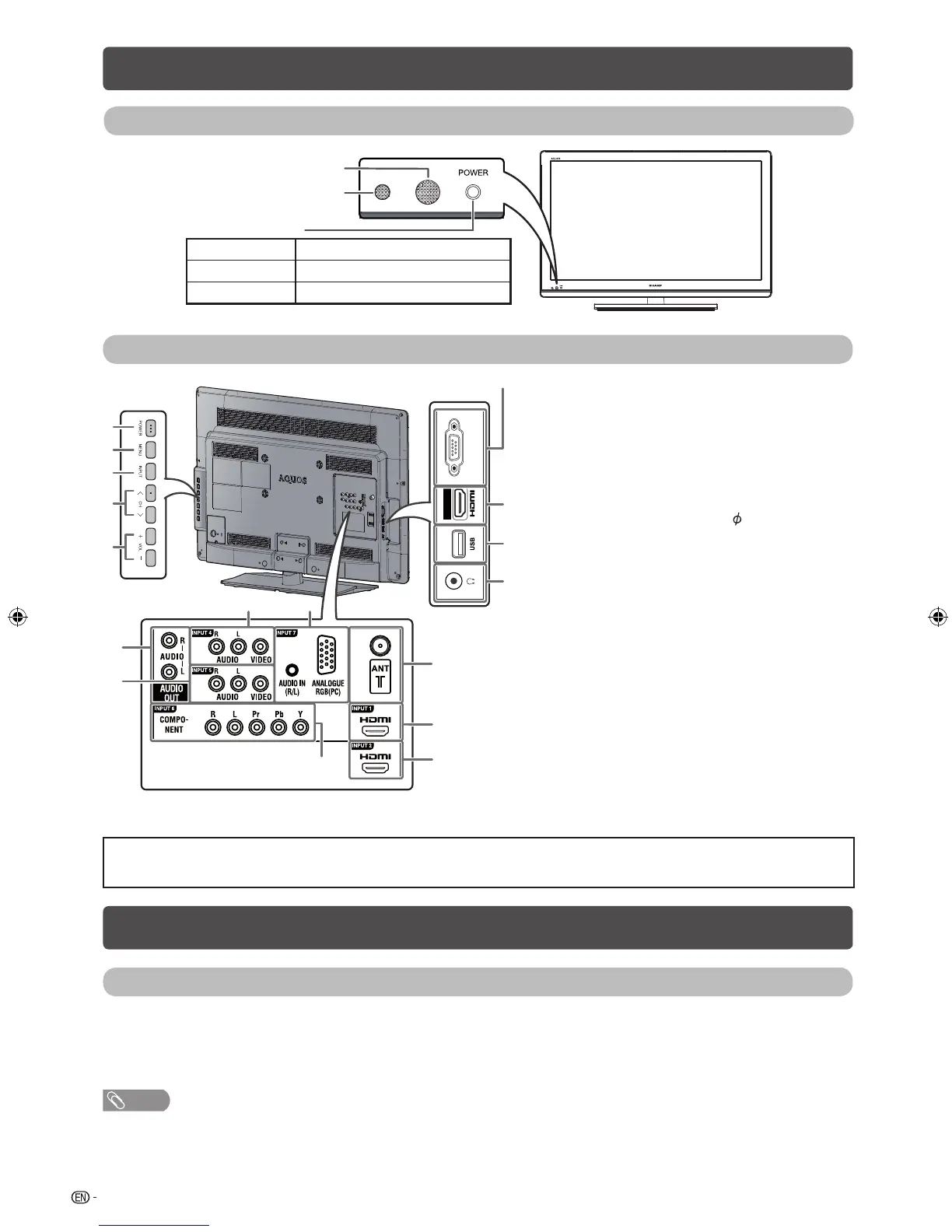
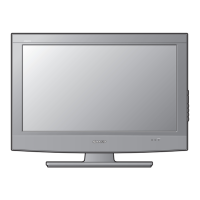
TV (Front)
Remote control sensor
OPC sensor
POWER indicator
Lighted (Orange) The TV is in power-on timer mode.
Lighted (Red) The TV is off (standby mode).
Lighted (Green) The TV is on.
TV (Rear)
INPUT 3
8
7
6
14
11
12
15
16
910
13
1
2
3
4
5
SERVICE ONLY terminal ** 1 POWER (On/Off) button
2 MENU button
3 INPUT button
4 Channel up (
r
)/down (
s
) buttons
5 Volume up (
e
)/down (
f
) buttons
6 INPUT 3 (HDMI) terminal
7 USB terminal*
8 Headphone jack (
3.5 mm)
• The speakers do not output volume
when headphones are plugged in.
9 INPUT 7 (PC) terminals
10 INPUT 4 terminals
11 AUDIO OUT terminals
12 INPUT 5 terminals
13 INPUT 6 terminals
14 Antenna input terminal
15 INPUT 1 (HDMI) terminal
16 INPUT 2 (HDMI) terminal
*
USB terminal use for USB Media Player. (See page 14.)
**
Usually do not connect anything to this terminal as it is reserved only for service personnel.
• The illustrations in this operation manual are for explanation purposes and may vary slightly from the actual operations.
• The illustrations used throughout this manual are based on LC-32LE430M.
Turning the TV on/off
Turning on/off the power
• To turn on the power
Press POWER. (After a few seconds, an image appears with sound.)
• To turn off the power
Switch it off by pressing POWER.
NOTE
• If you are not going to use this TV for a long period of time, be sure to remove the AC cord from the AC outlet.
• Minor power is consumed when the unit is in standby mode.
LC24LE430M_EN.indb 6LC24LE430M_EN.indb 6 7/14/2011 5:35:04 PM7/14/2011 5:35:04 PM



 To Next Page