EasyManua.ls Logo

Sharp AQUOS LC-60LE640U - User Manual

Sharp AQUOS LC-60LE640U
2 pages
Print Icon
To Next Page IconTo Next Page
Loading...
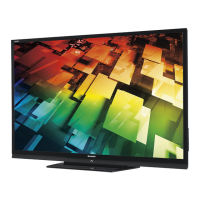
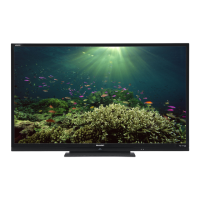
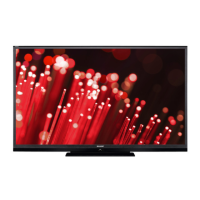
LC-60LE640U
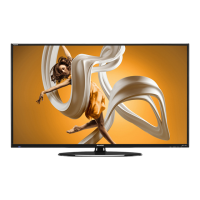
The 60LE640 is part of our high-definition AQUOS®
LED TV line. This 60 1/32” (diagonal) model features
our 1080p edge lit LED panel, delivering natural,
vibrant picture quality. And with built-in Wi-Fi and
our SmartCentral user interface, you’ll have access to
today’s most popular apps and movies on demand.
MODEL OVERVIEW
FEATURES
60” LED SMART TV
60” Class (60 1/32” diagonal) (over 20%
more screen area than a 55” Class)
Full HD 1080p
Edge lit LED
Built-in Wi-Fi
SmartCentral user interface with access
to Netflix, Vudu, CinemaNow, YouTube,
Facebook, and Twitter
120Hz refresh rate
Vyper Drive
Optimally designed AQUOS
LED TVs enhance brightness
and color vibrancy. Higher
refresh rates deliver crisp
picture detail with less blur.
Picture perfection
Dedicated support from
AQUOS ADVANTAGE LIVE
experts means priority service,
from available remote TV setup
to live technical support.
We’re here for you
All AQUOS® LED TVs use 50%
less energy than even our TVs
from 2010.
Big TV, smaller energy footprint
Built-in Wi-Fi gets you connected
with the most popular apps, like
Facebook and Twitter, and movies
on demand from Netflix
to CinemaNow.
Smart TVs ahead of the class

Questions and Answers

  • E
    Eric ValenciaJul 26, 2025
    Why does my Sharp AQUOS LC-60LE640U power suddenly turn off?
    • C
      cohenjonathanJul 27, 2025
      If your Sharp LCD TV suddenly turns off, it may be due to several reasons. First, check if the sleep timer is set. Next, review the power control settings. Finally, if the unit's internal temperature has increased, remove any objects blocking the vents or clean them to ensure proper ventilation.
  • O
    oatkinsAug 1, 2025
    Why is my Sharp AQUOS LC-60LE640U remote control not working?
    • S
      Stephen HarrisonAug 1, 2025
      If the remote control unit is not working with your Sharp LCD TV, ensure that the remote is set to operate the TV by pressing the TV button. If that doesn't work, the batteries may be worn out, replace them with new batteries. Note that strong or fluorescent lighting, or a fluorescent light illuminated near the remote control sensor could affect the operation.
  • A
    Alexis VillaAug 8, 2025
    How to troubleshoot no power on my Sharp LCD TV?
    • M
      Margaret SheltonAug 8, 2025
      If your Sharp LCD TV is not receiving power, ensure that you have pressed the POWER button on the remote control. Also, check if the AC cord is properly connected and that the power is turned on.
  • M
    Melissa DawsonAug 14, 2025
    What to do if my Sharp AQUOS LC-60LE640U has strange colors?
    • U
      uandersonAug 14, 2025
      If you are experiencing strange colors, light color, or color misalignment on your Sharp LCD TV, try adjusting the picture tone. Also, the picture may look dark in a room that is too bright.
  • G
    Garrett DaltonAug 20, 2025
    What to do if my Sharp AQUOS LC-60LE640U LCD TV cannot be operated?
    • L
      Lori FloresAug 20, 2025
      If your Sharp LCD TV cannot be operated, it might be due to external influences such as lightning or static electricity. To resolve this, turn off the power of the TV or unplug the AC cord, wait for 1 or 2 minutes, and then replug it in and turn it back on.

Sharp AQUOS LC-60LE640U Specifications

Power IconPower
power consumption AC188 watts
power sourceAC 120V
Display IconDisplay
screen size class60
pixel resolution1080p
viewing angles176/176
Audio IconAudio
audio system10W + 10W
surround soundY
audio inputs (L/R)2
Ports & interfaces IconPorts & interfaces
usb input2
hdmi4
hd component1
composite video2
digital audio outputOptical
Weight and Dimensions IconWeight and Dimensions
width with stand54 17/32 inches
depth with stand13 1/8 inches
height with stand34 11/32 inches
width without stand54 17/32 inches
depth without stand2 59/64 inches
height without stand33 1/32 inches
weight with stand72.8 lbs
weight without stand66.1 lbs

Related product manuals