EasyManua.ls Logo

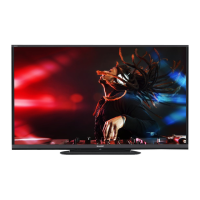
Sharp Aquos LC-60LE644U - User Manual

Sharp Aquos LC-60LE644U
369 pages
Print Icon
To Next Page IconTo Next Page
Loading...

Table of Contents

Other manuals for Sharp Aquos LC-60LE644U

Questions and Answers

  • R
    Rebecca MooreAug 15, 2025
    What to do if my Sharp LCD TV has no power?
    • S
      Sheila GutierrezAug 15, 2025
      First, ensure that you have pressed the POWER button on the remote control. Next, check if the AC cord is properly connected to the TV and the power outlet. Finally, verify that the power outlet is switched on.
  • A
    Angela JacobsAug 18, 2025
    Why doesn't my Sharp Aquos LC-60LE644U remote control work?
    • M
      Michael CooperAug 18, 2025
      Ensure that the remote control is set to operate the TV by pressing the TV button. Check if the batteries are inserted correctly, paying attention to the polarity (+, -). If the batteries are old, replace them with new ones. Strong or fluorescent lighting near the remote control sensor may also interfere with its operation.
  • E
    Elizabeth LeeAug 21, 2025
    Why is there no sound on my Sharp Aquos LC-60LE644U LCD TV?
    • M
      Mrs. Felicia AndersonAug 21, 2025
      Verify that the connections to other components are correct and that the volume is not too low. Check the audio output settings of any connected external equipment. Ensure that the volume isn't muted. If using an HDMI cable, you may need to configure the audio to be output through the HDMI cable. For PC IN or HDMI IN 2, check the "Audio Select" setting. An audio cable connection might be needed even with an HDMI-certified cable, depending on the equipment and media.
  • S
    Sarah RiveraAug 25, 2025
    Why does my Sharp Aquos LC-60LE644U suddenly turn off?
    • S
      Sheryl ColemanAug 26, 2025
      Check if the sleep timer is set. Review the power control settings. The unit's internal temperature may have increased, so remove any objects blocking the vents or clean them to ensure proper ventilation.
  • T
    taylorreillyAug 28, 2025
    How to fix a Sharp Aquos LC-60LE644U LCD TV with no picture?
    • K
      Kiara BradleyAug 28, 2025
      Check that the connections to other components are correct and that the correct input is selected. Also, ensure that "On" is selected in "Audio Only." If you are connecting a PC, verify that the display output mode is set to external monitor and that the resolution setting is compatible. A non-compatible signal input may also cause this issue.
  • J
    jberrySep 1, 2025
    How to adjust Sharp LCD TV screen if picture is cut off?
    • M
      Melissa MurraySep 1, 2025
      Check if the image position is correct and if the screen mode adjustments, such as picture size, are made correctly.
  • F
    Fred JonesSep 4, 2025
    What to do if my Sharp LCD TV cannot be operated?
    • R
      Robert TranSep 4, 2025
      External influences, such as lightning or static electricity, may cause improper operation. Turn off the power of the TV or unplug the AC cord, wait 1 or 2 minutes, and then plug it back in to resolve this issue.
  • I
    irobertsonSep 7, 2025
    Why is the picture quality of HD programs poor on my Sharp LCD TV?
    • N
      Nathan SummersSep 7, 2025
      If the program content isn't in HD quality, HD images cannot be displayed. Ensure you're using an HDMI or component connection to enjoy HD images from external equipment. Check that the program you are viewing provides HD images. The cable/satellite set-top box may need to be configured to output HD images, and the broadcast may not support a signal resolution of 1080p.
  • C
    Christina RichardsonSep 12, 2025
    How to fix strange color on Sharp Aquos LC-60LE644U LCD TV?
    • D
      David HoustonSep 12, 2025
      Adjust the picture tone in the settings menu. Also, consider the room's brightness, as a picture may appear dark in a room that is too bright.

Summary

Part Names

Remote Control Unit

Detailed description of remote control buttons and their functions.

Watching TV

Initial Installation

Step-by-step guide for the initial setup process when first turning on the TV.

Direct Button Operation

Changing Channels

Methods for changing TV channels using the remote control and buttons.

Changing Volume

How to adjust the TV's audio volume using the remote control or TV buttons.

On-Screen Display Menu

Initial Setup

Guides through initial TV setup steps like language, location, and channel tuning.

Picture Settings

Adjusts picture quality parameters like backlight, contrast, and color.

Smart TV

Accesses smart features, internet setup, and application management.

Using LINK Operation

Controlling HDMI Equipment Using LINK Operation

Operates HDMI-connected devices interactively using one remote control.

Using a PC

Adjusting the PC Image

Fine-tunes PC image position, clock, and phase settings for optimal display.

Control of the TV

Controls TV functions from a PC via IP connection using Ethernet or Wi-Fi.

Using the Internet

Connecting to the Internet

Guides on establishing a broadband internet connection for the TV.

Internet Setup

Configures network settings for wired or wireless internet access.

Appendix

Troubleshooting

Common problems and their solutions for TV operation.

Troubleshooting - Error Message

Lists common error codes and their meanings for troubleshooting.

Specifications

TV

Technical specifications of the TV, including panel, channels, and terminals.

Sharp Aquos LC-60LE644U Specifications

General IconGeneral
Screen Typeled
Wall Mount400mm x 400mm
Screen Size60.09 inches, 60 inches
Refresh Rate120hz
USB Ports1
RF Antennayes
Headphones Outputyes
Digital Optical Audio Outputs1
Component Video Inputs1
Composite Video Inputs1
DVI0
Remote Controluniversal
3Dno
Width with Stand54.23 inches
Depth without Stand3.97 inches
Height without Stand31.75 inches
Net Weight without Stand43 pounds

Related product manuals