EasyManua.ls Logo

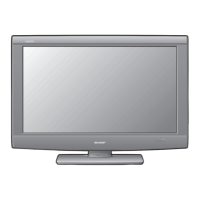
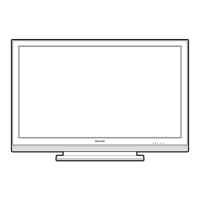
Sharp AQUOS LC-C3237U - User Manual

Sharp AQUOS LC-C3237U
32 pages
Print Icon
To Next Page IconTo Next Page
Loading...
1
LC-C3237U
LIQUID CRYSTAL
TELEVISION
OPERATION MANUAL
ENGLISH
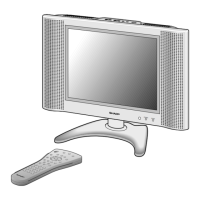
Supplied Accessories
Make sure the following accessories are provided with the product.
Remote control unit
(
g
1)
Page 8
“AA” size battery
(
g
2)
Page 9
AC cord
(
g
1)
Page 8
Stand unit
(
g
1)
Page 7
Operation manual
(
g
2 languages)
To avoid scratching the frame or screen, please use a soft, lint free cloth for cleaning. Approved
cleaning cloths are available directly from Sharp in single (00Z-LCD-CLOTH) or triple (00Z-LCD-
CLOTH-3) packs. Call 1-800-BE-SHARP for ordering, or VISIT www.sharpusa.com/SharpDirect.
Always use the AC cord supplied with the TV.
IMPORTANT : Please read this operation manual
before starting operating the equipment.
LC-C3237UE00.indd1LC-C3237UE00.indd1 2009/03/0616:04:592009/03/0616:04:59

Questions and Answers

  • D
    Duane FosterAug 17, 2025
    How to turn on my Sharp LCD TV?
    • J
      James ChapmanAug 17, 2025
      First, ensure that you have pressed the POWER button either on the remote control or directly on the TV. If the indicator light doesn't illuminate, verify that the AC cord is securely connected. Also, double-check that the main power switch is turned on.
  • F
    fstewartAug 20, 2025
    What to do if the Sharp AQUOS LC-C3237U remote control is not working?
    • A
      Amanda HamptonAug 20, 2025
      If your Sharp LCD TV remote isn't working, first ensure the batteries are correctly inserted, paying attention to the polarity. If they are, try replacing them with new ones. Also, strong or fluorescent lighting near the TV can interfere with the remote's signal. Check if a fluorescent light is near the remote control sensor.
  • A
    Alan MillsAug 22, 2025
    Why is there no sound on my Sharp AQUOS LC-C3237U LCD TV?
    • K
      Kelsey WarrenAug 23, 2025
      If you're not getting any sound from your Sharp LCD TV, start by checking the volume level to ensure it's not too low. Also, verify that you haven't accidentally pressed the MUTE button on the remote. Check that “Variable” is selected in “Output Select”.
  • C
    Cody MartinezAug 26, 2025
    Why does my Sharp AQUOS LC-C3237U suddenly turn off?
    • B
      Bryan Caldwell PhDAug 26, 2025
      If your Sharp LCD TV is suddenly turning off, check if the sleep timer is set. Review the power control settings. If the unit's internal temperature has increased, remove any objects blocking the vents or clean them.
  • S
    Sharon MccoyAug 28, 2025
    Why is there no picture on my Sharp LCD TV?
    • J
      jasmine43Aug 28, 2025
      If your Sharp LCD TV shows no picture, verify that all connections to other components are correct. After connection, make sure the correct input signal source is selected. Ensure the correct input is selected and picture adjustments are properly configured. Check if “On” is selected in “Audio Only”. Also, verify that a non-compatible signal is not being input.
  • J
    Joshua GrossAug 31, 2025
    What to do if my Sharp AQUOS LC-C3237U cannot be operated?
    • J
      Jose HarrisonAug 31, 2025
      If your Sharp LCD TV is unresponsive, it might be due to external influences like lightning or static electricity. Turn off the power or unplug the AC cord, wait a couple of minutes, and then plug it back in to operate the unit.
  • C
    Christopher GoodwinSep 2, 2025
    How to fix strange colors on Sharp AQUOS LC-C3237U?
    • J
      Judy MccoySep 3, 2025
      To correct strange or misaligned colors on your Sharp LCD TV, begin by adjusting the picture tone. Also, consider the room's brightness, as a very bright room can make the picture appear dark. Finally, check the input signal setting.
  • J
    Jessica YangSep 5, 2025
    How to fix 'Failed to receive broadcast' on Sharp AQUOS LC-C3237U LCD TV?
    • L
      Lisa FranklinSep 5, 2025
      To resolve a 'Failed to receive broadcast' message on your Sharp LCD TV, check the antenna cable and ensure the antenna is correctly set up.
  • D
    dsheltonSep 8, 2025
    What to do if my Sharp AQUOS LC-C3237U LCD TV says 'No broadcast now'?
    • J
      Jamie GonzalezSep 8, 2025
      If your Sharp LCD TV displays 'No broadcast now,' check the broadcast time in the program guide to ensure a program is currently scheduled.
  • K
    Kylie BlairSep 12, 2025
    How to adjust picture size on Sharp AQUOS LC-C3237U LCD TV?
    • N
      Natalie TurnerSep 12, 2025
      To fix a cut-off picture or sidebar screen on your Sharp LCD TV, check if the image position is correct. Also, verify that screen mode adjustments, such as picture size, are correctly configured.

Summary

IMPORTANT INFORMATION

Safety Warnings and Cautions

Essential safety warnings and cautions regarding electrical shock, fire, and proper usage.

Declaration of Conformity

FCC compliance statement and responsible party information for the TV.

IMPORTANT SAFETY INSTRUCTIONS

General Safety Precautions

Key instructions for safe installation, operation, and cleaning of the TV.

Installation and Usage Guidelines

Covers antenna grounding, placement, ventilation, heat, and safe handling.

Child Safety Recommendations

Advice on safe placement and use of flat panel displays to prevent injury to children.

QUICK REFERENCE

Attaching;Detaching the Stand

Instructions for safely attaching and detaching the TV stand unit.

Setting the TV on the Wall

Guidance on wall mounting the TV, including recommended brackets and safety precautions.

Using the Remote Control Unit

How to operate the TV using the remote control, including pointing and cautions.

Connecting to External Equipment

Connecting AV Devices

Guide for connecting players, VCRs, game consoles, and camcorders via various inputs.

Direct Button Operation

Initial Setup Procedure

Steps for the first-time setup, including language, location, and channel search.

On-Screen Display Menu

Picture Menu Adjustments

Settings to adjust picture quality like contrast, brightness, color, and sharpness.

Advanced Picture Settings

Advanced options like C.M.S., Color Temp, Active Contrast, Film Mode, and Noise Reduction.

Setup Menu Options

Configuration options including EZ Setup, Channel Setup, Input Skip, and Input Label.

Parental Control Setup

Setting up secret numbers, V-Chip, and parental control status.

Option Menu Settings

Options for audio output, input selection, color system, and caption setup.

Appendix

Troubleshooting Common Issues

Solutions for problems like no power, no picture, no sound, and remote control issues.

Product Specifications

Technical details of the TV, including resolution, inputs, power, and dimensions.

Calling for Service

Limited Warranty Information

Details of the consumer limited warranty, coverage, and exclusions.

Sharp AQUOS LC-C3237U Specifications

General IconGeneral
Screen Size32 inches
Resolution1366 x 768
Display TechnologyLCD
HDMI Ports2
USB Ports1
Weight11.0 lbs (without stand)
Aspect Ratio16:9
Contrast Ratio1200:1
Brightness450 cd/m²
InputsHDMI, Component, Composite, RF, PC Input
Viewing Angle176°
Audio Output20W (10W x 2)

Related product manuals