• Before detaching (or attaching) the stand, make sure to turn off the TV and unplug the AC cord.
• Do not remove the stand from the TV unless using an optional wall mount bracket to
mount it.
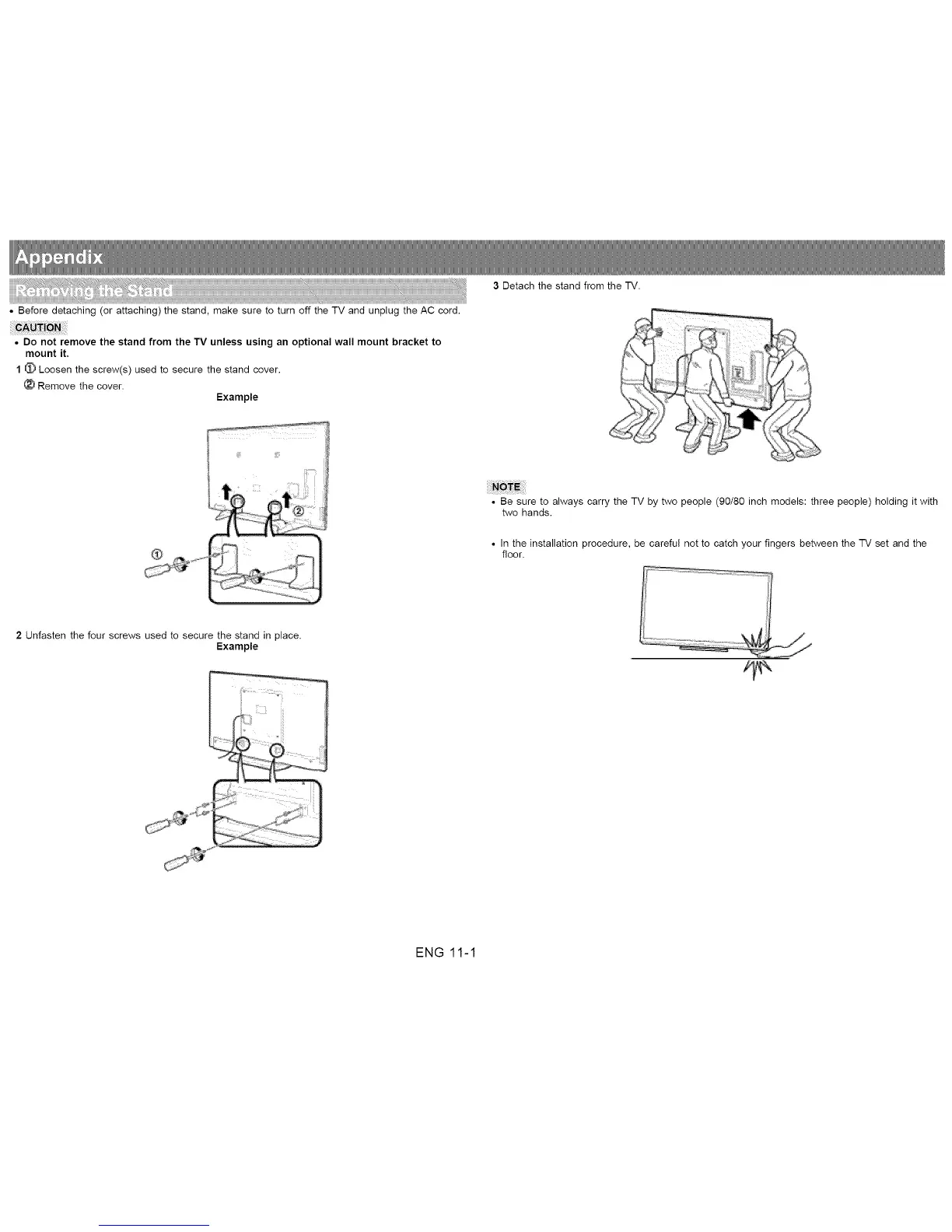
1 _ Loosen the screw(s) used to secure the stand cover.
Remove the cover.
Example
3 Detach the stand from the TV.
• Be sure to always carry the TV by two people (90/80 inch models: three people) holding it with
two hands.
• In the installation procedure, be careful not to catch your fingers between the TV set and the
floor.
2 Unfasten the four screws used to secure the stand in place.
Example
ENG 11-1












 To Next Page