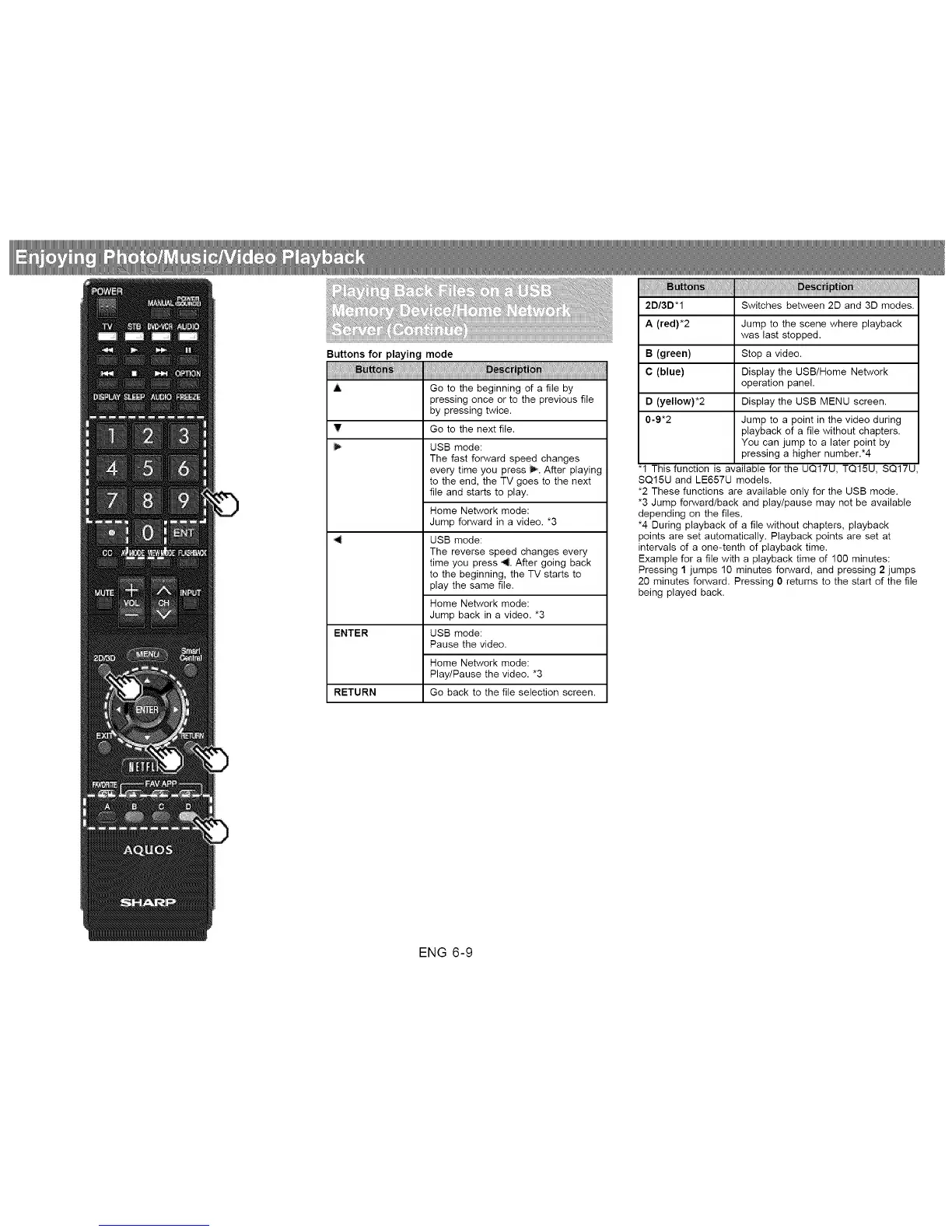
Buttons for playing mode
A Go to the beginning of a file by
pressing once or to the previous file
by pressing twice.
_!' Go to the next file,
USB mode:
The fast forward speed changes
every time you press _. After playing
to the end, the TV goes to the next
file and starts to play.
Home Network mode:
Jump forward in a video. *3
USB mode:
The reverse speed changes every
time you press 4. After going back
to the beginning, the TV starts to
play the same file.
Home Network mode:
Jump back in a video. *3
ENTER USB mode:
Pause the video.
Home Network mode:
Play/Pause the video. *3
RETURN Go back to the file selection screen.
.s:
2D/3D*1 Switches between 2D and 3D modes.
A (red)*2 Jump to the scene where playback
was last stopped.
B (green) Stop a video.
C (blue) Display the USB/Home Network
operation panel.
D (yellow)*2 Display the USB MENU screen.
0-9*2
Jump to a point in the video during
playback of a file without chapters.
You can jump to a later point by
pressing a higher number.*4
"1 This function is available for the UQ17U, TQ15U, SQ17U,
SQ15U and LE657U models.
*2 These functions are available only for the USB mode.
*3 Jump forward/back and play/pause may not be available
depending on the files.
*4 During playback of a file without chapters, playback
points are set automatically. Playback points are set at
intervals of a one-tenth of playback time.
Example for a file with a playback time of 100 minutes:
Pressing 1 jumps 10 minutes forward, and pressing 2 jumps
20 minutes forward. Pressing 0 returns to the start of the file
being played back.
ENG 6-9












 To Next Page