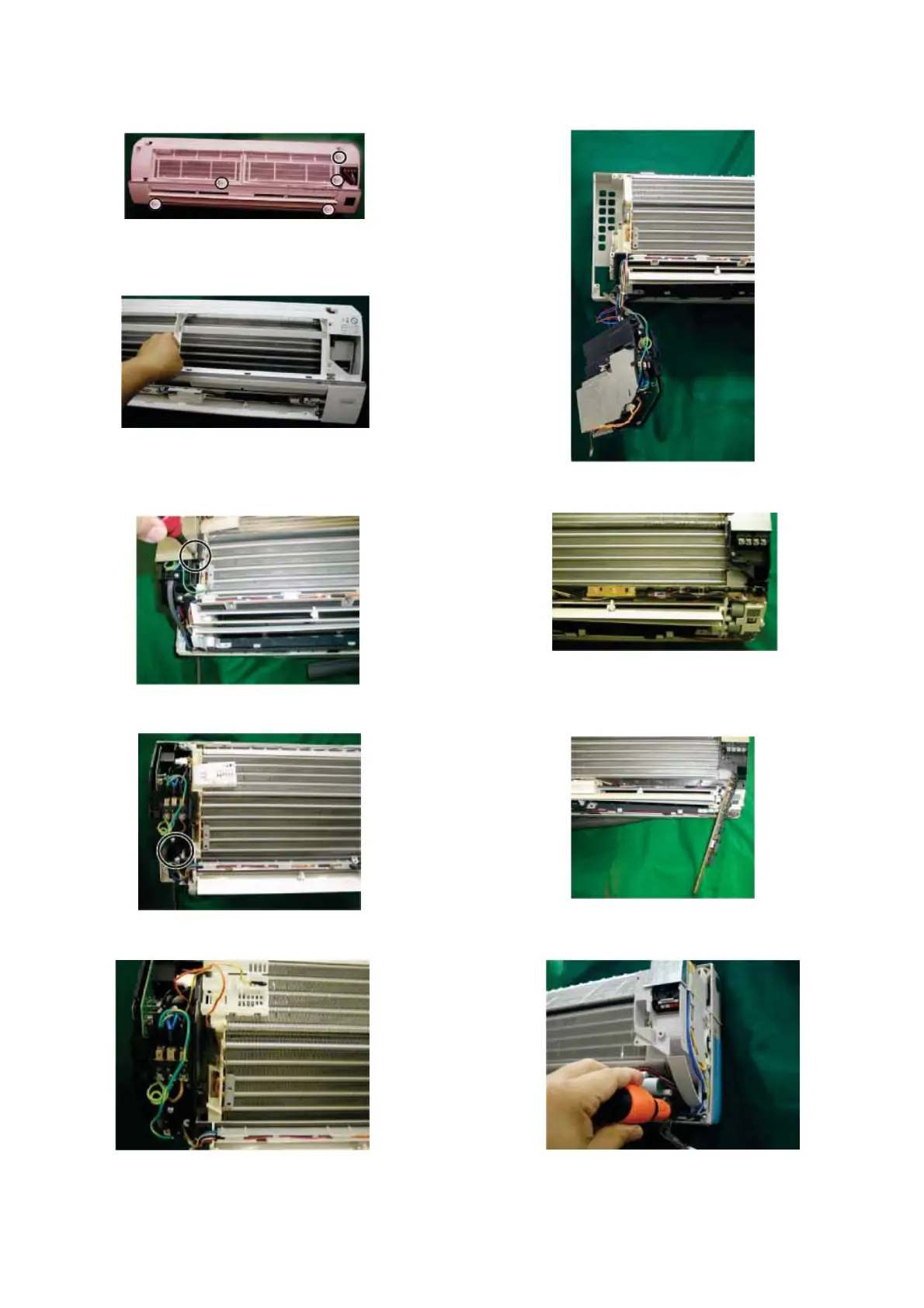
9) Remove 5 screws fixing the front panel. 14) Remove the control box.
10) Pull the front panel up.
11) Remove a screw fixing the Control box cover,
and remove it 15) Remove the LED guide.
16) Pushing the 2 hooks of the holder, remove the display
12) Remove the 2 screws fixing the control box. board
13) Disconnect the thermistor. 17) Remove a screw fixing the holder.
18


 To Next Page