115
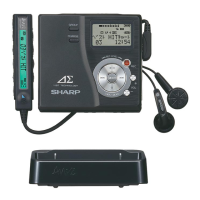
1-BIT PORTABLE MINIDISC RECORDER MD-DR77
ENGLISH OPERATION MANUAL
MD-DR77(J)
TINSJA019AWZZ
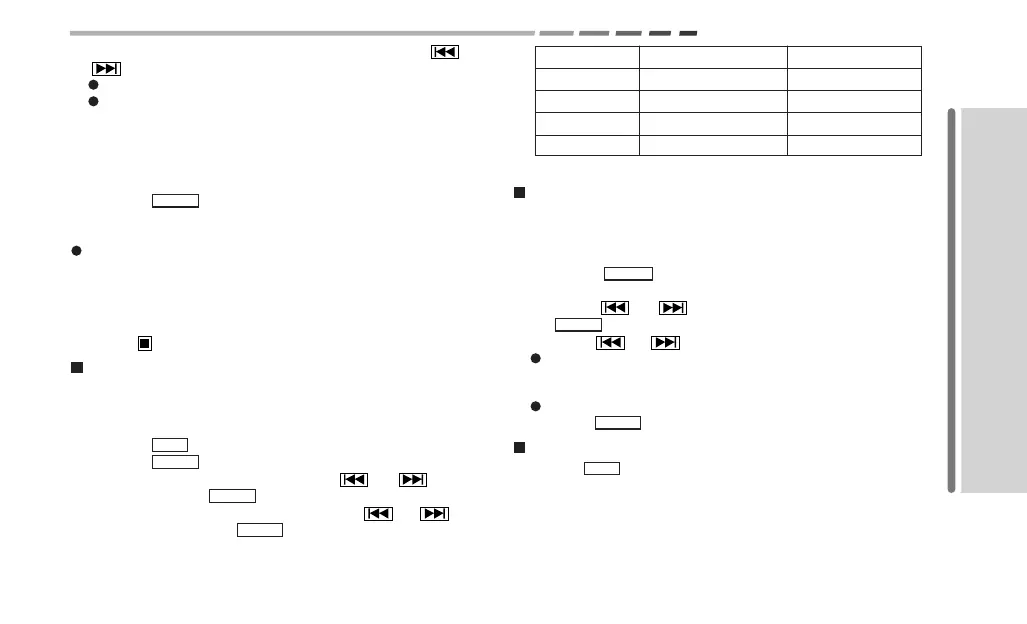
4. Select the synchro recording mode by pressing the
or
button.
For recording from audio equipment, select ON.
For recording from a microphone, select the recording start
level (MIC SYNC H or MIC SYNC L).
H (High): Recording starts when the unit detects
-24dB or higher.
L (Low): Recording starts when the unit detects
-12dB or higher.
5.
Press the MENU button again.
6. Recording starts when the unit detects sound from the con-
nected equipment or microphone.
If the silence lasts for 3 seconds or more, the unit enters the
recording pause mode.
When the unit detects sound again, a new track number is cre-
ated and recording starts.
To cancel synchro recording
Press the button.
Long recording (pages 38 - 39)
2 times or 4 times long stereo recording is possible.
You can make a recording in the monaural mode for twice as long
as in the stereo mode (SP).
1. Press the REC button.
2.
Press the MENU button.
3. Select “REC MODE” by pressing the
or button,
and then press the MENU button again.
4. Select the recording mode by pressing the
or but-
ton, and then press the MENU button.
For an 80 minute MiniDisc:
Indication Recording mode Recording time
SP/STEREO Stereo MAX. 80 min.
LP2 2 times long (stereo) MAX. 160 min.
LP4 4 times long (stereo) MAX. 320 min.
SP/MONO Monaural MAX. 160 min.
5. Start recording (manual or synchronous).
Creating track numbers automatically
(page 41)
You can select a numbering method for analog recording from
audio equipment or a microphone.
1.
Press the MENU button while recording is paused or in
progress.
2. Press the
or button to select “MARK” and press
the MENU button again.
3. Press the
or button to select a numbering method.
For audio equipment: LEVEL-AUTO (numbers after silence
of 1 second or more), TIME 10min, TIME 5min, TIME 3min,
OFF
For microphone: TIME 10min, TIME 5min, TIME 3min, OFF
4.
Press the MENU button.
Creating track numbers manually (page 42)
Press the REC button while recording. The track number in-
creases by one.


 To Next Page