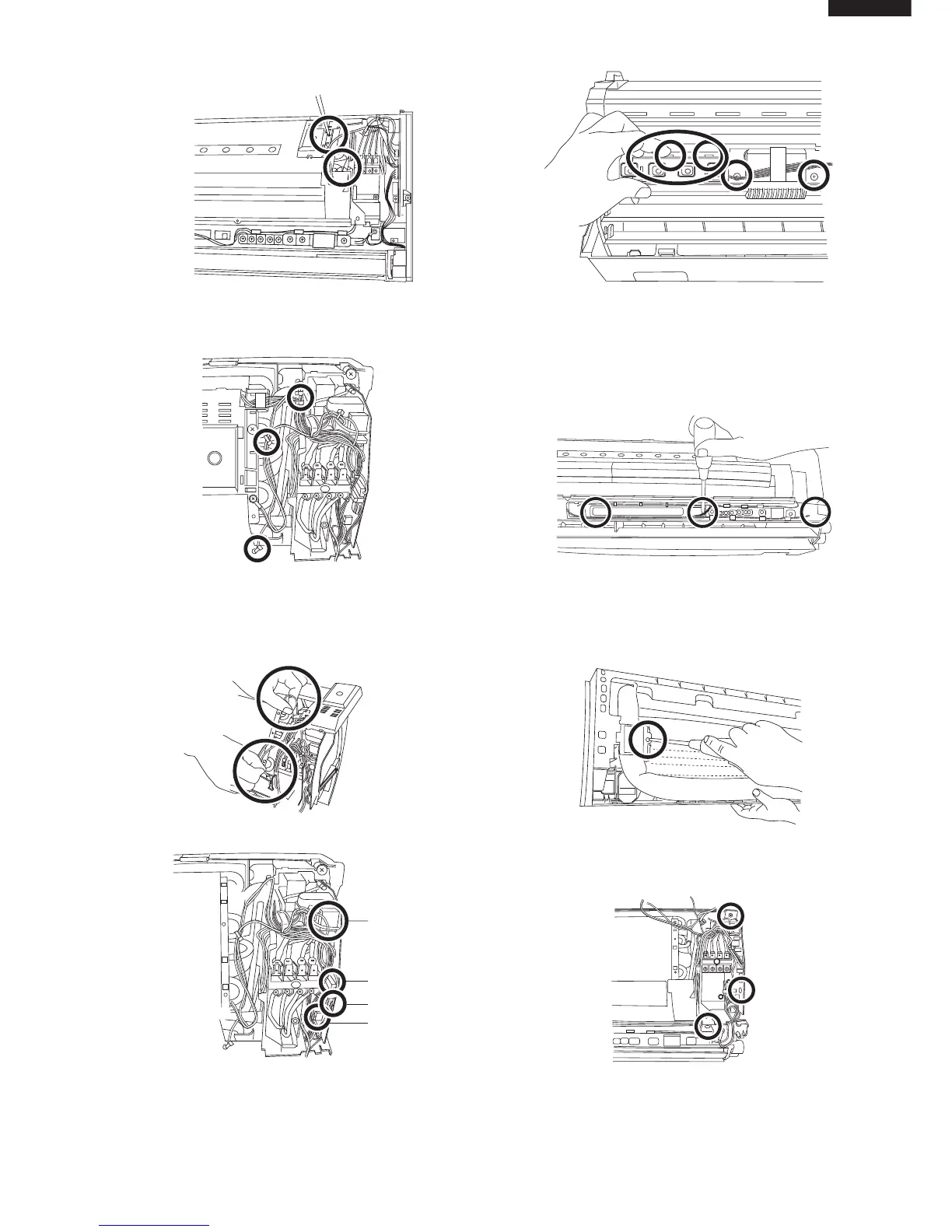
9. Remove 2 screws fixing the sensor holder, lead cover
A and lead cover B from the evaporator.
10.Cut off 3 fixing bands.
During reassembly, fix them by fixing bands as same
certainly.
11. Remove 2 thermistors of the evaporator and the pipe.
13. Pushing the 2 hooks of the holder, remove the
display board unit 3 from the holder.
And remove 2 screws fixing the cluster holder from
the drain pan.
12.Remove 4 conectors.
14.Remove 3 screws fixing the LED HOLDER B
15. Remove the screw fixing the pipe holder.
16. Remove 3 screws fixing the control box,and remove
the control box.



 To Next Page