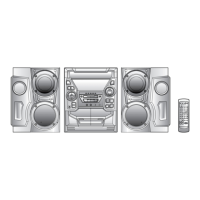
CD-BK1600V/1800V/190V
– 4 –
NAMES OF PARTS
CD-BK1600V/1800V/190V
1.Disc Tray
2.(VCD/CD) Karaoke Mode Button
3.(VCD) Playback Control Button
4.(VCD) On Screen Display On/Off Button
5.(VCD) Digest Button
6.(VCD) Bookmark Button
7.Timer Set Indicator
8.On/Stand-by Button
9.Clock Button
10.Timer/Sleep Button
11.Function Selector Buttons
12.Headphone Socket
13.Dimmer Button
14.Volume Up/Down Buttons
15.Extra Bass/Demo Mode Button
16.Equalizer Mode Selector Button
17.Tuning and Time Up/Down Buttons
18.Memory/Set Button
19.(VCD) Skip/Previous Button
(CD) Track Down/Review Button
(TUNER) Preset Down Button
(TAPE 2) Fast Wind Button
20.(VCD) Skip/Next Button
(CD) Track Up/Cue Button
(TUNER) Preset Up Button
(TAPE 2) Fast Wind Button
21.(TAPE 2) Record Pause Button
22.(VCD/CD) Disc Skip Button
23.(VCD/CD) Open/Close Button
24. (TAPE 2) Reverse Play Button
25.(VCD) Stop/Return Button
(CD/TAPE) Stop Button
26. (TAPE 2) Reverse Mode Button
27.(VCD/CD) Play/Repeat Button
(TAPE 1) Play Button
(TAPE 2) Forward Play Button
28.Microphone Sockets
29.Microphone Level Controls
30. (TAPE 1) Cassette Compartment
31. (TAPE 2) Cassette Compartment
2
7
8
9
10
11
12
22
23
3
45
14
15
13
6
18
19
20 21
1
16
17
25 27
24
26
28
29
30
31
Display
1.FM Stereo Mode Indicator
2.Extra Bass Indicator
3.FM Stereo Indicator
4.Karaoke Mode Indicator
5.(VCD/CD) Repeat Indicator
6.Spectrum Analyzer/Volume Level Indicator
7.(TAPE 1) Play Indicator
(TAPE 2) Forward Play Indicator
8.(VCD/CD) Pause Indicator
9.(VCD/CD) Play Indicator
10.(TAPE 2) Reverse Mode Indicator
11.(TAPE 2) Reverse Play Indicator
12.(TAPE 2) Record Indicator
13.(VCD/CD) Disc Number Indicators
14.Timer Play Indicator
15.Sleep Indicator
16.Timer Record Indicator
17.(VCD/CD/TUNER) Memory Indicator
15
1
23
45
67
68910
11
6
12
13
14
16 17
Front panel



 To Next Page