EasyManua.ls Logo

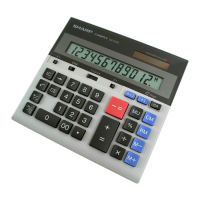
Sharp COMPET QS-2130 - User Manual

Sharp COMPET QS-2130
24 pages
Print Icon
To Next Page IconTo Next Page
Loading...
QS-2130
ELECTRONIC CALCULATOR
OPERATION MANUAL
MODEL
QS-2130(U1E)-Cover 09.4.14, 5:50 PM1
Question and Answer IconNeed help?

Do you have a question about the Sharp COMPET QS-2130 and is the answer not in the manual?

Summary

Operational Notes and Precautions

Operational Precautions

Key recommendations for trouble-free operation, including environmental conditions and cleaning.

Operating Controls: Mode and Rounding Selectors

CONSTANT MODE SELECTOR

Controls constant functions for multiplication and division operations.

ROUNDING SELECTOR

Determines how answers are rounded in multiplication and division.

Operating Controls: Accumulation Selector

ACCUMULATION SELECTOR

Selects accumulation of numbers or answers in the 1st memory register.

Operating Controls: Count and Shift Keys

Operating Controls: Sign, Power, Number, and Decimal Keys

POWER ON;CLEAR KEY

Clears calculator contents and resets display; used for power on.

Operating Controls: Math and Memory Keys

Replacing the Backup Battery

Replacing the Backup Battery: How to Replace

How to replace

Step-by-step instructions and diagrams for replacing the backup battery.

Percent Mark-Up Based on Cost (MU)

Calculation method

Demonstrates calculating selling price and gross profit using mark-up percentage.

Error Handling and Overflow Calculations

OVER FLOW CALCULATION

Explains error conditions like overflow and digit limits, and how to recover.

Specifications

Summary

Operational Notes and Precautions

Operational Precautions

Key recommendations for trouble-free operation, including environmental conditions and cleaning.

Operating Controls: Mode and Rounding Selectors

CONSTANT MODE SELECTOR

Controls constant functions for multiplication and division operations.

ROUNDING SELECTOR

Determines how answers are rounded in multiplication and division.

Operating Controls: Accumulation Selector

ACCUMULATION SELECTOR

Selects accumulation of numbers or answers in the 1st memory register.

Operating Controls: Count and Shift Keys

Operating Controls: Sign, Power, Number, and Decimal Keys

POWER ON;CLEAR KEY

Clears calculator contents and resets display; used for power on.

Operating Controls: Math and Memory Keys

Replacing the Backup Battery

Replacing the Backup Battery: How to Replace

How to replace

Step-by-step instructions and diagrams for replacing the backup battery.

Percent Mark-Up Based on Cost (MU)

Calculation method

Demonstrates calculating selling price and gross profit using mark-up percentage.

Error Handling and Overflow Calculations

OVER FLOW CALCULATION

Explains error conditions like overflow and digit limits, and how to recover.

Specifications

Sharp COMPET QS-2130 Specifications

General IconGeneral
BrandSharp
ModelCOMPET QS-2130
CategoryCalculator
LanguageEnglish

Related product manuals