13
Chapter 1: Before You Get Started
Calculator Layout and Display Symbols
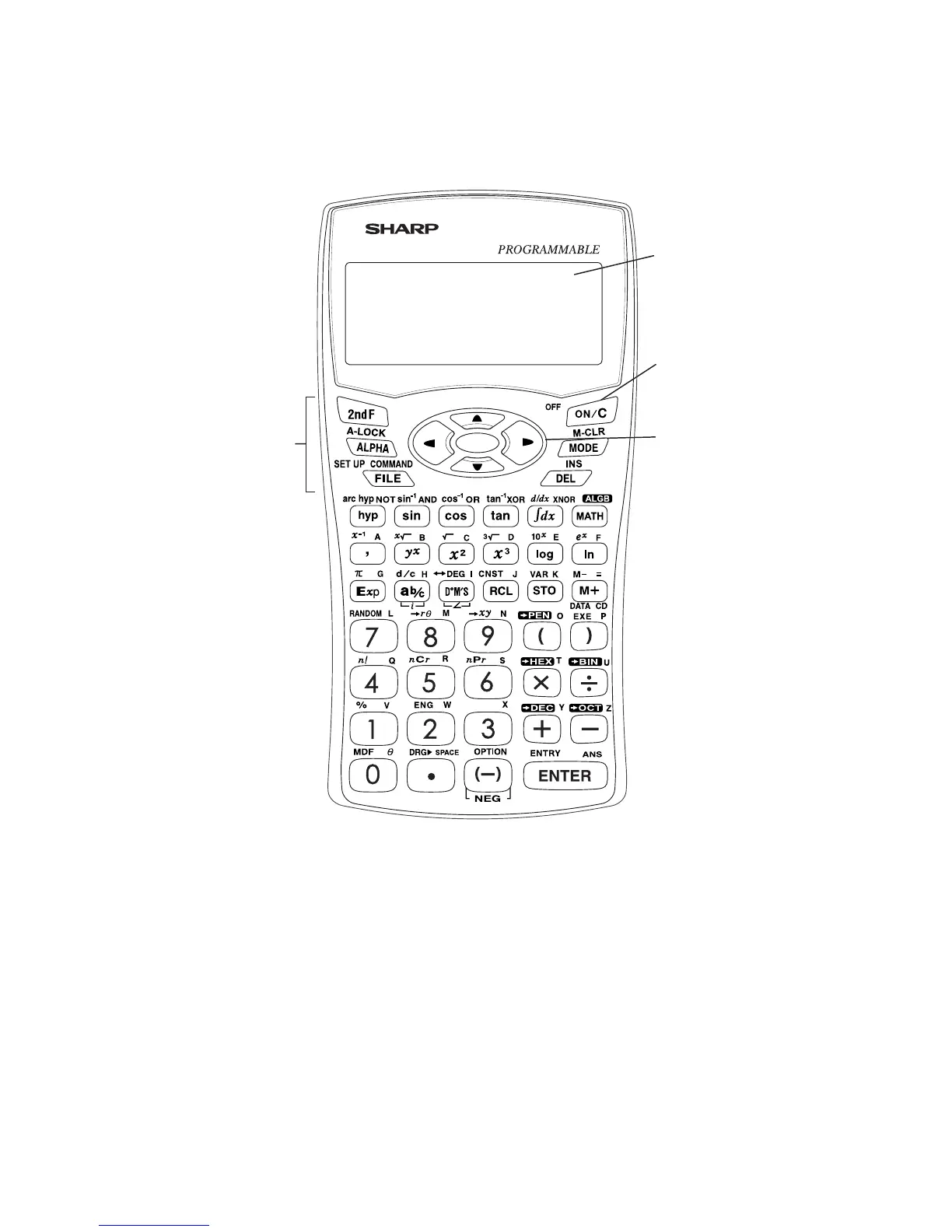
Calculator layout
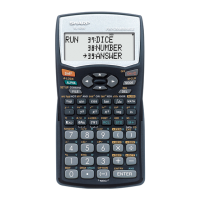
1 Display screen: The calculator display consists of 14 × 3 line dot matrix
display (5 × 7 dots per character) and a 2-digit exponent display per each
line.
2 Power ON/OFF and Clear key: Tur ns calculator ON. To turn off the
calculator, press @, then o. This key can also be used to clear the
display.
3 Key operation keys:
@: Activates the second function (printed in orange) assigned to the
next pressed key.
;: Activates the variable (printed in blue) assigned to the next
pressed key.
4 Cursor keys: Enables you to move the cursor in four directions.
1 Display screen
2 Power ON/OFF
and Clear key
4 Cursor keys
3 Key operation
keys


 To Next Page